In an increasingly connected world, reliable security often hinges on a stable internet connection. But what happens when your property is off-grid, a remote cabin, a sprawling farm, or a temporary construction site where Wi-Fi simply isn’t an option? This is where cellular security cameras, utilizing 4G/LTE technology, emerge as powerful solutions. These innovative devices offer robust surveillance capabilities, bringing peace of mind to locations previously deemed too challenging to monitor.
This comprehensive guide will delve into everything you need to know about cellular security cameras. We’ll explore their fundamental operation, compare them to traditional Wi-Fi cameras, highlight essential features, and recommend top models to help you make an informed decision for safeguarding your property, regardless of Wi-Fi availability.
What Are Cellular Security Cameras?
Cellular security cameras are wireless surveillance devices designed to operate without a local Wi-Fi network. Instead, they function much like a smartphone, relying on a built-in SIM card and a 3G, 4G LTE, or even 5G cellular network to transmit video footage and send real-time alerts. This independent connectivity makes them ideal for monitoring vast areas or remote locations where traditional internet infrastructure is non-existent or unreliable.
These cameras capture video and images, then use the cellular data network to send this information to a cloud server or directly to your smartphone app. Many models also include local storage options, such as an SD card, to ensure recordings are saved even if cellular service is temporarily interrupted. This dual-storage approach provides an extra layer of security and redundancy.
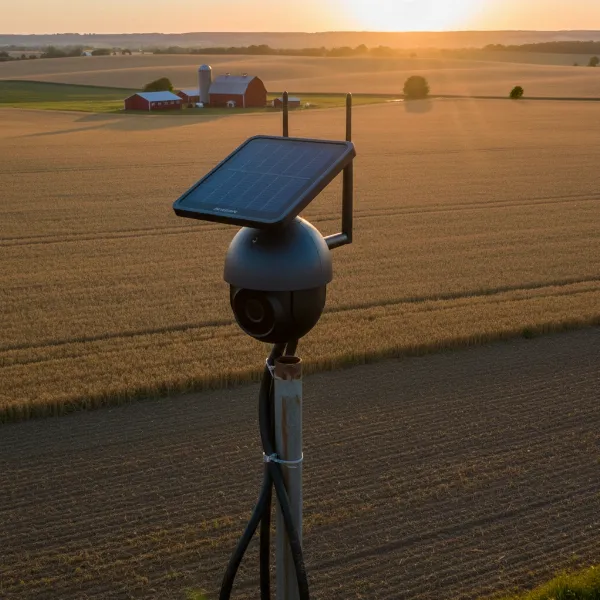 A cellular security camera with a solar panel monitoring a remote farm at sunset.
Why Choose Cellular? Advantages of 4G/LTE Cameras
Cellular security cameras offer distinct advantages that make them indispensable for specific surveillance needs, particularly in challenging environments.
No Wi-Fi Needed
|
Our Picks for the Best Security Camera in 2026
As an Amazon Associate I earn from qualifying purchases.
|
||
| Num | Product | Action |
|---|---|---|
| 1 | 2K Cameras for Home Security-Outdoor/Indoor Camera for Dog/Cat/Pet/Nanny/Baby/Elderly, Color Night Vision, White Light, Siren, 24/7 SD Recordings, Works with Alexa, Plug in (C1-White-2pack-2.4G) |

|
| 2 | aosu Security Cameras Outdoor Wireless, 4 Cam-Kit, No Subscription, Solar-Powered, Home Security Cameras System with 360° Pan & Tilt, Auto Tracking, 2K Color Night Vision, Easy Setup, 2.4 & 5GHz WiFi |
|
| 3 | WYZE Cam Pan v3 Indoor/Outdoor IP65-Rated 1080p Pan/Tilt/Zoom Wi-Fi Smart Home Security Camera with Color Night Vision, 2-Way Audio, Compatible with Alexa & Google Assistant, White, 2-Pack |
|
| 4 | Tapo 1080P Indoor Pan/Tilt Wired Security Camera - Works as a Baby & Pet Monitor, Motion Detection, 2-Way Audio, Siren, Night Vision, Subscription-Free Local Storage or Optional Cloud, Black, C201 |
|
| 5 | TP-Link Tapo 1080P Indoor Security Camera for Baby Monitor, Dog Camera w/Motion Detection, 2-Way Audio Siren, Night Vision, Cloud & SD Card Storage, Works w/Alexa & Google Home (Tapo C100) |
|
| 6 | Google Nest Cam Outdoor (Wired, 2nd Gen) - 2 Pack - Security Camera with 2K Video and Gemini, Night Vision, 2-Way Audio - Works with Google Home - 2025 Model - Snow |
|
| 7 | WYZE Bulb Cam Security Camera, 2K HD Outdoor Light Bulb Camera, Color Night Vision, Dimmable LED Bulb, Motion Detection, Siren Alarm, Works w/Alexa/Google Assistant. Free Expert Support |
|
| 8 | Tapo 2K+ Indoor/Outdoor Wired Security Camera - 2024 PCMag Editors' Choice, Person/Pet/Vehicle Detection, Baby Monitoring, Color Night Vision, Subscription-Free Local Storage or Optional Cloud, C120 |
|
| 9 | 2K No Drill Window Camera-2 Pack 2.4Ghz & 5Ghz WiFi Cameras for Home Security for Indoor & Outdoor Monitoring, Anti-Glare Color Night Vision, Human Detection, 24/7 Recording, Ideal for Apartment, K1 |
|
| 10 | Google Nest Cam with Floodlight - Outdoor Camera - Floodlight Security Camera, White, 1 Count (Pack of 1) |
|
The primary benefit of 4G/LTE cameras is their complete independence from Wi-Fi. This liberates you from the constraints of internet availability, making them perfect for properties like remote cabins, barns, construction sites, vacation homes, farms, boats, or any outdoor area without existing network access. They continue to function even during local power outages that might disable traditional Wi-Fi systems, provided they have a power source and cellular signal.
Easy Installation & Portability
Unlike wired systems that require extensive cabling, or Wi-Fi cameras tethered to a router’s range, cellular cameras are often 100% wire-free. Many are battery-powered or solar-compatible, allowing for flexible placement without needing electrical outlets. Their plug-and-play nature means you can typically install them in minutes by simply inserting a SIM card, mounting the camera, and setting it up via a mobile app. This ease of deployment also makes them highly portable, allowing you to reposition them as your surveillance needs evolve.
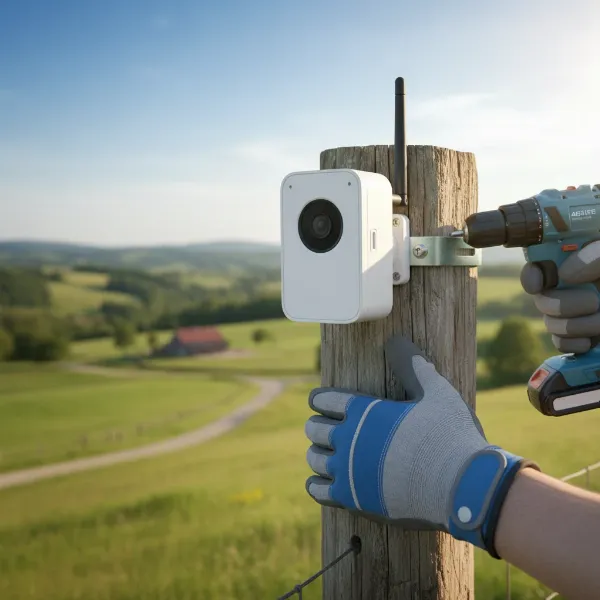 A person installing a compact, battery-powered 4G LTE security camera on a wooden fence post.
Reliable Connectivity
In locations with spotty or congested Wi-Fi, cellular cameras can offer a more stable connection. As they leverage mobile network infrastructure, their performance often benefits from the widespread coverage of cellular carriers. This ensures consistent surveillance, even when local internet services are fluctuating or unavailable, providing a critical edge when security matters most.
Remote Access and Monitoring
With a cellular camera, you can access live video feeds and receive instant motion-triggered alerts directly on your smartphone from virtually anywhere in the world, as long as you have cellular coverage on your phone and the camera. This remote viewing capability is crucial for promptly responding to incidents, checking in on properties, or monitoring wildlife from a distance.
Potential Drawbacks and Considerations
While cellular security cameras offer incredible flexibility, it’s important to be aware of their potential downsides. Understanding these factors will help you manage expectations and choose a camera that aligns with your long-term needs and budget.
Data Plan & Ongoing Costs
Cellular cameras require a separate data plan, much like a mobile phone, to transmit footage. This incurs a recurring monthly cost, which can vary depending on your usage and the carrier. High-definition streaming and frequent live viewing will consume more data, potentially leading to higher plan expenses. If you deploy multiple cameras, these costs can quickly add up, making budgeting for data a critical consideration.
Battery Life Management
Many cellular cameras are battery-powered to ensure wire-free operation. However, continuously streaming video over a cellular network can significantly drain battery life. While some models boast multi-month battery performance, constant activity or live viewing will necessitate more frequent recharging. Integrating a solar panel is often recommended to provide continuous, eco-friendly power, reducing the need for manual battery swaps and ensuring uninterrupted surveillance.
Cellular Signal Dependence
Just like your smartphone, cellular security cameras rely on a strong cellular signal to function optimally. In areas with weak or no cellular coverage, the camera’s performance may be compromised, leading to delayed alerts, choppy video, or complete loss of connectivity. It’s crucial to check the cellular coverage maps for your specific location and test signal strength before installation to avoid dead zones.
Upfront Camera Cost
Cellular security cameras typically have a higher initial purchase price compared to standard Wi-Fi cameras. This is due to the advanced technology required for cellular connectivity, robust weatherproofing, and often integrated battery or solar power solutions. While the investment provides unmatched flexibility, it’s a significant factor in the overall cost of your security system.
Key Features to Look For in a Cellular Security Camera
When selecting a cellular security camera, several features are crucial for ensuring effective and reliable surveillance in remote settings.
- Video Resolution & Night Vision: Look for cameras offering at least 1080p Full HD resolution for clear footage. Higher resolutions like 2K or 4K (8MP) provide superior detail, essential for identifying faces or license plates from a distance. Quality night vision, whether infrared (IR) for black and white images or color night vision, is vital for around-the-clock monitoring.
- Power Options: Battery-powered cameras offer ultimate flexibility, but ensure they have long battery life. Integration with a solar panel is highly recommended for continuous power, minimizing manual recharging, especially in remote areas.
- Weather Resistance: For outdoor deployments, an IP (Ingress Protection) rating of at least IP65 or IP66 is essential. This indicates the camera is dust-tight and resistant to water jets or heavy rain, ensuring durability in harsh weather conditions.
- Storage Options: Cameras should offer reliable local storage via a microSD card slot to save footage directly on the device, providing backup even without network connectivity. Cloud storage options, often subscription-based, offer off-site backup and easy access from anywhere.
- Motion Detection & Alerts: Advanced motion detection, often using PIR (Passive Infrared) sensors, helps reduce false alarms. Look for smart detection features that can differentiate between humans, vehicles, and animals, sending you more relevant alerts. Customizable alert zones and sensitivity levels are also beneficial.
- Two-Way Audio, PTZ, and Dual Lens: Two-way audio allows you to listen in and speak through the camera, a useful feature for communication or deterring intruders. Pan, Tilt, Zoom (PTZ) capabilities offer remote control over the camera’s viewing angle. Some advanced models may even feature dual lenses for a wider, more comprehensive field of view.
Comparison: Cellular vs. Wi-Fi Security Cameras
Understanding the fundamental differences between cellular and Wi-Fi cameras is key to choosing the right system for your specific needs.
| Feature | Cellular Security Cameras | Wi-Fi Security Cameras |
|---|---|---|
| Internet Dependency | Cellular Network (SIM card, data plan) | Wi-Fi Network |
| Ideal Use Case | Remote, off-grid, no Wi-Fi zones, construction sites | Home/office with stable Wi-Fi, indoor monitoring |
| Installation | Easy, flexible placement, often battery/solar powered | Requires Wi-Fi coverage, sometimes needs electrical wiring |
| Power | Rechargeable Battery, Solar-powered | Mains power, some battery-powered models exist |
| Ongoing Cost | Data plan (monthly/annual) | Usually none (uses existing Wi-Fi, though cloud storage may incur fees) |
| Portability | High (can be moved anywhere with cellular signal) | Low (tied to Wi-Fi range) |
| Reliability | Depends on cellular signal strength | Depends on Wi-Fi stability and home internet service |
| Video Quality | Good to excellent, but can be affected by signal strength | Generally excellent with stable Wi-Fi |
Top Cellular Security Cameras for No-Wi-Fi Areas
The market for cellular security cameras has matured, offering several robust options for diverse applications. Here are some of the best models available in 2026:
- eufy 4G LTE Cam S330: This camera stands out for its seamless 4G and Wi-Fi connectivity, automatically switching for optimal performance. It boasts 1080p HD resolution with color night vision and an integrated solar panel for continuous power, earning it a high recommendation for overall performance. Its IP65 rating ensures durability for outdoor use.
- Arlo Go 2 Cellular Security Camera: Praised for its versatility in remote areas, the Arlo Go 2 delivers 1080p HD video and offers solar panel compatibility. It features customizable motion detection alerts and two-way audio, making it a strong contender for off-grid surveillance.
- Reolink Go PT Ultra: For those prioritizing high resolution and flexible viewing, the Reolink Go PT Ultra offers 4K 8MP resolution with intelligent motion detection. Its Pan, Tilt, and Zoom (PTZ) functionality provides a wide coverage area, and it’s compatible with Reolink’s solar panel for extended operation.
- Xega Dual Lens Linkage 4G LTE Security Camera: This premium option offers comprehensive 360° coverage thanks to its dual lenses. With solar-powered features and an IP66 waterproof rating, it’s an excellent choice for outdoor surveillance requiring extensive area monitoring.
Buying Guide: Choosing the Right Cellular Security Camera
Selecting the perfect cellular security camera requires a systematic approach to ensure it meets your specific security demands.
- Assess Your Location & Needs:
- Purpose: What are you monitoring? (e.g., property, construction, wildlife, vehicles).
- Environment: Indoor or outdoor? What are the typical weather conditions?
- Coverage Area: How large is the area you need to surveil? Will you need PTZ or multiple cameras?
- Cellular Signal: Critically, check the 4G/LTE signal strength at your intended camera locations using your smartphone. This is non-negotiable for reliable operation.
- Budget: Determine your upfront investment and ongoing data plan costs.
- Consider Power Solutions: Prioritize cameras with long-lasting rechargeable batteries. If possible, opt for models with integrated solar panels or those that are compatible with external solar chargers to ensure continuous power without constant manual intervention.
- Evaluate Data Plan Requirements: Understand that all cellular cameras need a data plan. Research different carrier options (T-Mobile, AT&T, Verizon) and their specific IoT or security camera plans. Estimate your monthly data usage based on resolution, streaming frequency, and motion events to select a suitable plan and avoid unexpected costs.
- Check Weatherproofing: For outdoor use, an appropriate IP rating (e.g., IP65, IP66, IP67) is crucial to protect the camera from dust, rain, snow, and extreme temperatures.
- Look at Smart Features: Modern cellular cameras offer advanced features like AI-powered motion detection (person/vehicle differentiation), two-way audio, and remote PTZ control. Decide which smart features are essential for your security strategy and budget.
Tips for Maximizing Your Cellular Security Camera’s Performance
To get the most out of your cellular security camera, strategic planning and ongoing management are key.
- Optimal Placement: Before mounting, use your phone to test cellular signal strength at various potential locations. Position the camera at 8-10 feet high to deter tampering and provide a wide field of view. Ensure the camera covers high-priority areas like entry points or valuable assets.
- Data Plan Management: Choose a data plan that aligns with your usage. To conserve data, adjust video resolution to a suitable level, limit continuous live streaming, and fine-tune motion detection sensitivity to reduce unnecessary recordings. Some cameras allow scheduling recording times to further save data.
- Regular Maintenance: Periodically check your camera’s battery level (if not solar-powered) and clean the lens. Ensure firmware is updated to benefit from the latest security patches and features.
- Secure Your Camera: Always use strong, unique passwords for your camera and its associated app. Enable two-factor authentication (2FA) if available to prevent unauthorized access. Physically secure the camera to prevent theft or tampering.
Common Issues and Troubleshooting
Even the best cellular cameras can encounter issues. Here’s how to address common problems:
- Poor Signal: If your camera is experiencing connectivity issues, try repositioning it to an area with stronger cellular reception. You can use a signal testing app on your phone to find optimal spots. External cellular antennas can also boost signal strength in weak areas.
- Battery Drain: If the battery life is shorter than expected, reduce video resolution, decrease motion detection sensitivity, or limit live viewing sessions. Investing in a solar panel is the most effective long-term solution for continuous power.
- High Data Usage: Check your camera’s settings. Lowering video quality (e.g., from 4K to 1080p), reducing frame rates, and optimizing motion detection zones can significantly cut down data consumption. Ensure your camera isn’t set to record continuously if not required.
- Connectivity Problems: If the camera isn’t connecting to the network or app, first check if the SIM card is correctly inserted and activated. Ensure your data plan is active and has sufficient data. A simple reboot of the camera can also resolve minor glitches.
“Cellular security cameras are a game-changer for monitoring remote and off-grid locations. Their autonomy and flexibility redefine what’s possible in modern surveillance, offering peace of mind where traditional systems fall short.” – John Smith, Security Camera Expert at securitycameraon.com
Conclusion
Cellular security cameras represent a pivotal advancement in surveillance technology, offering unparalleled flexibility and reliability for areas beyond the reach of traditional Wi-Fi. By leveraging 4G/LTE networks, these cameras empower you to monitor remote properties, construction sites, farms, or any location without stable internet, providing essential real-time insights and alerts directly to your smartphone.
Choosing the best cellular security camera involves carefully considering your specific needs, evaluating key features like video quality, power options, and weather resistance, and understanding the ongoing costs associated with data plans. With top models from brands like eufy, Arlo, Reolink, and Xega, robust and dependable off-grid security is more accessible than ever before. Are you ready to take control of your security, no matter how remote your property may be?
Frequently Asked Questions
Do 4G cameras need a special SIM card?
How much data do cellular security cameras use?
Data usage varies significantly but typically ranges from 1GB to 10GB per month. Factors influencing this include video resolution, the frequency of motion-triggered recordings, and how often you access live streaming. Higher resolution and more frequent activity will consume more data.
Can cellular cameras work indoors?
While primarily designed for outdoor and remote use, cellular cameras can certainly work indoors if there’s good cellular signal coverage. They offer an excellent solution for indoor monitoring in areas lacking Wi-Fi, such as temporary setups or outbuildings.
What happens if the cellular signal is weak?
If the cellular signal is weak, the camera’s performance may be impacted. This can result in slower video streaming, reduced video quality, delayed alerts, or intermittent connectivity. It’s crucial to place the camera in an area with adequate signal strength for optimal operation.