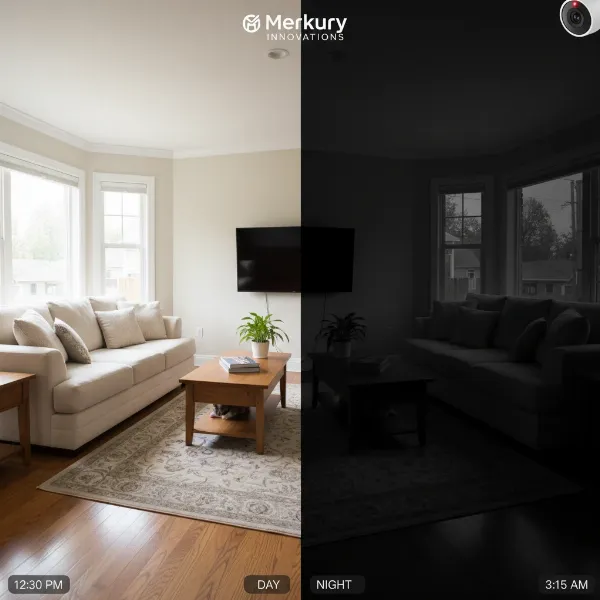
Mounting a security camera indoors to monitor the outdoors through a window offers convenience, discretion, and protection from the elements. However, many users quickly encounter a frustrating problem: infrared (IR) reflection, which turns night-time footage into a blurry, unusable mess. This glare, often appearing as a bright, hazy circle or cloud in the center of the screen, severely compromises your camera’s ability to provide clear surveillance when you need it most. If you’ve ever found yourself wondering why your camera’s night vision looks like a ghost in a fog, you’re likely battling IR reflection. This comprehensive guide will equip you with practical, effective solutions to eliminate IR glare, ensuring your window-mounted security camera delivers crystal-clear images, day and night.
Understanding IR Reflection in Window-Mounted Cameras
At its core, IR reflection occurs because of the fundamental way infrared night vision works. Most security cameras equipped with night vision feature built-in IR LEDs (light-emitting diodes) that emit infrared light. This light is invisible to the human eye but illuminates the scene for the camera’s sensor, allowing it to “see” in the dark.
When these IR lights are active and the camera is placed behind a window, the infrared light hits the glass and bounces directly back into the camera’s lens. This reflection effectively blinds the camera, creating the characteristic glare or hazy image. It’s similar to shining a flashlight directly into a mirror – all you see is the bright light reflecting back at you, not what’s beyond the mirror. This phenomenon is exacerbated by dust or smudges on the glass or the camera’s lens, and can lead to obscured views, false motion alerts from the glare itself, and ultimately, unreliable security footage.
Essential Solutions to Combat IR Reflection
Combating IR reflection requires understanding its source and implementing targeted strategies. Here are the most effective methods to achieve clear night vision through your window.
1. Disable Your Camera’s Built-in IR Illuminators
|
Our Picks for the Best Security Camera in 2026
As an Amazon Associate I earn from qualifying purchases.
|
||
| Num | Product | Action |
|---|---|---|
| 1 | TP-Link Tapo 1080P Indoor Security Camera for Baby Monitor, Dog Camera w/Motion Detection, 2-Way Audio Siren, Night Vision, Cloud & SD Card Storage, Works w/Alexa & Google Home (Tapo C100) |

|
| 2 | Tapo 2K+ Indoor/Outdoor Wired Security Camera - 2024 PCMag Editors' Choice, Person/Pet/Vehicle Detection, Baby Monitoring, Color Night Vision, Subscription-Free Local Storage or Optional Cloud, C120 |
|
| 3 | aosu Security Cameras Outdoor Wireless, 4 Cam-Kit, No Subscription, Solar-Powered, Home Security Cameras System with 360° Pan & Tilt, Auto Tracking, 2K Color Night Vision, Easy Setup, 2.4 & 5GHz WiFi |
|
| 4 | WYZE Bulb Cam Security Camera, 2K HD Outdoor Light Bulb Camera, Color Night Vision, Dimmable LED Bulb, Motion Detection, Siren Alarm, Works w/Alexa/Google Assistant. Free Expert Support |
|
| 5 | 2K Cameras for Home Security-Outdoor/Indoor Camera for Dog/Cat/Pet/Nanny/Baby/Elderly, Color Night Vision, White Light, Siren, 24/7 SD Recordings, Works with Alexa, Plug in (C1-White-2pack-2.4G) |
|
| 6 | 2K No Drill Window Camera-2 Pack 2.4Ghz & 5Ghz WiFi Cameras for Home Security for Indoor & Outdoor Monitoring, Anti-Glare Color Night Vision, Human Detection, 24/7 Recording, Ideal for Apartment, K1 |
|
| 7 | WYZE Cam Pan v3 Indoor/Outdoor IP65-Rated 1080p Pan/Tilt/Zoom Wi-Fi Smart Home Security Camera with Color Night Vision, 2-Way Audio, Compatible with Alexa & Google Assistant, White, 2-Pack |
|
| 8 | Tapo 1080P Indoor Pan/Tilt Wired Security Camera - Works as a Baby & Pet Monitor, Motion Detection, 2-Way Audio, Siren, Night Vision, Subscription-Free Local Storage or Optional Cloud, Black, C201 |
|
| 9 | Google Nest Cam with Floodlight - Outdoor Camera - Floodlight Security Camera, White, 1 Count (Pack of 1) |
|
| 10 | Google Nest Cam Outdoor (Wired, 2nd Gen) - 2 Pack - Security Camera with 2K Video and Gemini, Night Vision, 2-Way Audio - Works with Google Home - 2025 Model - Snow |
|
This is often the most critical and effective first step. Since your camera’s own IR lights are the primary cause of reflection when viewing through glass, turning them off eliminates the problem directly. While this might seem counterintuitive for night vision, it’s essential for window-mounted setups.
To disable the IR illuminators, you typically need to access your camera’s settings via its mobile app, desktop software, or web interface. Look for “Night Vision Settings,” “IR LEDs,” “Infrared Light,” or similar options and switch them to “Off” or “Manual” mode, ensuring they don’t activate automatically at night. The immediate consequence of this action is that your camera will no longer be able to “see” in complete darkness on its own. It will require an external light source to provide illumination.
2. Utilize External IR Illuminators
Since disabling your camera’s internal IR lights leaves it without night vision, the next logical step is to provide an external source of infrared illumination. External IR illuminators are standalone devices that project infrared light onto the area you want to monitor, just like your camera’s built-in LEDs, but critically, they are placed outside the window.
Placing an external IR illuminator outside means the infrared light illuminates the scene without ever hitting the window glass from the inside, thus eliminating any internal reflection. When choosing an external IR illuminator, consider the range and beam angle needed for your specific surveillance area. They are often weather-resistant and designed for outdoor use. Connect them to a power source and position them strategically to cover your desired field of view.
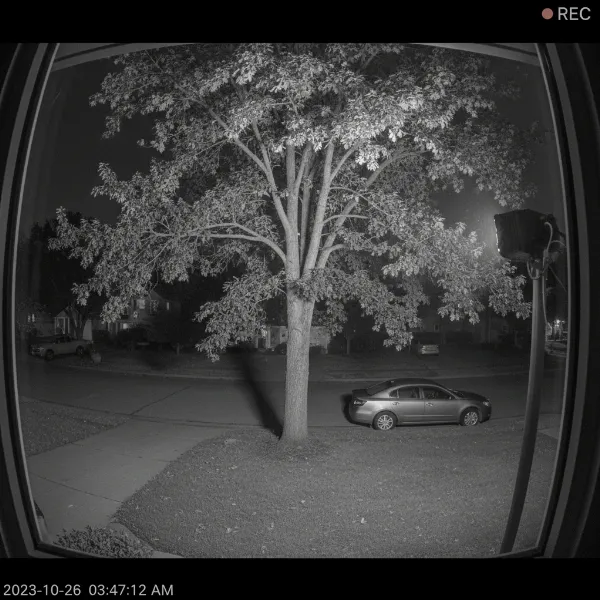 An external infrared illuminator providing night vision for a window-mounted security camera without glare
3. Optimize Camera Placement and Angle
Even with internal IR disabled, improper camera placement can still lead to reflections from ambient indoor light sources or even subtle internal structures. Adjusting the camera’s position and angle can significantly improve image clarity.
- Positioning Close to the Glass: The closer your camera’s lens is to the window pane, the less space there is for light to reflect and refract between the lens and the glass. Ideally, press the camera’s lens as flat and firmly against the glass as possible. Some users even employ a small “hood” or a piece of dark material (like an old sock or foam cutout) around the lens, flush against the glass, to create a light seal and prevent internal room light from hitting the window.
- Angling the Camera: Experiment with very slight upward or downward angles, or even a subtle left/right angle relative to the window. Sometimes, a minimal adjustment can redirect potential glare sources away from the lens.
- Using a Shield/Shade: If direct contact isn’t feasible, consider creating a DIY “tunnel” from dark, non-reflective material (like cardboard or foam) that extends from the camera lens to the window pane. This physically blocks internal light from reaching the window surface where it could reflect.
4. Ensure Adequate External Lighting
While external IR illuminators are a robust solution, you might find that ambient or motion-activated outdoor lighting can also effectively prevent the need for internal IR.
- Ambient Light: If your surveillance area benefits from existing streetlights, porch lights, or landscape lighting, these sources can often provide enough visible light for your camera to capture clear images in “day mode” (color) or switch to its low-light “night mode” (monochrome) without needing its own IR.
- Motion-Activated Lights: Installing motion-activated floodlights or spotlights outdoors is an excellent solution. When motion is detected, these lights turn on, illuminating the scene brightly for your camera. This not only provides superior color footage for identification but also acts as a deterrent.
- Darker Interior: Ensure the room where the camera is mounted is darker than the exterior area it monitors. Any light inside the room can reflect off the window. Closing blinds or curtains behind the camera can help.
5. Cleanliness and Maintenance
It might seem obvious, but often overlooked, dirt, dust, and smudges on your window glass or the camera’s lens/dome can significantly exacerbate IR reflection and reduce image quality.
- Regular Cleaning: Make it a habit to regularly clean both sides of the window glass where your camera is pointing. Use a soft, lint-free cloth and a non-streaking glass cleaner.
- Camera Lens: Gently clean the camera’s lens and any surrounding IR emitter surfaces with a microfiber cloth designed for optics. Even a thin film of dust can scatter infrared light, leading to a halo effect or increased glare.
6. Advanced Solutions and Considerations
For persistent issues or specific installation scenarios, more advanced solutions can be explored.
- Anti-Reflective Window Film or Glass: If you’re willing to invest in a more permanent solution, applying an anti-reflective film to your window, or even replacing the glass with specialized low-reflective or anti-reflective glass, can drastically reduce glare. These materials are designed to minimize surface reflections and enhance visibility.
- External Camera Mounting: The most straightforward and effective solution for eliminating window reflection entirely is to mount the camera outdoors. Many security cameras are designed for both indoor and outdoor use, offering weather resistance. This removes the glass barrier entirely, allowing your camera to utilize its full night vision capabilities without compromise.
- Privacy Mode / Software Enhancements: Some advanced cameras offer software features like digital noise reduction or image enhancement algorithms that can subtly improve image quality, even if reflections are present. Additionally, if the glare is causing false motion alerts, adjusting motion detection zones or sensitivity settings in your camera’s software might help.
- Blocking Status Lights: Some cameras have small status LEDs (e.g., power, connection status) that, though seemingly insignificant, can also cause reflections. Check your camera’s settings to see if these can be turned off. If not, a small piece of electrical tape can cover them without impairing functionality.
Troubleshooting Common Issues
Even after applying these solutions, you might encounter minor issues.
- Still seeing glare after disabling IR: Double-check your camera settings to ensure IR is indeed off. Look for any other internal light sources that might be reflecting (e.g., internal room lights, indicator LEDs on the camera itself). Also, ensure the window and camera lens are perfectly clean.
- Poor night vision with external IR: Verify that your external IR illuminator is properly powered, positioned correctly to cover the area, and that its wavelength is compatible with your camera’s sensor (most are standard, but it’s worth checking). Ensure no obstructions block the external IR light.
- False motion alerts: If glare is eliminated but false alerts persist, adjust your camera’s motion detection sensitivity. Glare itself can sometimes trigger motion, but environmental factors like swaying branches or passing headlights can also cause issues.
Conclusion
Securing your home or business with a window-mounted Security Camera shouldn’t mean sacrificing clear night vision. Infrared reflection is a common challenge, but it’s one that can be effectively overcome with the right strategies. By disabling your camera’s internal IR, leveraging external IR illuminators, optimizing camera placement, ensuring adequate outdoor lighting, and maintaining cleanliness, you can transform blurry night footage into crisp, actionable surveillance. A clear view provides true peace of mind, protecting what matters most.
> “Achieving clear night vision with a window-mounted camera fundamentally shifts from relying on the camera’s internal IR to creating an optimally lit external environment. It’s about smart deployment rather than brute-force illumination.” – John Smith, Security Systems Integrator
Ready to take control of your camera’s night vision? Implement these tips today and experience the difference. What’s the first change you’ll make to improve your camera’s night view?
Frequently Asked Questions
Can I use my security camera’s night vision through double-pane glass?
Using a camera’s built-in IR night vision through double-pane glass is extremely difficult due to multiple reflective surfaces, leading to severe glare. The most effective solution is to disable the camera’s internal IR LEDs and use an external IR illuminator placed outside the window. This bypasses the reflection issue entirely.
What is the best external IR illuminator for a window-mounted camera?
The “best” external IR illuminator depends on your specific needs, including range and beam angle. Look for models with adjustable intensity and a wide operating temperature range for outdoor use. Brands like Tendelux, CMVision, and Univivi offer reliable options, often with 850nm or 940nm wavelengths for varying levels of invisibility to the human eye.
Will disabling my camera’s IR lights affect its daytime image quality?
No, disabling your camera’s infrared (IR) lights will not affect its daytime image quality. IR lights are only active during low-light conditions or at night. The camera operates in its standard color mode during the day, utilizing visible light to capture footage, so turning off the IR emitters has no impact on daytime performance.
How do I know if my camera’s poor night vision is caused by IR reflection?
IR reflection typically appears as a bright, hazy, or ghostly white cloud or circle, often originating from the center of the image and obscuring the view. If your camera’s night vision suddenly becomes blurry or “washed out” only when it’s dark and behind a window, and looks fine during the day, it’s highly likely caused by IR reflection.