In today’s fast-paced world, securing your home has never been more intuitive, especially with the rise of smart home technology. Imagine the convenience of simply asking your voice assistant to “show me the front door,” and instantly seeing a live feed from your security camera right on your display. This seamless integration of security cameras with devices like the Amazon Echo Show transforms home monitoring from a chore into an effortless part of daily life. For those seeking to enhance their home’s safety and peace of mind, choosing the right security cameras compatible with Alexa Show is a crucial step towards a truly intelligent and responsive living space.
Understanding Security Cameras in the Smart Home Ecosystem
At its core, a security camera is a device designed to capture and record video surveillance for monitoring and protection. Historically, these systems were complex, requiring dedicated recording devices and professional installation. However, with the advent of smart home technology, security cameras have evolved dramatically, becoming more accessible, user-friendly, and deeply integrated into our digital lives.
Today’s smart security cameras connect to your home network, allowing you to view live feeds, receive alerts, and even communicate through two-way audio from virtually anywhere via a smartphone app. When paired with smart assistants like Amazon Alexa and devices like the Echo Show, their capabilities expand even further. This integration means you can control your cameras with simple voice commands, display video feeds on your Echo Show’s screen, and even incorporate camera actions into automated smart home routines, making your security system proactive and highly responsive to your needs.
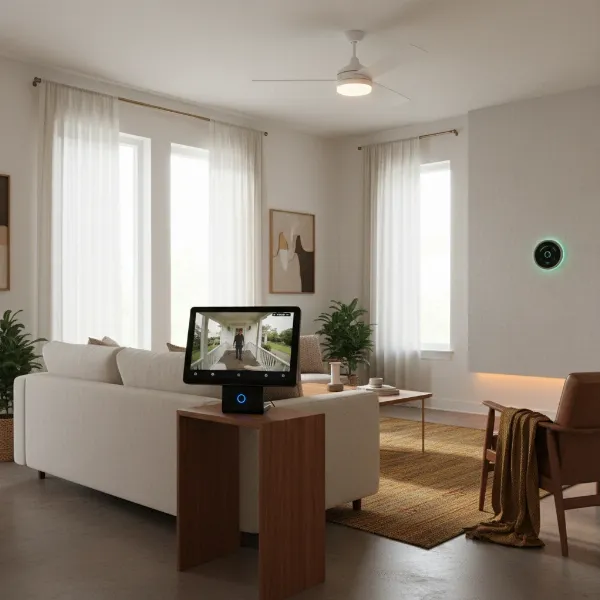 An Amazon Echo Show displaying a live feed from a security camera, symbolizing smart home integration with Alexa.
Types of Alexa-Compatible Security Cameras
The market offers a diverse range of security cameras, but for seamless integration with your Alexa Show, certain types stand out due to their network connectivity and smart features.
- IP Cameras (Wired/Wireless): Internet Protocol (IP) cameras are digital cameras that send and receive footage over an IP network. They offer superior image quality and advanced features compared to older analog systems.
- Wired IP Cameras: These connect directly to your network via an Ethernet cable, providing the most stable and reliable connection, which is ideal for consistent live streaming to your Echo Show. They often include Power over Ethernet (PoE) for simplified installation.
- Wireless IP Cameras: Offering more flexibility in placement, these cameras connect to your Wi-Fi network. They are excellent for outdoor areas where running cables might be challenging. While generally reliable, their performance can be affected by Wi-Fi signal strength.
- Wi-Fi Cameras: Often a subset of wireless IP cameras, “Wi-Fi cameras” typically refer to consumer-friendly models designed for easy, hub-free connection to your home’s Wi-Fi network.
- Advantages for Smart Integration: Both wired and wireless IP/Wi-Fi cameras are built for connectivity, making them naturally suited for smart home ecosystems. They often come with dedicated apps that facilitate easy linking to your Alexa account and skills.
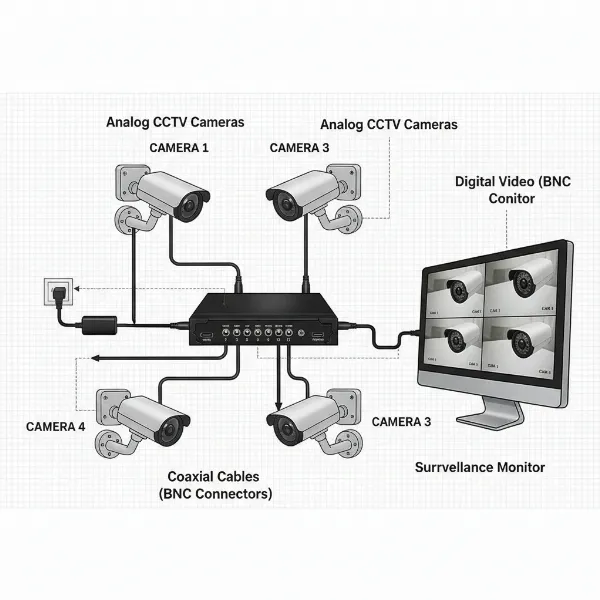
The distinction from traditional analog cameras is significant; analog systems transmit video over coaxial cables and generally lack the network capabilities required for smart assistant integration. Thus, for Alexa compatibility, focusing on IP and Wi-Fi camera solutions is essential.
Comparing Alexa-Compatible Security Camera Types
To help you decide which type best suits your security needs and smart home setup, here’s a comparison of common Alexa-compatible camera types:
| Feature | Wired IP Camera | Wireless IP Camera (with hub) | Wi-Fi Camera (standalone) |
|---|---|---|---|
| Video Quality | Excellent | Excellent | Good to Excellent |
| Stability | Highest | High | Medium to High |
| Cost | Medium to High | Medium to High | Low to Medium |
| Smart Features | Advanced | Advanced | Basic to Advanced |
| Installation | Complex | Moderate | Easiest |
| Power Source | Wired (PoE) | Battery/Wired | Battery/Wired |
| Alexa Integration | Seamless | Seamless | Seamless |
Key Features for Alexa Show Compatibility
When selecting a security camera for your Amazon Echo Show, several features enhance both security and user experience. Understanding these will help you make an informed choice that aligns with your specific needs.
- Resolution: The clarity of your video feed is paramount. Common resolutions include 1080p (Full HD), 2K (Quad HD), and 4K (Ultra HD). Higher resolution means sharper images and more discernible details when viewing live feeds or recorded footage on your Echo Show. For instance, a 2K camera like the Arlo Pro 5S provides excellent clarity, crucial for identifying faces or license plates.
- Field of View (FoV): This refers to the area a camera can see. A wider FoV means less need for multiple cameras to cover a large space. Cameras with 160-degree or 180-degree wide-angle lenses offer comprehensive coverage, reducing blind spots. Some cameras, like the eufy SoloCam S340, even feature a dual-lens design for both wide and detailed views.
- Night Vision: Essential for 24/7 surveillance.
- Infrared (IR) Night Vision: Provides black-and-white images in low light or complete darkness.
- Color Night Vision: Uses ambient light or built-in spotlights to capture full-color video at night, offering more detail and clarity, as seen in models like the Arlo Pro 5S.
- Two-Way Audio: This feature allows you to not only hear what’s happening but also speak through the camera’s built-in speaker. It’s invaluable for communicating with visitors, delivery personnel, or even deterring intruders directly from your Echo Show.
- Weather Resistance (IP Ratings): For outdoor cameras, an IP (Ingress Protection) rating indicates its resistance to dust and water. An IP65 rating, for example, means the camera is protected against dust ingress and low-pressure water jets, ensuring durability in various weather conditions.
- Storage Options:
- Local Storage (microSD card): Many cameras offer local storage, allowing you to save recordings directly onto a microSD card, often without monthly fees. Lorex 2K Indoor Camera is an example of a subscription-free option with onboard storage.
- Cloud Storage: Footage is uploaded to secure cloud servers, accessible from anywhere. This often requires a subscription but offers peace of mind against physical damage or theft of the camera.
- NVR/DVR (Network/Digital Video Recorder): More comprehensive systems may use a central recorder.
- Motion Detection & Smart Alerts: Modern cameras can detect motion and send instant alerts to your phone or Echo Show. Advanced systems use AI to differentiate between people, vehicles, and animals, reducing false alarms and ensuring you’re only notified about what truly matters. Many Alexa-compatible cameras allow you to set up routines that automatically display the live feed on your Echo Show when motion is detected.
- Alexa Skill Integration: For a camera to work with your Echo Show, it must have a compatible Alexa Skill. This “skill” is like an app for Alexa, enabling the voice assistant to communicate with and control your camera.
Top Security Camera Brands Compatible with Alexa Show
Several brands have excelled in creating security cameras that seamlessly integrate with the Amazon Echo Show, offering a blend of performance, reliability, and smart features.
- Arlo: Known for its high-quality wireless cameras, Arlo offers excellent resolution (up to 4K), color night vision, and robust weather resistance. Models like the Arlo Pro 5S 2K are frequently cited for their strong Alexa compatibility and advanced features.
- Ring: As an Amazon-owned company, Ring products boast some of the best Alexa integration. Their range includes video doorbells, indoor cameras, and outdoor cameras, all designed for easy voice control and live viewing on Echo Show devices. The Ring Stick Up Cam is a popular choice for versatile placement.
- Blink: Another Amazon brand, Blink offers affordable and easy-to-install wireless cameras with long battery life. They are a great budget-friendly option that works flawlessly with Alexa Show for basic home monitoring. The Blink Outdoor 4 is a reliable choice for exterior surveillance.
- eufy: Eufy stands out for offering subscription-free local storage options with many of its cameras. Their cameras, such as the eufy SoloCam S340, often feature high resolution, AI-powered detection, and strong Alexa compatibility, providing great value without recurring costs.
- Tapo (TP-Link): Tapo provides a range of affordable, feature-rich Wi-Fi cameras that offer excellent value. Many Tapo cameras, including their pan/tilt models, integrate well with Alexa, allowing live viewing on your Echo Show without needing a separate hub.
- Lorex: Lorex offers a variety of security solutions, including reliable cameras with local storage options. Their 2K Indoor Camera is highlighted as an affordable, subscription-free option that works well with Alexa for indoor monitoring.
- Google Nest: While primarily optimized for Google Assistant, many Google Nest cameras (like the Nest Cam IQ Indoor) also offer Alexa compatibility, allowing users to view feeds on their Echo Show. However, the integration might be more streamlined with Google’s own smart displays.
Recommended Security Camera Models for Your Alexa Show
Choosing the right model can significantly enhance your smart home security experience. Here are some top picks that excel in performance and Alexa Show compatibility:
- Arlo Pro 5S 2K: This camera often tops lists for its exceptional 2K HDR video quality, 160-degree field of view, color night vision, and two-way audio. It offers reliable wireless performance and seamless integration with Alexa, making it a premium choice for comprehensive coverage.
- Ring Stick Up Cam Pro (Battery): Offering 1080p HD video, motion detection, and two-way talk, this versatile camera can be placed almost anywhere thanks to its battery power. Its deep integration with the Alexa ecosystem allows for easy voice control and instant live view on your Echo Show.
- Blink Outdoor 4: A budget-friendly yet robust option for outdoor surveillance, the Blink Outdoor 4 provides 1080p HD video, infrared night vision, and an impressive two-year battery life. Its simple setup and solid Alexa compatibility make it a great value proposition for monitoring your property.
- eufy SoloCam S340: This innovative solar-powered camera boasts a dual-lens design for wide and detailed views, 3K resolution, 360-degree pan-and-tilt capabilities, and AI tracking. With local storage and strong Alexa integration, it offers advanced features without monthly fees, ideal for outdoor spaces with good sunlight.
- Lorex 2K Indoor Camera: For indoor monitoring, the Lorex 2K Indoor Camera is an affordable and straightforward choice. It offers 2K resolution, a wide viewing angle, and local storage via a microSD card, meaning no recurring subscription costs. It’s a solid, simple camera that integrates smoothly with Alexa for live viewing.
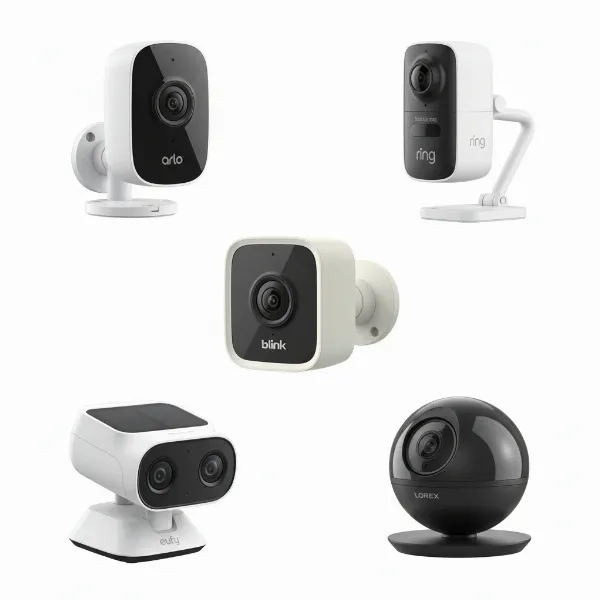 A selection of the best security cameras compatible with Alexa Show, showcasing various designs and features.
Your Essential Buying Guide for Alexa-Compatible Security Cameras
Navigating the multitude of options can be daunting. Follow this guide to ensure you pick the best security camera for your home and Alexa Show setup.
- Assess Your Needs:
- Purpose: Are you monitoring indoors, outdoors, a baby’s room, or deterring intruders?
- Location: Identify specific areas that need surveillance. Do you need wide coverage or focused monitoring?
- Environment: For outdoor cameras, consider exposure to harsh weather. Look for appropriate IP ratings.
- Budget Considerations: Security cameras range from affordable entry-level models to premium systems. Decide on a realistic budget, keeping in mind that some advanced features or cloud storage may require ongoing subscription fees.
- Evaluate Features vs. Cost: Prioritize features that are critical for your security goals. For example, if you need to identify small details, invest in higher resolution. If low-light performance is key, prioritize color night vision. Balance desired features with your budget, remembering that subscription-free options can save money long-term.
- Check for Alexa Compatibility & Skill Support: Always verify that the camera explicitly states “Works with Alexa” or “Alexa Compatible.” Ensure there is an official Alexa Skill for the brand, as this is how your Echo Show will communicate with the camera.
- Consider Installation and Maintenance:
- DIY vs. Professional: Some cameras are designed for easy DIY installation, while others, particularly wired systems, might benefit from professional setup.
- Power Source: Battery-powered cameras offer flexibility but require occasional recharging or battery replacement. Wired cameras provide continuous power but may necessitate more complex cable routing. Solar-powered options, like some eufy models, offer a balance.
- Regular Maintenance: Keep lenses clean, and check for software updates to ensure optimal performance and security.
- Subscription vs. Subscription-Free: Decide if you’re comfortable with monthly fees for cloud storage, advanced AI features, or extended video history. Many excellent cameras offer robust local storage options that eliminate recurring costs.
Maximizing Your Alexa Show with Security Cameras
Integrating your security cameras with an Amazon Echo Show unlocks a new level of convenience and control. Here’s how to make the most of this powerful combination:
- Voice Commands for Live Viewing: The primary benefit is hands-free monitoring. Simply say, “Alexa, show me the front door camera” or “Alexa, show me the backyard” to instantly pull up the live feed on your Echo Show’s display. This is incredibly useful when your hands are full or you need a quick glance.
- Setting Up Routines for Motion Alerts: Leverage Alexa Routines to automate actions based on camera triggers. For example, you can create a routine that, upon detecting motion at your front door, automatically displays the camera feed on your Echo Show and announces, “Motion detected at the front door.” This proactive approach keeps you informed without constant manual checking.
- Two-Way Talk via Echo Show: When someone is at your door or within earshot of an indoor camera, you can use your Echo Show’s screen to engage in two-way conversation. Just say, “Alexa, talk to the front door,” and you can communicate directly through the camera’s speaker and microphone.
- Privacy Settings: Always be mindful of privacy. Ensure you place cameras appropriately and utilize privacy zones or privacy shutters if available. With the Echo Show’s home monitoring feature, a visual and audio alert will indicate when someone is remotely viewing the camera, ensuring transparency within your home. Regularly review and update your camera’s privacy settings in its dedicated app and the Alexa app.
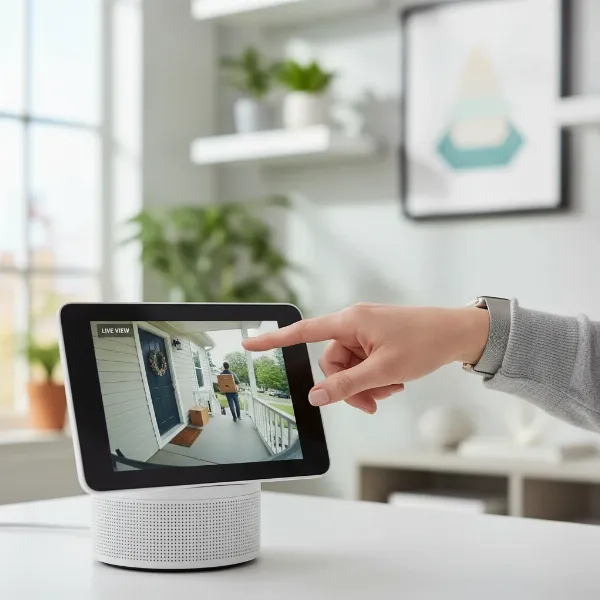 A person interacting with an Amazon Echo Show, displaying a security camera feed and demonstrating voice commands.
Common Issues and Troubleshooting with Alexa Security Camera Integration
While integrating security cameras with Alexa Show is generally straightforward, you might encounter some common issues. Here’s how to address them:
- Connectivity Problems:
- Issue: Camera not connecting to Wi-Fi or Alexa.
- Fix: Ensure both your camera and Echo Show are on the same 2.4GHz Wi-Fi network (most smart home devices prefer this band). Check your Wi-Fi signal strength and consider moving the camera or adding a Wi-Fi extender. Restart both the camera and your router.
- Live Feed Delays/Quality Issues:
- Issue: Choppy video, long buffering times, or low-resolution display on Echo Show.
- Fix: A strong and stable internet connection is crucial. High-resolution streaming requires significant bandwidth. Reduce other network activity, move the camera closer to your router, or upgrade your internet plan. Check the camera’s app for options to reduce stream quality if bandwidth is limited.
- Alexa Skill Not Responding:
- Issue: Alexa doesn’t recognize commands or fails to connect to the camera.
- Fix: Double-check that the correct Alexa Skill for your camera brand is enabled in the Alexa app. Ensure your camera’s account is properly linked within the skill. Try disabling and re-enabling the skill, then ask Alexa to “discover devices” again.
- Privacy Concerns and Solutions:
- Issue: Worries about unauthorized access or constant surveillance.
- Fix: Use strong, unique passwords for your camera and Alexa accounts, and enable two-factor authentication. Position cameras thoughtfully to respect privacy, especially in private spaces. Utilize features like privacy zones, motion detection scheduling, or physical privacy shutters if your camera offers them. Regularly review who has access to your camera feeds.
“A well-integrated security camera system with Alexa isn’t just about convenience; it’s about creating a responsive shield for your home. The key lies in selecting cameras that not only offer robust features but also prioritize seamless compatibility and user control.” – Michael Chen, Smart Home Security Consultant
Conclusion
Integrating security cameras with your Amazon Echo Show brings a new dimension to home security, offering unparalleled convenience and real-time awareness at your fingertips—or rather, at the sound of your voice. From monitoring your front porch with a Ring Video Doorbell to keeping an eye on your backyard with an Arlo Pro 5S, the ability to instantly view live feeds and communicate through your Echo Show enhances both safety and peace of mind. By carefully considering features like resolution, night vision, and storage, and choosing models from reputable brands like Arlo, Ring, Blink, eufy, and Tapo, you can build a smart surveillance system that perfectly complements your smart home ecosystem. Embrace the power of voice control and intelligent automation to transform how you protect what matters most.
What steps will you take to make your home security smarter with Alexa?
Frequently Asked Questions
Can any security camera work with Alexa Show?
|
Our Picks for the Best Security Camera in 2026
As an Amazon Associate I earn from qualifying purchases.
|
||
| Num | Product | Action |
|---|---|---|
| 1 | Tapo 2K+ Indoor/Outdoor Wired Security Camera - 2024 PCMag Editors' Choice, Person/Pet/Vehicle Detection, Baby Monitoring, Color Night Vision, Subscription-Free Local Storage or Optional Cloud, C120 |

|
| 2 | Google Nest Cam with Floodlight - Outdoor Camera - Floodlight Security Camera, White, 1 Count (Pack of 1) |
|
| 3 | 2K No Drill Window Camera-2 Pack 2.4Ghz & 5Ghz WiFi Cameras for Home Security for Indoor & Outdoor Monitoring, Anti-Glare Color Night Vision, Human Detection, 24/7 Recording, Ideal for Apartment, K1 |
|
| 4 | WYZE Cam Pan v3 Indoor/Outdoor IP65-Rated 1080p Pan/Tilt/Zoom Wi-Fi Smart Home Security Camera with Color Night Vision, 2-Way Audio, Compatible with Alexa & Google Assistant, White, 2-Pack |
|
| 5 | 2K Cameras for Home Security-Outdoor/Indoor Camera for Dog/Cat/Pet/Nanny/Baby/Elderly, Color Night Vision, White Light, Siren, 24/7 SD Recordings, Works with Alexa, Plug in (C1-White-2pack-2.4G) |
|
| 6 | TP-Link Tapo 1080P Indoor Security Camera for Baby Monitor, Dog Camera w/Motion Detection, 2-Way Audio Siren, Night Vision, Cloud & SD Card Storage, Works w/Alexa & Google Home (Tapo C100) |
|
| 7 | Tapo 1080P Indoor Pan/Tilt Wired Security Camera - Works as a Baby & Pet Monitor, Motion Detection, 2-Way Audio, Siren, Night Vision, Subscription-Free Local Storage or Optional Cloud, Black, C201 |
|
| 8 | aosu Security Cameras Outdoor Wireless, 4 Cam-Kit, No Subscription, Solar-Powered, Home Security Cameras System with 360° Pan & Tilt, Auto Tracking, 2K Color Night Vision, Easy Setup, 2.4 & 5GHz WiFi |
|
| 9 | Google Nest Cam Outdoor (Wired, 2nd Gen) - 2 Pack - Security Camera with 2K Video and Gemini, Night Vision, 2-Way Audio - Works with Google Home - 2025 Model - Snow |
|
| 10 | WYZE Bulb Cam Security Camera, 2K HD Outdoor Light Bulb Camera, Color Night Vision, Dimmable LED Bulb, Motion Detection, Siren Alarm, Works w/Alexa/Google Assistant. Free Expert Support |
|
No, not all security cameras can integrate with Alexa Show. Compatibility depends on the specific camera model and brand. Generally, cameras that explicitly state “Works with Alexa” and have a dedicated Alexa Skill are compatible, allowing voice control and live viewing on Echo Show devices.
How do I view my security camera on Alexa Show?
To view your security camera on Alexa Show, first ensure your camera is set up and its Alexa Skill is enabled in the Alexa app. Once linked, you can simply use a voice command like, “Alexa, show me [camera name]” (e.g., “Alexa, show me the front door camera”) and the live feed will appear on your Echo Show’s screen.
Does Echo Show have a built-in security camera?
Yes, Amazon Echo Show devices do have a built-in camera that can be used for basic home monitoring. You can access its live feed remotely via the Alexa app after enabling “Home Monitoring” in the Echo Show’s settings. However, it’s not a dedicated security camera and lacks advanced features like continuous recording or advanced motion detection alerts.
Do I need a subscription for Alexa-compatible security cameras?
Whether a subscription is needed depends on the camera and brand. Many cameras offer local storage options (e.g., microSD card) for free, while cloud storage, extended video history, or advanced AI features often require a paid subscription. Brands like eufy and Lorex offer several subscription-free options.
What are “Alexa Skills” for security cameras?
Alexa Skills are like apps that add capabilities to your Alexa-enabled devices. For Security Cameras, an Alexa Skill allows the camera to communicate with Alexa, enabling functionalities such as voice commands for live viewing, two-way audio, and integration into smart home routines. You typically enable these skills through the Alexa app.