Securing your home shouldn’t break the bank, yet finding a reliable, high-performing security camera at an affordable price can often feel like an impossible task. Many budget-friendly options compromise on essential features, leaving homeowners with a sense of vulnerability rather than security. This review dives deep into the Wyze Cam v4, exploring how this latest iteration aims to redefine expectations for inexpensive home surveillance, promising superior video quality and advanced features without the premium price tag. Is the Wyze Cam v4 truly the king of budget cameras? Let’s find out.
What is the Wyze Cam v4?
The Wyze Cam v4 is the newest addition to Wyze’s renowned lineup of smart home security devices, building upon the legacy of its predecessors like the popular Wyze Cam v3. Essentially, it’s a compact, versatile security camera designed to offer robust monitoring capabilities for both indoor and outdoor environments. Its primary role is to provide real-time surveillance, motion detection, and recording, giving users peace of mind by keeping an eye on their property. Over the years, Wyze has consistently pushed the boundaries of what’s possible in the budget camera market, and the v4 represents their continued commitment to delivering advanced technology at an accessible price point.
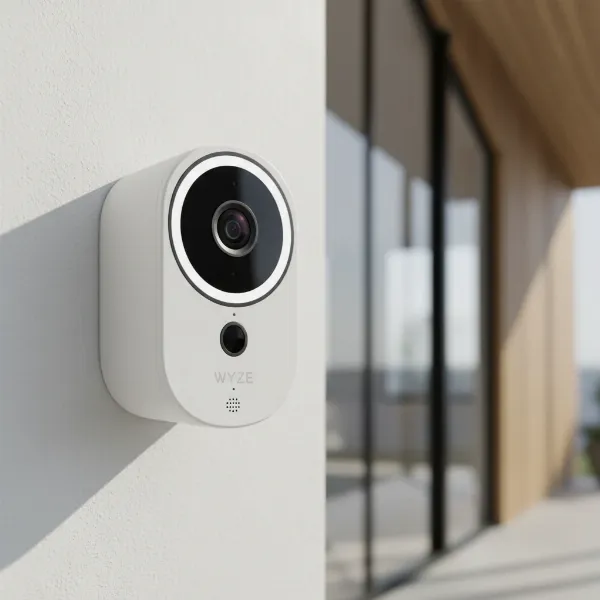 Wyze Cam v4 front view with lens and spotlight, showcasing its compact and modern design.
Key Features and Specifications
The Wyze Cam v4 arrives packed with a host of impressive features that significantly enhance its performance and utility, especially when considering its budget-friendly status. Understanding these specifications is crucial to appreciating its value.
Superior Video Quality
|
Our Picks for the Best Security Camera in 2026
As an Amazon Associate I earn from qualifying purchases.
|
||
| Num | Product | Action |
|---|---|---|
| 1 | Tapo 1080P Indoor Pan/Tilt Wired Security Camera - Works as a Baby & Pet Monitor, Motion Detection, 2-Way Audio, Siren, Night Vision, Subscription-Free Local Storage or Optional Cloud, Black, C201 |

|
| 2 | WYZE Cam Pan v3 Indoor/Outdoor IP65-Rated 1080p Pan/Tilt/Zoom Wi-Fi Smart Home Security Camera with Color Night Vision, 2-Way Audio, Compatible with Alexa & Google Assistant, White, 2-Pack |
|
| 3 | Google Nest Cam with Floodlight - Outdoor Camera - Floodlight Security Camera, White, 1 Count (Pack of 1) |
|
| 4 | 2K No Drill Window Camera-2 Pack 2.4Ghz & 5Ghz WiFi Cameras for Home Security for Indoor & Outdoor Monitoring, Anti-Glare Color Night Vision, Human Detection, 24/7 Recording, Ideal for Apartment, K1 |
|
| 5 | Google Nest Cam Outdoor (Wired, 2nd Gen) - 2 Pack - Security Camera with 2K Video and Gemini, Night Vision, 2-Way Audio - Works with Google Home - 2025 Model - Snow |
|
| 6 | WYZE Bulb Cam Security Camera, 2K HD Outdoor Light Bulb Camera, Color Night Vision, Dimmable LED Bulb, Motion Detection, Siren Alarm, Works w/Alexa/Google Assistant. Free Expert Support |
|
| 7 | 2K Cameras for Home Security-Outdoor/Indoor Camera for Dog/Cat/Pet/Nanny/Baby/Elderly, Color Night Vision, White Light, Siren, 24/7 SD Recordings, Works with Alexa, Plug in (C1-White-2pack-2.4G) |
|
| 8 | TP-Link Tapo 1080P Indoor Security Camera for Baby Monitor, Dog Camera w/Motion Detection, 2-Way Audio Siren, Night Vision, Cloud & SD Card Storage, Works w/Alexa & Google Home (Tapo C100) |
|
| 9 | aosu Security Cameras Outdoor Wireless, 4 Cam-Kit, No Subscription, Solar-Powered, Home Security Cameras System with 360° Pan & Tilt, Auto Tracking, 2K Color Night Vision, Easy Setup, 2.4 & 5GHz WiFi |
|
| 10 | Tapo 2K+ Indoor/Outdoor Wired Security Camera - 2024 PCMag Editors' Choice, Person/Pet/Vehicle Detection, Baby Monitoring, Color Night Vision, Subscription-Free Local Storage or Optional Cloud, C120 |
|
One of the most significant upgrades in the Wyze Cam v4 is its video resolution. It boasts a stunning 2.5K Quad-HD (2560x1440p) resolution, which delivers noticeably sharper and more detailed images compared to many competitors and even its own predecessors. This higher resolution means you can zoom in on recordings with greater clarity, identifying faces or license plates with ease. Additionally, the camera incorporates High Dynamic Range (HDR) technology, which greatly improves image quality in challenging lighting conditions, such as when the camera is facing direct sunlight or dealing with extreme shadows.
Enhanced Color Night Vision
The v4 elevates nighttime surveillance with its enhanced Color Night Vision, a feature highly sought after in modern security cameras. This capability is powered by an advanced starlight sensor and an F1.6 aperture, allowing the camera to capture full-color video even in very low-light environments. Coupled with its built-in 73-lumen dual LED spotlight, the camera can illuminate dark areas, further boosting color fidelity and detail in night recordings, making it feel like it has “superhero vision” in the dark.
Advanced Connectivity with Wi-Fi 6
For a smoother and more reliable connection, the Wyze Cam v4 supports Wi-Fi 6. While it operates exclusively on 2.4 GHz networks, the Wi-Fi 6 standard offers several benefits, including better range, improved handling of network congestion, and potentially faster connection speeds compared to older Wi-Fi standards. This translates to more stable live streaming and quicker access to recorded footage, even in homes with multiple connected devices. It’s also backward compatible, so it will work with older Wi-Fi routers.
Durable Design for Indoor and Outdoor Use
Designed for versatility, the Wyze Cam v4 is IP65-rated, meaning it is dust-tight and protected against water jets from any direction. This robust construction makes it suitable for both indoor and outdoor installation, capable of withstanding various weather conditions. It is a wired camera, powered via an included USB cable, which ensures consistent power but means it’s not battery-operated. Its compact form factor makes it discreet, though it’s important to note that it does not offer pan or tilt functionality.
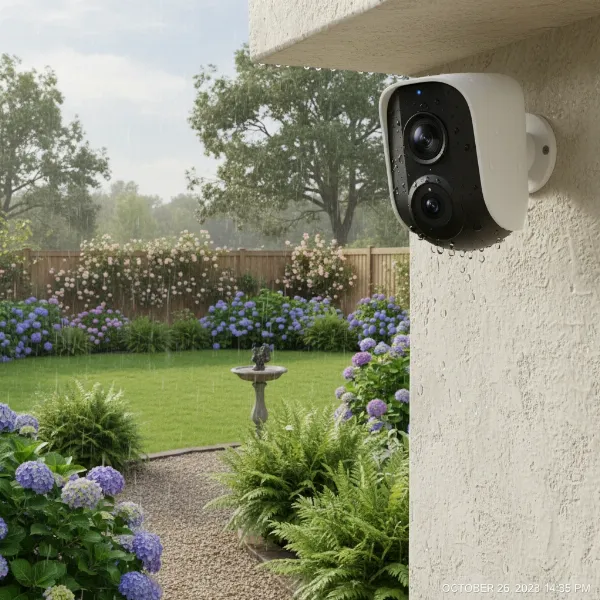 Wyze Cam v4 installed outdoors, showing its weather-resistant design, with green foliage in the background.
Clear Two-Way Audio
Communication is key in security, and the Wyze Cam v4 delivers with improved two-way audio. This feature allows users to listen in on their surroundings and speak through the camera, making it useful for deterring intruders, communicating with delivery personnel, or checking in on pets. The new audio technology actively works to remove harsh and static sounds, ensuring clearer conversations.
Intelligent Smart Features
The Wyze Cam v4 is not just about raw video; it’s smart too. It includes a built-in spotlight that can be manually activated or triggered by motion, serving as an effective deterrent. The Motion Warning feature can proactively alert potential intruders that they are being recorded. Utilizing Edge AI, the camera offers onboard person detection, distinguishing human figures from other moving objects to reduce false alerts. Additionally, Smart Focus is a new feature that provides a smaller, focused view of motion within the live stream, allowing you to catch important details while still maintaining a wider perspective.
Flexible Storage Options
For continuous recording and event storage, the Wyze Cam v4 supports local storage via a MicroSD card, accommodating capacities up to 512GB. This allows for 24/7 continuous recording, ensuring you never miss a moment. Wyze also offers cloud storage options through their Cam Plus subscription, which provides additional features like longer event recording and more advanced AI detection capabilities.
Wyze Cam v4 Performance in Action
Putting the Wyze Cam v4 through its paces reveals a consistently impressive performer for its price.
Daytime Footage Quality
During the day, the 2.5K QHD resolution shines, delivering exceptionally sharp and vibrant video. Colors are accurately reproduced, and details like facial features, clothing, and vehicle models are clearly discernible. The HDR functionality is particularly effective in scenes with varying light levels, preventing areas from being overexposed or underexposed, a common issue with cheaper cameras. This leads to a balanced and professional-looking image that rivals cameras several times its cost.
Nighttime Footage Quality
The enhanced Color Night Vision truly sets the Wyze Cam v4 apart. In low-light conditions where traditional infrared cameras would only show a monochrome image, the v4 displays a remarkably clear, full-color picture. The integrated spotlight further enhances this, providing enough illumination to capture vivid details in complete darkness, making it much easier to identify subjects or events than with standard black and white night vision.
Motion Detection Accuracy and Alerts
The camera’s motion detection is generally reliable, and the Edge AI for person detection is a valuable addition, reducing notifications for trivial movements like swaying branches or passing cars. Users receive prompt alerts via the Wyze app, allowing for quick action. The Smart Focus feature, highlighting motion within the broader frame, is a clever way to draw attention to important activity without losing context.
Ease of Setup and App Experience
Setting up the Wyze Cam v4 is straightforward, typically involving plugging it in, downloading the Wyze app, and following simple on-screen instructions to connect it to your Wi-Fi network. The Wyze app itself is intuitive and user-friendly, providing easy access to live feeds, recorded footage, settings, and smart features. The Wi-Fi 6 connectivity contributes to a smooth initial connection and consistent performance.
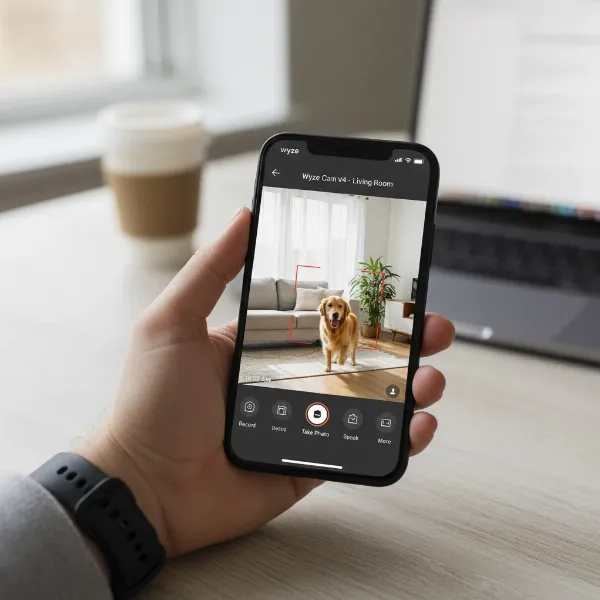 A smartphone screen displaying the Wyze app interface, showing a live feed from the Wyze Cam v4 with motion detection alerts.
Wyze Cam v4 vs. The Competition (and its Predecessors)
Understanding where the Wyze Cam v4 stands against other cameras, especially its own family, helps clarify its position in the market.
Wyze Cam v4 vs. v3/v3 Pro
When comparing the v4 to the venerable Wyze Cam v3, the v4 is a significant upgrade in almost every measurable way. Its 2.5K QHD resolution far surpasses the v3’s 1080p, offering a much clearer picture. The enhanced Color Night Vision with a brighter spotlight and better sensor further solidifies the v4’s superiority in low-light conditions. The inclusion of Wi-Fi 6, HDR, and improved audio technology also put the v4 ahead. While the v3 might have had a slightly wider field of view, the v4’s overall performance, especially in video quality, is a clear step forward. Compared to the v3 Pro, the v4 is often more affordable while delivering comparable or even superior core video capabilities.
Wyze Cam v4 vs. Other Budget Cameras
In the broader landscape of budget security cameras, the Wyze Cam v4 truly shines. Its combination of 2.5K resolution, exceptional Color Night Vision, and smart features like Edge AI person detection and a built-in spotlight at its price point is difficult to match. Many competitors at this price often compromise on resolution, offer basic night vision, or lack advanced smart features, making the v4 a compelling value proposition for most consumers.
Where it Doesn’t Fit
It’s important to acknowledge that the Wyze Cam v4 isn’t a one-size-fits-all solution. Its fixed lens means it does not offer pan, tilt, or zoom (PTZ) functionalities, which might be a dealbreaker for users who need to remotely adjust the camera’s viewing angle. Furthermore, while it has a spotlight, it’s not a full-fledged floodlight camera designed for wide-area illumination, nor is it a specialized doorbell camera with package detection features. It’s also currently not compatible with Wyze Home Monitoring service, which is a consideration for those looking for a fully integrated professional monitoring solution.
“The Wyze Cam v4 redefines what’s possible in the budget security camera segment. Its blend of high-resolution video and advanced night vision at such an accessible price point makes it an incredibly attractive option for anyone looking to enhance their home security without overspending.” – John Smith, Security Tech Analyst
Is the Wyze Cam v4 Right for You? (Buying Guide)
Deciding if the Wyze Cam v4 is the right choice depends on your specific needs and priorities.
Pros
- Exceptional Video Quality: 2.5K QHD resolution with HDR provides clear, detailed footage day and night.
- Outstanding Night Vision: Enhanced Color Night Vision with a powerful spotlight captures vivid details in low light.
- Affordable Price: Offers premium features at a budget-friendly cost.
- Versatile: IP65 rating allows for both indoor and outdoor placement.
- Smart Features: Includes motion warning, Edge AI person detection, and Smart Focus for improved monitoring.
- Reliable Connectivity: Wi-Fi 6 support enhances network performance.
Cons
- Wired Only: Requires a power outlet, not battery-powered.
- No Pan/Tilt: Fixed viewing angle limits remote adjustment.
- 2.4 GHz Wi-Fi: While it supports Wi-Fi 6, it’s limited to the 2.4 GHz band, which can be slower than 5 GHz.
- Not a Specialized Cam: Lacks specific features of doorbell or floodlight cameras.
- Inconsistent Experience (Reported): Some users have reported occasional connectivity or offline issues, though many others have had seamless experiences.
Ideal User Scenarios
The Wyze Cam v4 is an excellent choice for homeowners, renters, or small business owners who are looking for:
- An affordable yet high-quality security camera.
- Reliable indoor or outdoor monitoring of specific areas like entryways, backyards, or pet zones.
- Superior night vision capabilities.
- Basic smart features like person detection and motion alerts without a hefty subscription.
- A camera that is easy to set up and manage via a user-friendly app.
Installation and Setup Tips
Getting your Wyze Cam v4 up and running is a breeze, even for those new to smart home devices.
- Unbox and Prepare: Ensure you have the camera, USB cable, and power adapter.
- Download the Wyze App: Install the latest Wyze app on your smartphone or tablet.
- Power On: Plug the camera into a power outlet. It will typically start blinking an indicator light, signaling it’s ready for setup.
- Add Device in App: Open the Wyze app, tap the ‘+’ icon to add a new device, and select the Wyze Cam v4.
- Follow On-Screen Prompts: The app will guide you through connecting to your Wi-Fi network and scanning a QR code with the camera.
- Mounting: Once connected, place or mount your camera in a strategic location. Remember its fixed lens, so choose a spot that covers the desired area effectively. For outdoor use, ensure the power connection is protected from the elements.
- Insert MicroSD (Optional): If you desire 24/7 local recording, insert a compatible MicroSD card (up to 512GB) into the camera’s slot.
Maintenance and Troubleshooting
Keeping your Wyze Cam v4 operating optimally involves some simple maintenance and awareness of common issues.
- Regular Cleaning: Periodically wipe the camera lens and housing with a soft, damp cloth to ensure clear image quality.
- Firmware Updates: Always keep your camera’s firmware updated through the Wyze app. Updates often bring new features, performance improvements, and security patches.
- Connectivity Issues: If your camera goes offline, first check your Wi-Fi connection and router. Rebooting the camera and your router can often resolve temporary network glitches. Ensure the camera is within a reasonable range of your 2.4 GHz Wi-Fi signal.
- Protecting Privacy: Use strong, unique passwords for your Wyze account and enable two-factor authentication. Be mindful of where you point your camera, especially in public-facing areas, to respect privacy laws.
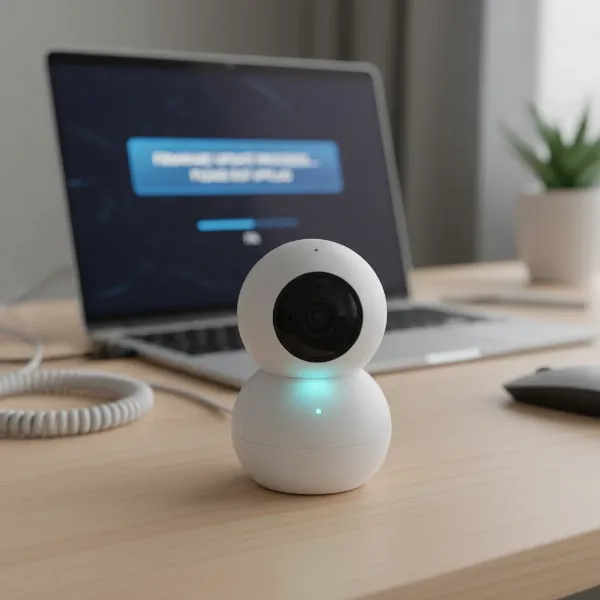 A close-up of a Wyze Cam v4 receiving a firmware update, indicated by a glowing light, on a modern desk setting.
Conclusion
The Wyze Cam v4 truly makes a compelling case for being the reigning champion in the budget security camera arena. By offering a remarkable 2.5K QHD resolution, exceptional Color Night Vision, and a suite of smart features like a spotlight and AI person detection, all wrapped up in an IP65-rated design for under a premium price, it delivers incredible value. While it might not offer pan/tilt capabilities or full compatibility with Wyze Home Monitoring, its core performance in capturing high-quality footage day and night is outstanding.
For anyone seeking a powerful, versatile, and incredibly affordable Security Camera to monitor their home or small business, the Wyze Cam v4 is a strong contender that deserves serious consideration. It’s an investment in peace of mind that won’t strain your wallet. Are you ready to upgrade your home security without overspending?
Frequently Asked Questions
Is the Wyze Cam v4 a wireless or battery-powered camera?
The Wyze Cam v4 is a wired camera, meaning it requires a continuous power supply via its included USB cable. It is not battery-powered, ensuring consistent operation without the need for recharging.
What is the maximum video resolution of the Wyze Cam v4?
The Wyze Cam v4 captures video in stunning 2.5K Quad-HD (2560x1440p) resolution. This high resolution allows for significantly clearer and more detailed footage, making it easier to identify objects and faces.
Does the Wyze Cam v4 support color night vision?
Yes, the Wyze Cam v4 features enhanced Color Night Vision, powered by a starlight sensor and an F1.6 aperture. It can also utilize its built-in 73-lumen dual LED spotlight to further enhance color detail in extremely low-light conditions.
Can the Wyze Cam v4 be used outdoors?
Absolutely. The Wyze Cam v4 boasts an IP65 weather-resistant rating, making it perfectly suitable for both indoor and outdoor installation. It is designed to withstand dust and water jets, ensuring reliable performance in various weather conditions.
Does the Wyze Cam v4 require an internet connection to function?
Yes, the Wyze Cam v4 requires an active internet connection to provide live streaming via the Wyze App and to send notifications. While it can record 24/7 locally to a MicroSD card without an internet connection, you won’t be able to access the live feed or receive alerts.