Ever heard a strange noise in your backyard at night and wondered what it was? Or perhaps you’re a nature enthusiast curious about the secret lives of wildlife on your property. This is where understanding What Is A Trail Camera becomes a game-changer. These rugged, clever devices are more than just cameras; they are your silent, 24/7 scouts, capturing moments you would otherwise miss. Whether you’re securing your property or getting a front-row seat to the natural world, this guide will break down everything you need to know.
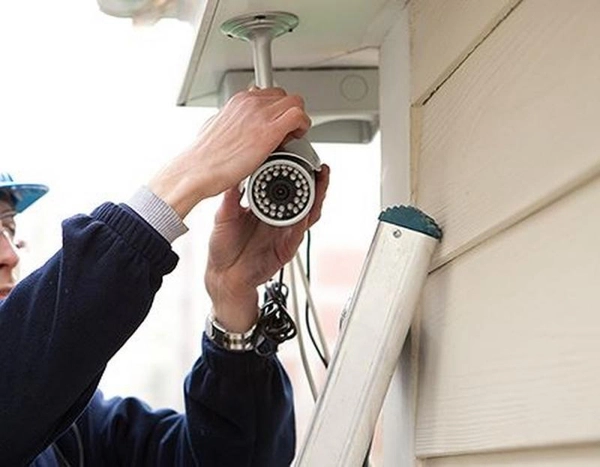
So, What Exactly Is a Trail Camera? A Closer Look
Think of a trail camera, often called a game camera, as a tough, weatherproof, motion-activated digital camera designed for the outdoors. Unlike your smartphone or a regular security camera that’s always on or requires you to press a button, a trail camera lies in wait. It uses a Passive Infrared (PIR) sensor to detect the heat and movement of an animal or person. When something crosses its path, click—it instantly snaps a photo or starts recording a video.
These cameras are entirely self-contained. They run on batteries (often for months at a time), store footage on an SD card, and are built to withstand rain, snow, and sun. Their main purpose is to operate autonomously in remote locations where power and Wi-Fi are non-existent.
Trail Camera vs. Security Camera: What’s the Key Difference?
This is a question we get all the time, and it’s a crucial one. While both capture footage, they’re designed for very different jobs. I remember a client who tried to use a trail camera to monitor his front door and was frustrated by the delay. It highlighted the importance of using the right tool for the job.
Here’s a simple breakdown:
| Feature | Trail Camera | Home Security Camera |
|---|---|---|
| Primary Use | Remote monitoring (wildlife, property lines) | Continuous surveillance (entrances, interiors) |
| Power Source | Batteries (AA, D, or lithium packs) | Typically wired or rechargeable battery packs |
| Connectivity | None or Cellular (4G/LTE) | Wi-Fi for live streaming and alerts |
| Activation | Motion-activated (PIR sensor) | Always-on, motion-activated, or scheduled |
| Footage Access | Manually retrieve SD card or via cellular plan | Instant access via mobile app or cloud |
| Design | Camouflaged, rugged, and weatherproof | Discreet or deterrent, often for home exteriors |
Essentially, a security camera is for active, real-time monitoring of connected areas. A trail camera is for passive, long-term monitoring of off-grid locations.
How Do Trail Cameras Actually Work? The Magic Behind the Lens
The core technology behind a trail camera is surprisingly straightforward yet brilliant. It’s a three-step process that happens in the blink of an eye.
- Detection: The PIR sensor is the star of the show. It’s constantly scanning an area for changes in thermal energy. Think of it as an invisible tripwire that’s sensitive to body heat. When a deer, a person, or even a pesky raccoon walks into its detection zone, the sensor wakes the camera up.
- Activation (Trigger Speed): This is where speed matters. Trigger speed is the time it takes for the camera to snap a picture after detecting motion. A fast trigger speed (under 0.5 seconds) is crucial for capturing a fast-moving animal before it leaves the frame. A slow trigger might just get you a photo of its tail!
- Capture & Illumination: Once triggered, the camera captures an image or video. But what about at night? This is where the flash comes in. Most modern trail cameras use an infrared (IR) flash, which is invisible or nearly invisible to most animals and humans. This allows them to capture clear black-and-white images in total darkness without spooking their subjects.
What to Look For When Choosing a Trail Camera
Navigating the world of trail cameras can feel overwhelming with all the tech specs. Let’s break down the most important features to consider.
Image and Video Quality (Megapixels & Resolution)
Don’t be fooled by a high megapixel (MP) count alone. While a higher MP number can mean more detail, the quality of the lens and image sensor is far more important. Look for real-world photo examples from a camera you’re considering. For video, 1080p is the standard for great quality, but 4K options are becoming more common for those who want cinematic-level detail.
Trigger Speed and Recovery Time
As we mentioned, trigger speed is how fast the camera takes the shot. For trails or open fields, look for a speed of 0.5 seconds or less. Recovery time is how quickly the camera can take a second photo. A fast recovery time (a few seconds) is great for capturing a sequence of shots of a group of animals.
Flash Type: Seeing in the Dark
This is one of the most critical decisions. There are three main types of IR flash:
- Low-Glow (Standard IR): Emits a faint red glow from the LEDs when it activates. It’s visible if you look directly at it but is often ignored by wildlife. It typically provides the brightest and longest flash range.
- No-Glow (Black Flash): The flash is completely invisible to the human and animal eye. This is the ultimate choice for stealth, making it perfect for security purposes or for monitoring easily spooked animals like coyotes or mature bucks. The trade-off is often a slightly shorter flash range and grainier photos compared to low-glow.
- White Flash: This is a traditional, bright white flash like a regular camera. It produces full-color nighttime photos but is highly visible and will almost certainly spook animals and alert intruders.
“For property security, I almost exclusively recommend a no-glow trail camera. The absolute last thing you want is for a potential intruder to spot your camera because of a faint red glow. Stealth is your greatest advantage.”
— David Chen, Security Consultant and Technology Expert
Cellular vs. Non-Cellular: Staying Connected
- Non-Cellular (Traditional): These are the most common and affordable. They save all photos and videos to an SD card, which you must physically retrieve to view the footage. They’re perfect for locations you can easily access.
- Cellular: This is the next level of technology. A cellular trail camera has a built-in modem and requires a data plan (like a cell phone). It sends photos and videos directly to your phone or email moments after they’re taken. This is ideal for remote properties, security monitoring, or locations that are difficult to get to.
Beyond the Woods: Unexpected Uses for Your Trail Camera
While designed for hunting and wildlife watching, the rugged, self-sufficient nature of a trail camera makes it an incredibly versatile security tool.
- Property Surveillance: Monitor remote gates, long driveways, barns, or sheds that are out of Wi-Fi range.
- Job Site Security: Keep an eye on valuable equipment and materials on a construction site after hours.
- Illegal Dumping: Catch culprits who are using your remote property as their personal landfill.
- Farm and Livestock Monitoring: Watch over your livestock or monitor a feeding trough without disturbing them.
A Quick Setup Checklist for Your First Trail Camera
Ready to get started? Here’s a simple step-by-step guide to setting up your camera for success.
- Install Batteries and SD Card: Always use new, high-quality batteries (lithium is best for cold weather) and a freshly formatted SD card.
- Configure the Settings: Set the date, time, and mode (photo, video, or hybrid). Start with a 3-shot burst and a 1-minute delay to avoid filling your card with photos of the same animal.
- Find the Perfect Spot: Look for natural funnels, game trails, or the area you want to monitor. Avoid pointing the camera east or west to prevent sun glare at sunrise and sunset.
- Mount it Securely: Strap the camera to a sturdy tree about 3-4 feet off the ground. Make sure there are no leaves or branches in front of the lens that could cause false triggers in the wind.
- Run a “Walk Test”: Most cameras have a test mode. Activate it and walk in front of the camera to ensure the PIR sensor is covering the area you intend to capture. A small blinking light will tell you when you’ve been detected.
- Leave It Be: The hardest part! Resist the urge to check the camera every day. Give it at least a week to let nature do its thing.
Frequently Asked Questions (FAQ)
Q: Do trail cameras need Wi-Fi?
A: No, the vast majority of trail cameras do not use Wi-Fi. Traditional models store images on an SD card, while cellular models use 4G/LTE networks, just like your phone, to transmit images.
Q: How long do batteries last in a trail camera?
A: This varies widely based on the camera, battery type, and how many photos/videos it takes. With high-quality lithium AA batteries, a camera can last anywhere from 3 to 12 months.
Q: Can trail cameras record audio?
A: Yes, many modern trail cameras can record high-quality audio with their videos. This feature can add a whole new dimension to your wildlife footage or provide crucial evidence in a security scenario.
Q: Are trail cameras waterproof?
A: They are designed to be highly weather-resistant, not fully waterproof. They can easily handle rain, snow, and humidity, but they should not be submerged in water.
Q: How far can a trail camera see at night?
A: The night vision or flash range typically varies from 50 to 100 feet (about 15 to 30 meters), depending on the model and the power of its infrared flash.
Your Silent Witness in the Wild
So, what is a trail camera? It’s a powerful, versatile, and accessible tool that unlocks a world you rarely get to see. It’s a patient observer for the wildlife enthusiast and a reliable sentinel for the property owner. By understanding the core features and choosing the right model for your specific needs, you can deploy a silent witness that works for you day and night, rain or shine. Now that you have the knowledge, you’re ready to start capturing the unseen.