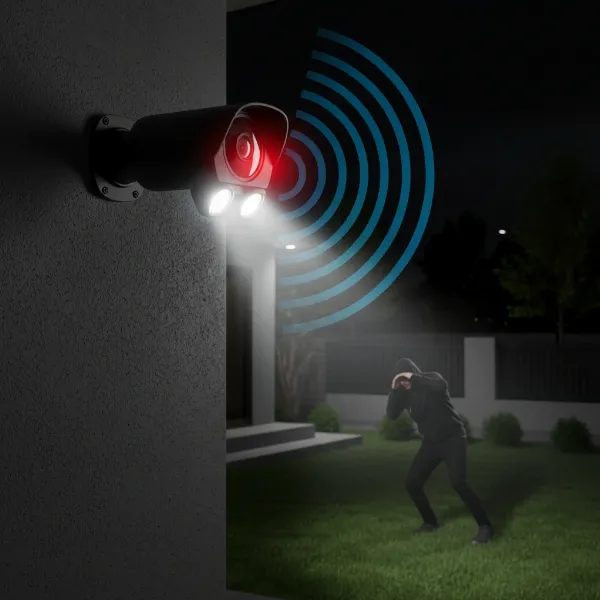
Securing your home shouldn’t break the bank. In an age where advanced security technology is more accessible than ever, finding reliable security cameras under $50 is not only possible but increasingly common. These budget-friendly options offer essential features to monitor your property, deter intruders, and provide peace of mind without a significant financial commitment. Whether you’re a first-time homeowner looking for basic surveillance or an experienced user seeking to expand an existing system affordably, understanding the capabilities of these inexpensive yet effective cameras is key to making an informed decision for your safety.
What is a Security Camera?
A security camera is an electronic device designed to capture video footage of a specific area, primarily for surveillance and monitoring purposes. These cameras serve as a vital deterrent against crime and provide valuable evidence in the event of an incident, safeguarding homes, businesses, and public spaces. Historically, security cameras evolved from simple closed-circuit television (CCTV) systems, which relied on analog signals and dedicated monitors, into today’s sophisticated digital IP (Internet Protocol) cameras. Modern cameras leverage Wi-Fi connectivity, cloud storage, and smart features, making surveillance solutions highly adaptable and user-friendly, even at budget price points.
Types of Security Cameras
When exploring affordable security camera options, it’s helpful to understand the basic types and their common applications. While high-end systems offer a vast array of specialized cameras, budget options typically fall into categories based on their connectivity and general design, providing excellent value for essential surveillance needs.
Classification by Technology
Budget-friendly cameras primarily utilize IP and Wi-Fi technology, offering flexibility and smart features that were once exclusive to premium models. Analog cameras are rarely found in new consumer-grade budget systems due to their lower resolution and lack of smart connectivity.
- IP Cameras:
- Pros: Offer higher resolution, digital recording, and often include advanced features like motion detection and two-way audio. They connect to your network, allowing remote viewing.
- Cons: Can be slightly more complex to set up than Wi-Fi-only models if wired networking is involved, though many also offer Wi-Fi.
- Suitable Applications: Ideal for those seeking clearer images and more robust features, suitable for both indoor and outdoor use with proper weatherproofing.
- Wi-Fi Cameras:
- Pros: Easy to install and set up without extensive wiring, connecting wirelessly to your home network. Many operate with intuitive smartphone apps.
- Cons: Performance can be affected by Wi-Fi signal strength, and they may be less stable than wired IP cameras in certain environments.
- Suitable Applications: Perfect for renters, small homes, or anyone needing flexible placement options without running cables, often found in both indoor and outdoor designs.
|
Our Picks for the Best Security Camera in 2026
As an Amazon Associate I earn from qualifying purchases.
|
||
| Num | Product | Action |
|---|---|---|
| 1 | Tapo 1080P Indoor Pan/Tilt Wired Security Camera - Works as a Baby & Pet Monitor, Motion Detection, 2-Way Audio, Siren, Night Vision, Subscription-Free Local Storage or Optional Cloud, Black, C201 |

|
| 2 | WYZE Cam Pan v3 Indoor/Outdoor IP65-Rated 1080p Pan/Tilt/Zoom Wi-Fi Smart Home Security Camera with Color Night Vision, 2-Way Audio, Compatible with Alexa & Google Assistant, White, 2-Pack |
|
| 3 | aosu Security Cameras Outdoor Wireless, 4 Cam-Kit, No Subscription, Solar-Powered, Home Security Cameras System with 360° Pan & Tilt, Auto Tracking, 2K Color Night Vision, Easy Setup, 2.4 & 5GHz WiFi |
|
| 4 | Tapo 2K+ Indoor/Outdoor Wired Security Camera - 2024 PCMag Editors' Choice, Person/Pet/Vehicle Detection, Baby Monitoring, Color Night Vision, Subscription-Free Local Storage or Optional Cloud, C120 |
|
| 5 | 2K No Drill Window Camera-2 Pack 2.4Ghz & 5Ghz WiFi Cameras for Home Security for Indoor & Outdoor Monitoring, Anti-Glare Color Night Vision, Human Detection, 24/7 Recording, Ideal for Apartment, K1 |
|
| 6 | Google Nest Cam with Floodlight - Outdoor Camera - Floodlight Security Camera, White, 1 Count (Pack of 1) |
|
| 7 | WYZE Bulb Cam Security Camera, 2K HD Outdoor Light Bulb Camera, Color Night Vision, Dimmable LED Bulb, Motion Detection, Siren Alarm, Works w/Alexa/Google Assistant. Free Expert Support |
|
| 8 | Google Nest Cam Outdoor (Wired, 2nd Gen) - 2 Pack - Security Camera with 2K Video and Gemini, Night Vision, 2-Way Audio - Works with Google Home - 2025 Model - Snow |
|
| 9 | 2K Cameras for Home Security-Outdoor/Indoor Camera for Dog/Cat/Pet/Nanny/Baby/Elderly, Color Night Vision, White Light, Siren, 24/7 SD Recordings, Works with Alexa, Plug in (C1-White-2pack-2.4G) |
|
| 10 | TP-Link Tapo 1080P Indoor Security Camera for Baby Monitor, Dog Camera w/Motion Detection, 2-Way Audio Siren, Night Vision, Cloud & SD Card Storage, Works w/Alexa & Google Home (Tapo C100) |
|
Classification by Shape and Function
Even within a strict budget, you’ll find cameras with varying designs tailored to specific monitoring needs, from discreet indoor units to robust outdoor models.
- Bullet Cameras:
- Characteristics and Applications: Named for their distinctive cylindrical “bullet” shape, these cameras are highly visible and often used for outdoor surveillance. Their prominent design acts as a deterrent, and they typically feature weather-resistant housings. They are great for monitoring specific entry points or long driveways.
- Dome Cameras:
- Characteristics and Applications: Housed in a dome-shaped casing, these cameras are more discreet and vandal-resistant, making them popular for both indoor and outdoor use. The dome design often obscures the camera’s exact direction, adding an element of ambiguity that can be advantageous. They are excellent for general area monitoring in homes or small offices.
- PTZ (Pan, Tilt, Zoom) Cameras:
- Characteristics and Applications: These cameras offer motorized control, allowing users to remotely pan (move horizontally), tilt (move vertically), and zoom in or out. This functionality provides a wider coverage area and the ability to focus on specific details. While often more expensive, some budget PTZ models exist, ideal for covering large indoor spaces or specific outdoor zones with dynamic needs.
- Discreet (Nanny) Cameras:
- Characteristics and Applications: Designed to blend into their surroundings, these cameras are often disguised as everyday objects like clocks, chargers, or smoke detectors. They are used for covert monitoring, such as keeping an eye on children or pets, or discreetly observing a specific area without drawing attention. Ethical considerations regarding privacy are paramount with these devices.
Comparison of Budget Security Cameras (Table)
While specific features vary greatly between models, this table offers a general comparison of common aspects you’ll find in quality budget Wi-Fi/IP cameras, highlighting what you can expect from affordable options.
| Feature | Wyze Cam v3 (Typical) | TP-Link Tapo C120 (Typical) | ANRAN P2 (Typical) |
|---|---|---|---|
| Image Quality | 1080p Full HD | 2K QHD | 1080p Full HD |
| Night Vision | Color Night Vision | Color Night Vision | Color/IR Night Vision |
| Weather Resistance | IP65/IP66 | IP66 | IP66 |
| Local Storage | MicroSD (up to 32GB) | MicroSD (up to 128GB) | MicroSD (up to 128GB) |
| Motion Detection | Basic, Sound | Smart AI (person/vehicle) | Basic |
| Two-Way Audio | Yes | Yes | Yes |
| Pan/Tilt | No (fixed) | No (fixed) | Yes |
| App Support | Yes | Yes | Yes |
| Subscription | Optional (for advanced features) | Optional | No (for basic features) |
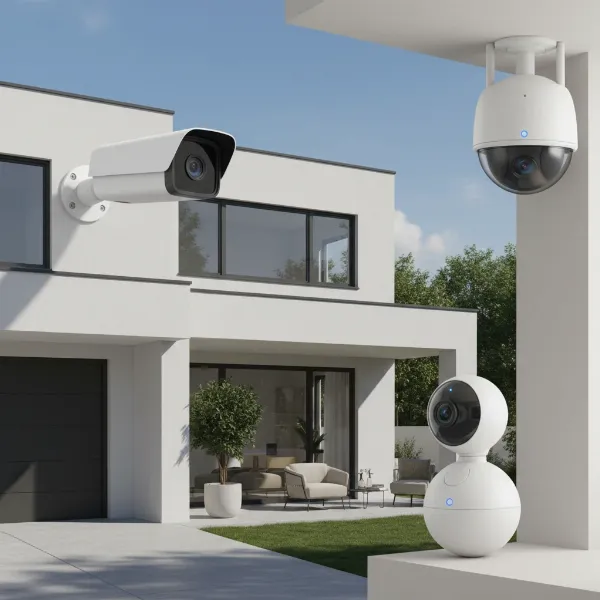 Various types of budget security cameras, including bullet, dome, and PTZ models, illustrating their designs and common applications.
Important Features of Security Cameras
When selecting a budget security camera, understanding key features will help you prioritize what matters most for your specific needs, ensuring you get the best value for your money.
- Resolution:
- Impact on Image Quality: Higher resolution means clearer, more detailed images and videos. While 1080p (Full HD) is standard for many budget cameras, some advanced models now offer 2K QHD, providing significantly sharper footage. This clarity is crucial for identifying faces or license plates.
- Common Resolutions: You’ll typically find 720p (HD Ready), 1080p (Full HD), and occasionally 2K (QHD) in the sub-$50 range. For effective surveillance, aim for at least 1080p.
- Field of View (Angle of View):
- Camera Coverage: This refers to how wide an area the camera can see. A wider field of view (e.g., 130-150 degrees) means fewer cameras are needed to cover a large space.
- Choosing the Right Angle: For small rooms or entryways, a standard 90-110 degree view might suffice. For large living areas or outdoor spaces, a wider-angle lens or a PTZ camera is more effective to minimize blind spots.
- Infrared Range (Night Vision):
- Low-Light Observation: Infrared (IR) LEDs allow cameras to “see” in the dark, capturing black and white footage. Some advanced budget cameras also offer color night vision, using brighter lenses or built-in spotlights to illuminate scenes in low light, providing more detail than traditional IR.
- Selecting the Right Range: Consider the distance you need to monitor at night. For a small porch, 10-20 feet might be enough. For a backyard, look for cameras with an IR range of 30 feet or more.
- Weather Resistance:
- IP (Ingress Protection) Standard: This rating indicates a camera’s resistance to dust and water. An IP65 rating means the camera is dust-tight and protected against water jets, suitable for most outdoor conditions. IP66 offers even greater protection against powerful water jets.
- Environment Suitability: If you need an outdoor camera, an IP65 or IP66 rating is essential to ensure durability against rain, snow, and dust. Indoor cameras typically don’t require an IP rating.
- Storage Options:
- Methods: Budget cameras commonly offer three storage solutions:
- MicroSD Card: Local storage, inexpensive, no subscription required. Footage is stored directly on the camera.
- NVR (Network Video Recorder)/DVR (Digital Video Recorder): More common for multi-camera wired systems, but some IP cameras can connect to an NVR. Offers larger, centralized storage.
- Cloud Storage: Footage is uploaded to remote servers, accessible from anywhere. Often requires a subscription fee, though some brands offer limited free cloud storage.
- Pros and Cons: MicroSD is cost-effective and private, but vulnerable to camera theft. Cloud offers remote access and backup but comes with ongoing costs.
- Methods: Budget cameras commonly offer three storage solutions:
- Motion Detection:
- Setup and Use: This feature triggers recording and sends alerts when movement is detected. Most cameras allow sensitivity adjustment and activity zones to be defined via their app.
- Reducing False Alarms: Advanced budget cameras use AI to differentiate between people, vehicles, and pets, significantly reducing false alarms from swaying branches or insects. Proper placement and zone configuration also help in minimizing unwanted notifications.
Buying Guide for Security Cameras
Choosing the right security camera under $50 requires a systematic approach to ensure it genuinely meets your needs and expectations for performance and reliability.
- Determine Your Needs:
- Purpose of Use: Are you monitoring indoors for pet/baby surveillance, or outdoors for property protection against intruders? This dictates features like weather resistance and night vision.
- Monitoring Area: A wide-angle fixed camera might work for a small room. A PTZ camera could be better for a larger space like a living room or a specific outdoor zone. Consider if you need to cover a front door, backyard, or garage.
- Budget: While the goal is under $50, some cameras may offer slightly more features for a few dollars extra, which might be a worthwhile investment.
- Select the Right Camera Type:
- Based on the criteria above, decide if you need an indoor-only fixed camera, an outdoor weather-resistant bullet/dome, or a pan/tilt camera for wider coverage. Consider the environment and visibility requirements.
- Choose a Reputable Provider:
- Experience and Customer Reviews: Look for brands with positive reviews regarding product quality, app functionality, and customer support. Brands like Wyze and TP-Link Tapo have strong reputations in the budget market.
- Warranty and Support: Ensure the camera comes with a warranty and accessible technical support, even for affordable models. This is crucial for troubleshooting and potential defects.
- Installation and Setup:
- DIY vs. Professional: Most budget cameras are designed for easy DIY installation, often involving just mounting and connecting to Wi-Fi via an app. Professional installation is generally not necessary unless integrating with a complex smart home system.
- Software and App Setup: Familiarize yourself with the camera’s companion app. Ensure it’s user-friendly, provides real-time access, and offers necessary settings for motion detection and recording.
- Maintenance and Usage:
- Regular Cleaning: Periodically wipe the camera lens to ensure clear footage, especially for outdoor cameras.
- Firmware Updates: Regularly check for and install firmware updates. These often improve performance, add new features, and patch security vulnerabilities.
Top 5 Budget Security Cameras Under $50 That Actually Work
Finding a security camera that offers reliable performance and essential features without exceeding a $50 budget can be challenging, but several excellent options stand out. These models consistently receive high marks for their balance of affordability, image quality, and smart capabilities.
- Wyze Cam v3:
- Overview: Often hailed as the king of budget cameras, the Wyze Cam v3 offers 1080p full HD video, impressive color night vision, and an IP65 weather-resistant rating, making it suitable for both indoor and outdoor use. It includes motion and sound detection with alerts, and free 14-day cloud storage for short clips, plus local storage via microSD. Its compact design and magnetic base allow for versatile placement.
- Why it works: Exceptional feature set for its price, including color night vision and weatherproofing, which are rare in this category. Reliable performance and a user-friendly app.
- TP-Link Tapo C120 / C110:
- Overview: The Tapo series from TP-Link, particularly models like the C120 or C110, offers excellent value. The C120 boasts 2K QHD resolution, color night vision, and smart AI detection (person/vehicle). It features IP66 weather resistance for outdoor use and supports local storage up to 128GB via a microSD card. Its robust build and clear footage make it a strong contender.
- Why it works: Higher 2K resolution at a budget price, coupled with reliable weather resistance and intelligent motion detection, provides a comprehensive surveillance solution.
- ANRAN P2 Wi-Fi Pan and Tilt Security Camera:
- Overview: For those prioritizing dynamic coverage, the ANRAN P2 offers 1080p video with pan and tilt capabilities, allowing you to remotely adjust the camera’s view. It includes both infrared and color night vision, two-way audio, and supports local storage up to 128GB. While it may lack advanced AI detection, its PTZ functionality at this price point is a significant advantage.
- Why it works: Provides pan and tilt control for extensive coverage, making it ideal for monitoring larger indoor areas or specific outdoor zones that require adjusted views.
- BOAVISION Dual Lens Wi-Fi IP Security Camera:
- Overview: This camera stands out with its dual-lens design, often featuring a wide-angle lens for general overview and a telephoto lens for detailed zoom. It typically offers 4MP resolution, pan and tilt functions, and robust outdoor capabilities. The dual-lens system enhances image quality at various zoom levels, which is a premium feature at a budget price.
- Why it works: The innovative dual-lens technology provides superior optical zoom and detailed imaging for a budget camera, great for identifying distant objects or persons.
- Reolink E1 (Indoor Pan/Tilt):
- Overview: While some Reolink models can exceed the $50 mark, the Reolink E1 often falls just within or below this budget during sales. It’s an indoor-specific pan-and-tilt camera offering 3MP Super HD video, two-way audio, and motion detection. It supports local storage via microSD and is known for its stable performance and user-friendly Reolink app.
- Why it works: Delivers higher-than-average resolution for an indoor PTZ camera, providing excellent clarity and flexible monitoring for internal spaces.
Tips for Effective Security Camera Use
Maximizing the effectiveness of your budget security cameras involves thoughtful placement, proper settings, and adherence to security best practices.
- Strategic Camera Placement: Position cameras at optimal vantage points to cover key entry points (doors, windows) and high-traffic areas. For outdoor cameras, place them high enough to prevent tampering but low enough to capture clear facial features. Avoid pointing cameras directly at strong light sources, which can wash out the image.
- Configure Phone Notifications: Set up motion detection alerts on your smartphone app. Customize sensitivity and activity zones to receive notifications only for relevant events, preventing excessive false alarms. This ensures you’re promptly informed of any suspicious activity.
- Use Strong Passwords: Always change default passwords to strong, unique combinations. Utilize two-factor authentication if available. This protects your camera feed and settings from unauthorized access, safeguarding your privacy and security.
- Share Access Prudently: If sharing camera access with family members or trusted individuals, ensure they understand the security protocols. Limit access to only necessary individuals and review permissions periodically.
- Respect Privacy Laws: Be aware of local laws regarding surveillance and privacy. Ensure cameras are not pointed into neighbors’ properties or public areas where privacy is expected. Always inform individuals if they are being recorded, especially in indoor settings.
Common Issues and Troubleshooting
Even with budget-friendly cameras, you can expect reliable performance, but occasional issues may arise. Here are solutions to common problems.
- Camera Not Connecting to Network:
- Check Wi-Fi Signal: Ensure the camera is within range of a strong Wi-Fi signal. Consider a Wi-Fi extender if the signal is weak.
- Router Settings: Verify your router is broadcasting a 2.4GHz Wi-Fi network (most budget cameras only support 2.4GHz).
- Reboot Devices: Restart both the camera and your Wi-Fi router.
- Blurred or Noisy Image:
- Clean Lens: Gently clean the camera lens with a soft, dry cloth to remove dust or smudges.
- Lighting: Ensure adequate lighting, especially for non-night vision cameras. For night vision, check for obstructions in front of the IR lights.
- Resolution Settings: Check the camera app to ensure the resolution is set to the highest possible quality.
- Camera Being Hacked:
- Strong Password: Immediately change your Wi-Fi and camera passwords to strong, unique combinations.
- Firmware Update: Ensure the camera’s firmware is up to date, as updates often include security patches.
- Network Security: Use a strong, encrypted Wi-Fi network (WPA2/WPA3).
- Data Loss:
- MicroSD Card Check: If using local storage, ensure the microSD card is inserted correctly, formatted within the app, and not full or corrupted. Replace old cards if issues persist.
- Cloud Backup: For critical footage, consider enabling cloud storage options (even if paid) as a backup.
“Investing in security cameras, even budget-friendly ones, is a proactive step toward protecting your home and family. The key is to choose cameras that offer the right balance of features and reliability for your specific environment.” – Dr. Elena Petrova, Cybersecurity & Home Security Expert
Conclusion
The landscape of home security has transformed, making reliable surveillance accessible to almost any budget. With the right research, it’s entirely possible to find top-performing security cameras under $50 that deliver on their promise of enhanced safety and peace of mind. By focusing on essential features like resolution, night vision, and smart detection, and selecting reputable brands, you can effectively monitor your property without overspending. These affordable devices truly work, offering a vital layer of protection that was once reserved for much higher price points. Are you ready to take control of your home’s security without breaking the bank?
Frequently Asked Questions
What is the minimum resolution needed for a good budget security camera?
For effective identification and clear footage, a minimum of 1080p (Full HD) resolution is highly recommended for budget security cameras. While 720p options exist, 1080p offers significantly better detail, which is crucial for surveillance purposes like identifying faces or objects.
Can budget security cameras work outdoors in all weather?
Many budget security cameras designed for outdoor use come with an IP65 or IP66 weather-resistant rating. This means they can withstand dust, rain, and even powerful water jets, making them suitable for most outdoor environments. Always check the IP rating before purchasing for outdoor installation.
Do I need a subscription for security camera features?
Most budget security cameras offer basic features like live viewing and motion alerts without a subscription. However, advanced functionalities such as extended cloud storage, AI-powered person/vehicle detection, or continuous recording often require a paid subscription plan. Local storage via microSD card is usually subscription-free.
Are budget security cameras easy to install for a beginner?
Yes, most budget-friendly Security Cameras are designed for straightforward DIY installation. They typically connect wirelessly via Wi-Fi and are set up through an intuitive smartphone app. Basic mounting hardware is usually included, making the process accessible even for beginners.
How can I improve the night vision quality of my budget camera?
To enhance night vision, ensure there are no obstructions in front of the camera’s infrared (IR) lights. For cameras with color night vision, adding a low-wattage exterior light source can significantly boost clarity and color in dark conditions. Regularly cleaning the lens also helps maintain optimal performance.