Security Camera Resolution Explained: 1080p vs 2K vs 4K
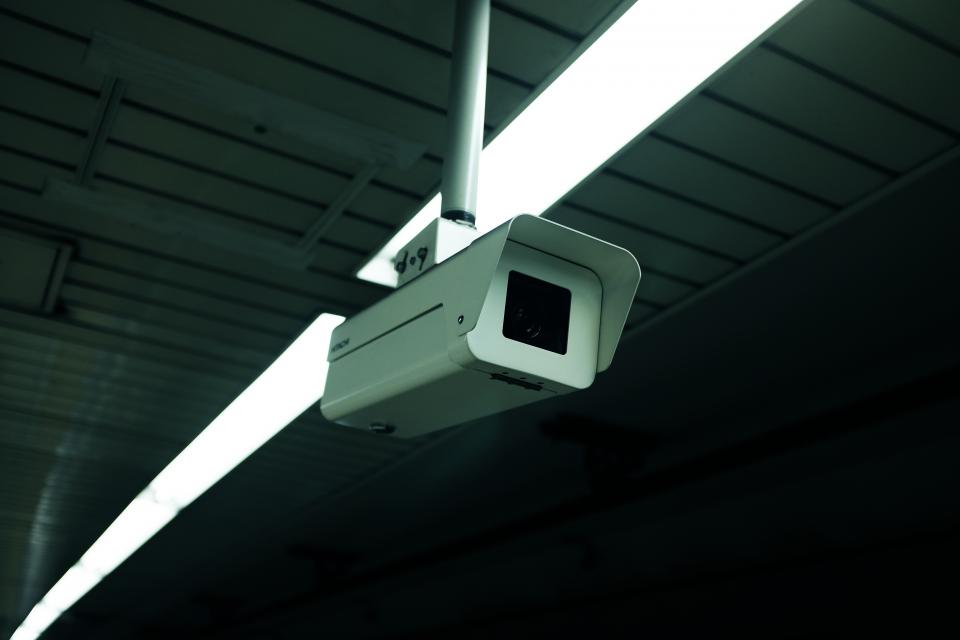
Quick Verdict: Security camera resolution decides how much usable detail you capture — whether you can identify a face or read a license plate, or just see that “someone was there.” 1080p (Full HD) is the usable minimum, 2K (1440p) is the practical sweet spot for most homes, and 4K (Ultra HD) is for large areas and detailed identification at distance. But higher resolution costs more in storage and upload bandwidth, so the right choice depends on the scene, not just the biggest number. For models at each resolution tier, see our Best Home Security Cameras guide.
What Camera Resolution Actually Means
Resolution is the number of pixels a camera captures in each frame, written as width × height. More pixels means more detail packed into the image — which is what lets you zoom in on a clip and still make out a face or a plate. The three tiers you’ll see on home cameras:
| Name | Resolution | Megapixels | Relative detail |
|---|---|---|---|
| 1080p (Full HD) | 1920 × 1080 | ~2MP | Baseline |
| 2K / QHD (1440p) | 2560 × 1440 | ~4MP | ~2× of 1080p |
| 4K / UHD | 3840 × 2160 | ~8MP (≈8.29M) | ~4× of 1080p, ~2× of 2K |
The key relationship: 4K has roughly four times the pixels of 1080p and twice that of 2K. That extra detail is the entire reason to pay more — it’s what turns “a person in a dark jacket” into “a recognizable face.”
1080p: The Usable Baseline
1080p, or Full HD, captures 1920 × 1080 pixels (about 2 megapixels). It’s the entry point for modern security cameras and remains perfectly adequate for small, well-defined areas.
- Strengths: Low storage and bandwidth needs, works fine on slower internet, and cheapest to buy. A doorway, a porch, a small room, or a desk-distance view is well served by 1080p.
- Limits: Detail falls apart at distance. Digital zoom on a 1080p clip degrades quickly, so identifying a face across a yard or reading a plate down a driveway is often impossible.
Choose 1080p when the camera is close to its subject and you’re watching a tight, contained area.
2K / QHD: The Practical Sweet Spot
2K — also called QHD or 1440p — captures 2560 × 1440 pixels (about 4 megapixels), roughly double the detail of 1080p. For most homes this is the resolution that balances clarity against cost best.
- Strengths: Noticeably sharper than 1080p, holds up far better to digital zoom, and covers mid-size scenes — a front yard, a driveway, a wide porch — while still keeping faces and details legible. Bandwidth needs are higher than 1080p but manageable on a standard connection (commonly around 3–6 Mbps per stream).
- Limits: Uses meaningfully more storage than 1080p; over 30 days of continuous recording a 2K camera can consume roughly double the space of a 1080p one.
If you’re unsure, 2K is the safe default for a home camera. It gives you the zoom-in detail you’ll actually want from evidence footage without the heavy storage demands of 4K.
4K / UHD: Maximum Detail for Large Scenes
4K (Ultra HD) captures 3840 × 2160 pixels — about 8.29 million, four times 1080p. This is the resolution to reach for when you need to identify details across a big space.
- Strengths: Outstanding detail at distance and huge digital-zoom headroom — you can crop into a corner of the frame and still read a plate or recognize a face. Ideal for long driveways, large yards, parking areas, and storefronts.
- Limits: The heaviest on storage and bandwidth by far. 4K needs a robust internet connection for smooth remote streaming, and continuous 4K recording fills drives fast — for a single camera recording 24/7, expect a substantial multi-terabyte appetite over a month.
4K shines where one camera must cover a wide area and still deliver identifiable detail. In a small room it’s overkill — you’ll pay in storage for resolution you can’t use.
The Hidden Cost: Storage and Bandwidth
The number nobody mentions on the box is what higher resolution does to your storage and internet. As a rough guide for 30 days of continuous recording from one camera: a 1080p camera uses on the order of ~2 TB, a 2K camera roughly ~4 TB, and a 4K camera around ~8 TB. Switching from continuous to motion-only recording slashes those figures dramatically — often to a few gigabytes per day per camera instead of dozens.
Bandwidth scales the same way. 1080p sips data and suits limited connections; 2K is manageable on a standard connection; 4K demands a fast, stable uplink for smooth cloud streaming. If you record several cameras to the cloud, your upload speed — not the camera — can become the bottleneck. This is also why cloud-subscription costs effectively rise with resolution: more data to store and move. Our security camera subscription guide covers the storage-plan side of this.
Resolution Isn’t the Whole Picture
A high megapixel count alone doesn’t guarantee a good image. Several factors interact with resolution:
- Sensor quality and size: A larger, better sensor captures cleaner images — especially in low light — than a cheap high-resolution sensor straining in the dark.
- Lens and field of view: Spreading pixels across a very wide FOV reduces the detail on any one part of the scene. A 4K camera with a 160° lens may show less facial detail at the edges than a 2K camera with a tighter lens aimed at the door.
- Night vision: After dark, infrared or color night-vision performance matters more than daytime megapixels. A 4K image that’s noisy and dim at night is worse than a clean 2K one.
- Compression and frame rate: Heavy compression to save bandwidth can erase the detail extra resolution was supposed to provide.
Match the resolution to the scene, then weigh sensor, lens, and night-vision quality — that combination, not the headline number, decides whether you get footage you can actually use. For the full set of buying decisions, see how to choose a home security camera.
What About 5MP, 6MP, and “2.5K”?
Manufacturers don’t limit themselves to neat 1080p/2K/4K labels — you’ll also see 3MP, 5MP, 6MP, and marketing terms like “2.5K.” These sit between the standard tiers and can be genuinely useful, but the labels invite confusion, so anchor on the actual pixel dimensions rather than the name.
- 3MP (2304 × 1296): A step above 1080p, sometimes branded “2K-ish.” A modest detail bump at low storage cost.
- “2.5K” (around 2560 × 1440 or 2688 × 1520): Marketing for a resolution near or slightly above true QHD. Treat it as 2K-class.
- 5MP / 6MP / 8MP: 8MP is effectively 4K. 5MP and 6MP sit between 2K and 4K — more detail than QHD without the full 4K storage hit, which can be a sensible middle ground for a driveway.
The takeaway: ignore the catchy name and check the width × height. Two cameras both called “2K” can differ, and a “5MP” camera is not automatically better in practice than a good 2K one if its sensor or lens is weak.
Frame Rate, HDR, and the Specs That Travel With Resolution
Resolution rarely lives alone on a spec sheet. Two neighbors shape real-world clarity just as much:
- Frame rate (fps): How many frames per second the camera records. Most home cameras run 15–30 fps. Higher frame rates capture fast motion — a running figure, a passing car — with less blur, which preserves the detail your resolution captured. A 4K clip at a choppy frame rate can still blur a moving subject.
- HDR (High Dynamic Range): Helps a camera handle scenes with both bright and dark areas, like a shaded porch against a sunlit yard. Without HDR, a high-resolution camera can blow out the highlights or crush the shadows — losing detail regardless of pixel count.
- Bitrate/compression: The data rate the camera uses to encode video. Aggressive compression to save bandwidth can erase fine detail, so a generously encoded 2K stream can look better than a heavily compressed 4K one.
When comparing two cameras at the same resolution, these specs often decide which actually produces more usable footage.
Quick Recommendations by Scene
- Doorway, porch, small room: 1080p is fine; 2K if you want headroom.
- Front yard, driveway, garage: 2K is the sweet spot.
- Long driveway, large yard, parking area: 4K for distance detail.
- Slow internet or many cloud cameras: Favor 1080p/2K and motion-only recording.
Matching Resolution to Your Storage Plan
One last practical link people miss: your resolution choice and your storage choice are connected. If you record locally to a microSD card or a base station, higher resolution simply fills the card faster — a 4K camera on a small card may only hold a few days before overwriting. If you record to the cloud on a subscription, more resolution means more data to upload and store, which is part of why higher-tier plans and bigger footage histories cost more. Before committing to 4K everywhere, make sure your card size, drive capacity, or upload speed can actually keep up. For many homes, recording at 2K and switching to motion-only capture is the combination that keeps both storage and cost sane. See our subscription guide for how storage plans handle this.
Frequently Asked Questions
Is 2K or 4K better for a security camera?
4K captures about twice the detail of 2K and is better for large areas and identifying details at distance, but it uses roughly double the storage and far more bandwidth. For most homes, 2K is the better all-round choice — it’s sharp enough to identify faces and zoom into clips while keeping storage and internet demands reasonable. Reserve 4K for long driveways and large yards.
Is 1080p good enough for a home security camera?
1080p is good enough for small, close-range areas like a doorway, porch, or a single room, where the subject is near the camera. It struggles at distance, and digital zoom on a 1080p clip degrades quickly, so it’s a poor choice for watching a long driveway or a wide yard where you’d want to identify a face or plate from afar.
Does higher resolution use more storage and internet?
Yes, significantly. As a rough rule, 2K uses about twice the storage of 1080p and 4K about four times, for the same recording length. Bandwidth scales similarly, so 4K needs a fast, stable connection for smooth cloud streaming. Switching to motion-only recording instead of continuous dramatically reduces both storage and bandwidth use.
What resolution do I need to read a license plate?
To reliably read a license plate at distance you want 2K at minimum, and 4K is better the farther the plate is from the camera, because the extra pixels survive digital zoom. Equally important is aiming a camera specifically at the spot where plates pass and ensuring good lighting — even 4K can’t read a plate that’s motion-blurred or backlit.
Why does my 4K camera footage look soft?
Several things can blunt 4K detail: heavy compression to save bandwidth, a cheap or small image sensor, a very wide lens spreading pixels thin, poor night-vision performance, or a slow connection forcing the stream to drop quality. Resolution is only one factor — sensor quality, lens, lighting, and compression all affect the final clarity you see.
Does more resolution mean a wider view?
No. Resolution is the pixel count; the field of view (how wide an area the camera sees) is set by the lens. A higher-resolution camera packs more detail into whatever area it covers, but a wide field of view spreads those pixels over more space, reducing detail on any one spot. Coverage and detail are separate specs to balance.
Conclusion
Security camera resolution is about matching pixels to the scene, not chasing the biggest number. 1080p covers tight, close areas cheaply; 2K is the do-everything sweet spot for most homes; 4K earns its higher storage and bandwidth cost only when one camera must cover a large area with identifiable detail. Remember that sensor quality, lens choice, and night vision all shape the final image as much as the megapixel count. Once you’ve settled on a resolution, the Best Home Security Cameras guide lists strong picks at each tier.
Last updated: June 2026
See our main guide: Best Home Security Cameras.