In an era where digital connectivity permeates every aspect of our lives, the integration of smart security cameras into our homes offers unparalleled peace of mind. However, the convenience of constant surveillance often comes with legitimate privacy concerns, particularly regarding indoor cameras. For many homeowners, the thought of a “never-blinking lens” within their private spaces can be unsettling. This is where security cameras equipped with physical privacy shutters become indispensable, offering a tangible barrier against potential prying eyes and reinforcing your control over your personal space.
This comprehensive guide will delve into the world of security cameras featuring privacy shutters, exploring their importance, different types, and other crucial privacy-enhancing features. We will help you navigate the options to select a camera that not only protects your property but also respects your personal privacy.
What Are Security Cameras with Privacy Shutters?
Security cameras with privacy shutters are designed with a physical mechanism that can block the camera’s lens, preventing it from recording or transmitting video when privacy is desired. While all security cameras aim to protect your home, those with integrated privacy shutters go an extra step to safeguard your personal space inside the house. They address a fundamental concern: the potential for unauthorized viewing, whether due to hacking, accidental activation, or even malicious internal access.
The evolution of security cameras has moved from basic surveillance tools to sophisticated smart devices. Early models focused purely on recording footage, often with little thought given to homeowner privacy beyond the recording itself. However, as smart home technology advanced and reports of security vulnerabilities emerged, manufacturers began to innovate with features like privacy shutters. This shift reflects a growing demand for devices that empower users with greater control over when and how their spaces are monitored. The ability to physically obscure the lens provides a clear, undeniable indicator that the camera is not active, offering a level of reassurance that software-based privacy modes alone cannot always achieve.
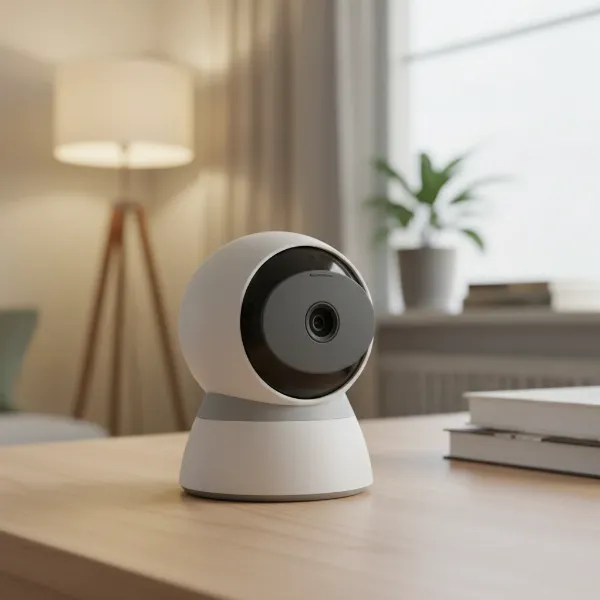 An indoor security camera with a physical privacy shutter covering its lens, emphasizing home privacy.
Types of Privacy Shutters and Their Functionality
Privacy shutters on security cameras primarily come in two forms: manual and automatic. Each type offers distinct advantages depending on your needs and preference for control. Understanding these differences is key to choosing the right level of privacy for your home environment.
- Manual Privacy Shutters: These typically involve a small, physical cover that you manually slide, flip, or rotate into place over the camera lens. They are straightforward and offer a clear visual confirmation that the camera is physically blocked. This type of shutter is ideal for areas where you want absolute control and can easily access the camera to activate or deactivate the privacy feature. While simple, their effectiveness relies on consistent manual engagement.
- Automatic Privacy Shutters: More advanced cameras feature shutters that activate automatically. This can happen based on a schedule, when the camera is disarmed via an app, when a specific person is detected, or when you enter a designated “home” mode in your smart home system. For example, the Arlo Essential Indoor Camera is highly regarded for its automatic privacy shutter that closes when the camera is disarmed. This automation offers convenience and ensures privacy is maintained without constant manual intervention, making it an excellent choice for busy households or those who frequently forget to adjust settings.
Beyond physical shutters, some cameras offer “privacy modes” or “sleep modes” that digitally disable video and audio recording. While these modes offer some privacy, they rely on software integrity. A physical shutter, however, provides an unhackable visual barrier, offering a higher degree of psychological and actual security.
Beyond the Shutter: Comprehensive Privacy and Security Features
While a physical privacy shutter is a crucial component for ensuring peace of mind with indoor security cameras, a truly secure system integrates multiple layers of protection. Digital security measures are equally vital to safeguard your data from cyber threats and unauthorized access.
- Two-Factor Authentication (2FA): This is a critical security layer that requires two forms of identification before granting access to your camera feed or account. Typically, this involves your password and a temporary code sent to your phone. Strong 2FA, especially SMS-based authentication, significantly reduces the risk of unauthorized access even if your password is compromised. Always enable 2FA on your camera accounts.
- Local vs. Cloud Storage: Understanding where your video footage is stored is paramount for privacy.
- Local Storage: Many cameras offer the option to store recordings directly on a microSD card within the camera or on a local Network Video Recorder (NVR) or Network Attached Storage (NAS) device. This keeps your footage entirely within your home network, minimizing exposure to third-party servers and potential data breaches. For maximum privacy, blocking your camera from accessing the internet and relying solely on local storage and LAN mode is the most secure approach, although this can limit some smart features.
- Cloud Storage: While convenient for remote access and backup, cloud storage means your data resides on external servers. Reputable brands employ encryption and strict data protection policies, but it’s essential to research a company’s track record and privacy policy before entrusting them with your footage.
- Data Encryption: High-quality security cameras should encrypt your video feed both in transit (when it’s uploaded to the cloud or accessed remotely) and at rest (when stored). End-to-end encryption, where only you and intended recipients can decrypt the data, offers the highest level of protection against eavesdropping. This is a complex area, and while some brands claim advanced encryption like blockchain, verifying these claims independently can be challenging.
- LAN Mode / Internet Blocking: Some cameras, like the Reolink E1 Pro, offer a “LAN mode” that allows full functionality (including viewing live feeds and accessing recordings) even when the camera is disconnected from the internet. This is a highly secure option for those who want to limit external access entirely. For other cameras, manually blocking their internet access via your router’s firewall can enhance privacy, though some devices may lose certain functionalities or become unstable without an internet connection.
- Secure App Practices: The accompanying mobile app for your security camera is your primary interface. It should be intuitive, regularly updated, and adhere to strict security protocols. Features like granular control over privacy settings, clear indicators of camera status (on/off, shutter open/closed), and robust user authentication are essential.
Top Security Cameras with Privacy Shutters
The demand for enhanced privacy has led several reputable brands to integrate physical shutters into their indoor security cameras. These models offer a blend of security features and the critical assurance of a physically blocked lens.
- Arlo Essential Indoor Camera: Often cited as a top recommendation, the Arlo Essential Indoor Camera features an automatic privacy shutter. This shutter conveniently closes when the camera is disarmed, providing an immediate visual cue that privacy is active. It combines Arlo’s generally strong security reputation with this desirable physical privacy feature, making it a favorite for those seeking peace of mind.
- Ring Pan-Tilt Indoor Cam: Ring’s Pan-Tilt Indoor Cam includes a privacy cover that can be manually engaged. This camera also offers extensive coverage with its 360-degree pan and 169-degree tilt capabilities, ensuring you can monitor a large area when needed and then physically block the view for privacy. It also allows for audio disengagement, adding another layer of privacy.
- WiZ Indoor Camera: The WiZ Indoor Camera incorporates a base plate and privacy cover in its design, offering a simple yet effective way to physically block the lens. This camera is particularly well-suited for renters or those who prefer a freestanding setup, and it integrates well within smart home ecosystems.
- GE Cync Smart Indoor Security Camera: While less commonly highlighted in broad security camera reviews, the GE Cync Smart Indoor Security Camera is another established brand offering a physical privacy shutter, demonstrating the industry’s response to consumer privacy concerns.
When considering these options, remember that while the privacy shutter is a significant advantage, evaluating the camera’s overall feature set, including resolution, night vision, two-way audio, and smart home compatibility, is also important to ensure it meets all your security needs.
Comparison of Security Camera Privacy Features
Choosing the right security camera involves more than just a privacy shutter; it’s about a holistic approach to security and data protection. Here’s a comparison of key features, focusing on privacy-centric aspects, for some popular models.
| Feature | Arlo Essential Indoor | Ring Pan-Tilt Indoor | WiZ Indoor Camera | Reolink E1 Pro (Note 1) |
|---|---|---|---|---|
| Privacy Shutter | Automatic | Manual Cover | Manual Cover | No physical shutter |
| Resolution | 1080p | 1080p | 1080p | 1440p (2K) |
| Field of View | 130° (Fixed) | 360° pan, 169° tilt | Narrow FOV | 355° pan, 105° tilt |
| Storage Options | Cloud (subscription) | Cloud (subscription) | Local/Cloud (sub) | Local (SD card) / NVR |
| Two-Factor Auth. | Yes | Yes | Yes (common) | No (requires firewall) |
| LAN Mode Support | Limited | No | No | Yes (full functionality) |
| Power | Wired | Wired | Wired | Wired |
| Audio Privacy | Yes | Audio disengage | Yes (via app) | Yes (via app) |
- Note 1: The Reolink E1 Pro does not feature a physical privacy shutter but is highly praised for its robust local network (LAN) functionality, allowing it to operate fully even when blocked from internet access, offering a different but equally strong approach to privacy control.
This table highlights that while physical privacy shutters are a direct solution, other cameras prioritize digital privacy through features like strong LAN mode support and local storage. Your choice will depend on whether you prefer a physical barrier or robust network-level control for your privacy.
Buying Guide: Choosing the Right Security Camera with a Privacy Shutter
Selecting the ideal security camera with privacy features requires careful consideration of your specific needs, the environment it will operate in, and your budget. Here’s a step-by-step guide to help you make an informed decision.
1. Identify Your Needs and Surveillance Area
|
Our Picks for the Best Security Camera in 2026
As an Amazon Associate I earn from qualifying purchases.
|
||
| Num | Product | Action |
|---|---|---|
| 1 | 2K Cameras for Home Security-Outdoor/Indoor Camera for Dog/Cat/Pet/Nanny/Baby/Elderly, Color Night Vision, White Light, Siren, 24/7 SD Recordings, Works with Alexa, Plug in (C1-White-2pack-2.4G) |

|
| 2 | Google Nest Cam Outdoor (Wired, 2nd Gen) - 2 Pack - Security Camera with 2K Video and Gemini, Night Vision, 2-Way Audio - Works with Google Home - 2025 Model - Snow |
|
| 3 | Google Nest Cam with Floodlight - Outdoor Camera - Floodlight Security Camera, White, 1 Count (Pack of 1) |
|
| 4 | WYZE Bulb Cam Security Camera, 2K HD Outdoor Light Bulb Camera, Color Night Vision, Dimmable LED Bulb, Motion Detection, Siren Alarm, Works w/Alexa/Google Assistant. Free Expert Support |
|
| 5 | Tapo 2K+ Indoor/Outdoor Wired Security Camera - 2024 PCMag Editors' Choice, Person/Pet/Vehicle Detection, Baby Monitoring, Color Night Vision, Subscription-Free Local Storage or Optional Cloud, C120 |
|
| 6 | Tapo 1080P Indoor Pan/Tilt Wired Security Camera - Works as a Baby & Pet Monitor, Motion Detection, 2-Way Audio, Siren, Night Vision, Subscription-Free Local Storage or Optional Cloud, Black, C201 |
|
| 7 | aosu Security Cameras Outdoor Wireless, 4 Cam-Kit, No Subscription, Solar-Powered, Home Security Cameras System with 360° Pan & Tilt, Auto Tracking, 2K Color Night Vision, Easy Setup, 2.4 & 5GHz WiFi |
|
| 8 | WYZE Cam Pan v3 Indoor/Outdoor IP65-Rated 1080p Pan/Tilt/Zoom Wi-Fi Smart Home Security Camera with Color Night Vision, 2-Way Audio, Compatible with Alexa & Google Assistant, White, 2-Pack |
|
| 9 | 2K No Drill Window Camera-2 Pack 2.4Ghz & 5Ghz WiFi Cameras for Home Security for Indoor & Outdoor Monitoring, Anti-Glare Color Night Vision, Human Detection, 24/7 Recording, Ideal for Apartment, K1 |
|
| 10 | TP-Link Tapo 1080P Indoor Security Camera for Baby Monitor, Dog Camera w/Motion Detection, 2-Way Audio Siren, Night Vision, Cloud & SD Card Storage, Works w/Alexa & Google Home (Tapo C100) |
|
Begin by clarifying the primary purpose of the camera. Is it for general home monitoring, keeping an eye on pets, or serving as a baby monitor? For indoor use, a camera with a privacy shutter is paramount. Determine the specific areas you want to monitor, as this will influence the required field of view and features like pan and tilt. Consider whether the camera will be in high-traffic areas where privacy is frequently needed, or in more static locations.
2. Prioritize Privacy Features Beyond Just the Shutter
While a physical privacy shutter is a major advantage, don’t overlook other critical security aspects. Look for cameras that offer robust Two-Factor Authentication (2FA) for account protection. Evaluate storage options: prioritize local storage (microSD card, NVR) if you want to keep your data entirely within your home network. If cloud storage is necessary for remote access, research the brand’s encryption protocols and data retention policies. A camera that supports a “LAN mode” (functioning without internet access for local viewing) provides an additional layer of security.
3. Consider Core Camera Performance
A privacy-focused camera should still deliver excellent surveillance capabilities.
- Resolution: Choose at least 1080p (Full HD) for clear images. Higher resolutions like 2K or 4K offer more detail, useful for zooming in on footage.
- Night Vision: Ensure the camera has reliable night vision (infrared or color night vision) to monitor effectively in low-light conditions.
- Field of View & PTZ: A wider field of view covers more area. Pan-Tilt-Zoom (PTZ) functionality offers flexibility to remotely adjust the camera’s angle, which can be beneficial for monitoring larger rooms.
- Two-Way Audio: This allows you to communicate with people on the other end, useful for checking in with family or deterring intruders.
4. Evaluate Storage and Subscription Costs
Many smart security cameras come with optional cloud storage subscriptions, which can add to the long-term cost. Compare the costs and benefits of free versus paid cloud plans. If local storage is sufficient for your needs, you might save money and enhance privacy by choosing a camera with a reliable local storage option and avoiding subscription fees.
5. Research Brand Reputation for Security
Recent incidents have shown that even well-known brands can have security vulnerabilities. Look into a manufacturer’s history regarding data breaches, their commitment to user privacy, and how quickly they address security flaws. Opt for brands with a proven track record of transparent security practices and timely software updates.
6. Installation and Smart Home Integration
Consider the ease of installation. Some cameras are plug-and-play, while others may require more complex setup. If you have an existing smart home ecosystem (e.g., Alexa, Google Assistant, Apple HomeKit), ensure the camera is compatible for seamless integration and control.
Tips for Using Security Cameras with Privacy Shutters Effectively
Maximizing the benefits of your security camera while upholding privacy requires strategic placement and consistent practices. These tips will help you leverage your camera’s features for optimal security and peace of mind.
- Strategic Placement is Key: Position your indoor cameras in areas that provide critical surveillance coverage but are not overly intrusive. For instance, a camera monitoring an entryway is often more effective and less privacy-invading than one directly facing a living area unless specifically needed (e.g., pet monitoring). Always consider line of sight when the shutter is open versus closed.
- Utilize Automatic Shutter Features: If your camera has an automatic privacy shutter, configure its settings to activate based on your daily routine. Schedule it to close when you are typically home or to open when you leave. This ensures privacy is maintained without constant manual adjustments.
- Enable Strong Passwords and Two-Factor Authentication: This is foundational security. Use unique, complex passwords for your camera accounts and enable 2FA (Two-Factor Authentication) wherever possible. This significantly reduces the risk of unauthorized access to your camera feed.
- Regularly Update Software and Firmware: Manufacturers frequently release software updates that include security patches and new features. Always keep your camera’s firmware and companion app updated to protect against known vulnerabilities.
- Understand Data Practices: Familiarize yourself with your camera’s data handling policies. Know what data is collected, how it’s stored (locally or in the cloud), and who has access to it. Adjust settings to minimize data sharing if desired.
- Communicate with Household Members: Ensure everyone in your home understands how the camera works, when it’s active, and how the privacy shutter functions. This transparency fosters trust and minimizes discomfort.
- Consider Physical Blocking for Extra Peace of Mind: Even with an automatic privacy shutter, if you have any doubts, manually placing a physical opaque cover (like a lens cap or even a piece of tape) over the camera lens can provide an additional layer of psychological comfort, especially in highly sensitive areas.
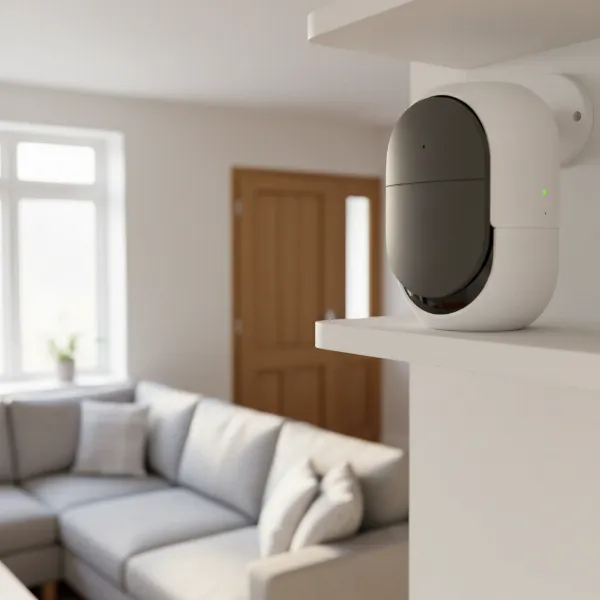 A security camera with its privacy shutter closed, strategically placed in a home for optimal security and privacy.
Common Issues and How to Troubleshoot Them
Even the most advanced security cameras can encounter issues. For cameras with privacy shutters, some problems might be specific to their unique mechanism, while others are general connectivity or performance concerns.
Camera Not Connecting to the Network
If your camera fails to connect, first check your Wi-Fi signal strength and router settings. Ensure the camera is within range of your Wi-Fi. If using a wired connection, verify the Ethernet cable is securely plugged in. For privacy-focused setups, confirm that your router isn’t blocking the camera’s internet access if it needs it for initial setup or certain features. Sometimes a simple reboot of both the camera and your router can resolve connectivity issues.
Privacy Shutter Not Activating or Deactivating
If an automatic shutter isn’t working as expected, check the camera’s app settings. Verify that schedules, home/away modes, or other triggers for the shutter are correctly configured. Ensure the camera’s software is up to date, as bugs can sometimes affect features. If it’s a manual shutter, inspect it for any physical obstructions or damage that might prevent it from moving freely.
Image Blurry or Distorted
This can be due to a dirty lens. Gently clean the lens with a soft, lint-free cloth. If the issue persists, check the camera’s focus settings in the app. Ensure there are no physical obstructions partially blocking the lens, which a privacy shutter might sometimes cause if it doesn’t retract fully. Poor Wi-Fi signal can also lead to pixelated or choppy video, so test your network speed.
Concerns About Unauthorized Access or Hacking
If you suspect unauthorized access, immediately change your camera and Wi-Fi passwords to strong, unique combinations. Enable Two-Factor Authentication (2FA) if not already active. Review your camera’s activity log for suspicious access times or locations. If the camera has a physical privacy shutter, ensure it is closed when you want privacy. Contact the manufacturer’s support if you have strong evidence of a breach.
Loss of Data or Recording Issues
Check your storage solution. If using a microSD card, ensure it’s properly inserted, has sufficient free space, and isn’t corrupted (you might need to reformat it). For cloud storage, verify your subscription is active and there are no internet connectivity problems preventing uploads. If the camera has local storage, ensure it’s configured to record continuously or based on motion detection.
Conclusion
Choosing the best security camera for your home goes beyond just video quality; it’s about finding the right balance between robust surveillance and the assurance of personal privacy. Security cameras with privacy shutters offer a vital physical safeguard, providing tangible control over your visual space when you need it most. By combining this essential feature with strong digital security practices like two-factor authentication, thoughtful storage solutions, and diligent software updates, you can create a truly secure and private home environment.
Investing in a security camera with a privacy shutter means investing in peace of mind, knowing that you are protected not only from external threats but also from the unforeseen vulnerabilities that modern technology can sometimes present. Are you ready to take control of your home’s security and privacy with a camera designed for both?
Frequently Asked Questions
Why is a physical privacy shutter important for an indoor security camera?
A physical privacy shutter offers an undeniable visual and mechanical barrier that blocks the camera lens, preventing video recording or transmission. Unlike software-only privacy modes, a physical shutter cannot be bypassed by hacking or software glitches, providing a higher level of assurance and peace of mind that your privacy is protected when the camera is not in use.
Do all security cameras come with a privacy shutter?
No, not all security cameras include a physical privacy shutter. This feature is more commonly found in indoor cameras where personal privacy is a greater concern. Many cameras rely solely on software-based privacy modes, which digitally disable the camera but do not physically block the lens.
Can a security camera with a privacy shutter still be hacked?
While a physical privacy shutter protects against unauthorized viewing through the lens, the camera’s system itself can still be vulnerable to hacking if other digital security measures are weak. Hackers might gain access to your account or other camera functionalities. This is why a combination of a physical shutter and strong digital security (like 2FA, encryption, and secure passwords) is crucial.
Are outdoor security cameras available with privacy shutters?
Privacy shutters are predominantly featured on indoor Security Cameras. Outdoor cameras are typically designed for continuous surveillance of property exteriors, where the concept of “personal privacy” in the same way as indoors is less relevant. For outdoor cameras, focus on features like weather resistance, strong encryption, and secure access controls.
How do automatic privacy shutters work?
Automatic privacy shutters are usually controlled via the camera’s mobile app or smart home system. They can be programmed to close based on predefined schedules (e.g., when you’re typically home), when the camera is manually disarmed, or when a specific mode (like “Home” mode) is activated. This automation ensures privacy is maintained without manual intervention.