Let’s talk business. You’ve poured your heart, soul, and probably a few too many late nights into building your company. The last thing you want is for it to be vulnerable. That’s why finding the Best Business Security Camera System isn’t just about tech gadgets; it’s about protecting your investment and securing your peace of mind. But with a sea of acronyms like NVR, PoE, and IP ratings, where do you even begin? Don’t worry, I’ve been in this industry for years, and I’m here to cut through the noise and guide you, step-by-step, to the perfect solution for your needs.
Why Does Your Business Even Need a Security Camera System?
First things first, let’s get past the obvious. Yes, a camera system helps deter and catch burglars. But its value goes so much deeper, especially in a commercial setting. Think of it as your silent partner, always on the job.
- Deterrence is Powerful: A visible camera is often enough to make a potential thief think twice. It’s a proactive security measure, not just a reactive one.
- Employee Safety and Honesty: It ensures a safer environment for your staff, especially during opening or closing hours. It also reduces the likelihood of internal theft, which, unfortunately, is a significant issue for many businesses.
- Liability Protection: Did a customer slip and fall? Was there a dispute in the parking lot? High-quality video footage is indisputable evidence that can protect you from fraudulent claims and lawsuits.
- Operational Oversight: Wondering why the morning rush is always so chaotic? Need to check if a delivery arrived on time? A well-placed camera can provide valuable insights into your daily operations, helping you improve efficiency.
A modern surveillance setup is less about “Big Brother” and more about creating a secure, transparent, and efficient workplace.
Decoding the Jargon: Types of Business Security Cameras
Walking into the world of security cameras can feel like learning a new language. Let’s break down the most common types so you can speak it fluently.
Wired vs. Wireless: The Great Debate
This is one of the first decisions you’ll make.
- Wired Systems (PoE): These are the gold standard for most businesses. PoE (Power over Ethernet) systems use a single Ethernet cable to provide both power and a data connection to each camera. They are incredibly reliable, not susceptible to Wi-Fi interference, and generally offer higher-quality, uninterrupted video. The trade-off? Installation is more involved.
- Wireless Systems: These cameras connect to your network via Wi-Fi. They’re much easier to install, offering flexibility in placement. However, for a business, they can be less reliable. They depend on a strong Wi-Fi signal, can be vulnerable to network outages, and often require a separate power source or battery changes. For most commercial applications, I almost always recommend a wired PoE system for its sheer stability.
Camera Styles: The Right Tool for the Job
Not all cameras are created equal. The shape and style are designed for specific purposes.
- Dome Cameras: These are the discreet, ceiling-mounted cameras you see in many retail stores and offices. Their dome casing makes it difficult for people to tell which way the lens is pointing, which is a great deterrent.
- Bullet Cameras: These are more traditional, overtly visible cameras. Their prominent shape makes them an excellent choice for outdoor locations where you want everyone to know you’re monitoring the area.
- Turret Cameras: A sort of hybrid, turret (or “eyeball”) cameras offer the flexible aiming of a bullet camera with a less obtrusive design. They are also less prone to the glare issues that can sometimes affect dome cameras at night.
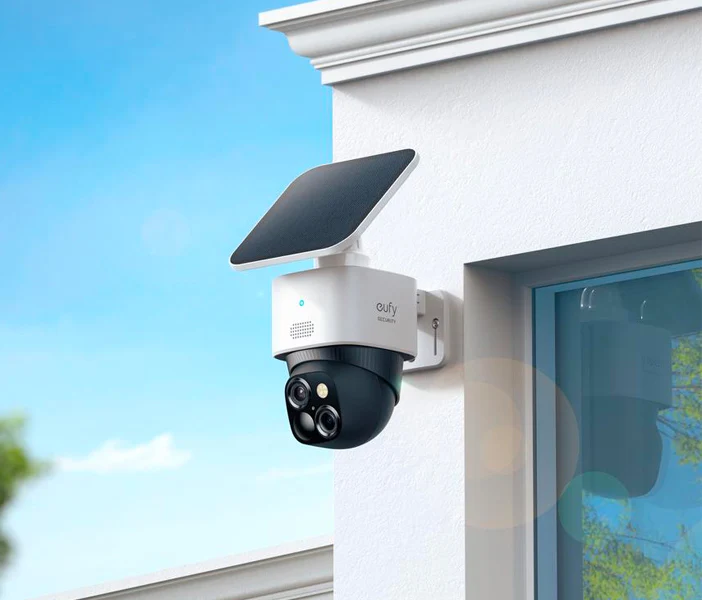
- PTZ (Pan-Tilt-Zoom) Cameras: These are the heavy hitters. A single PTZ camera can cover a large area, like a parking lot or warehouse, by allowing an operator to remotely pan, tilt, and zoom in on specific areas of interest.
The Ultimate Checklist: How to Choose the Best Business Security Camera System
Ready to get into the nitty-gritty? Here are the key features you absolutely must consider when choosing the best business security camera system for your needs. This is where you separate the professional-grade systems from the consumer toys.
What Resolution Do I Really Need?
Resolution determines the clarity of your video. In a business context, detail is everything. You need to be able to clearly see faces or read license plates.
- 1080p (Full HD): This is the absolute minimum you should consider. It’s adequate for general surveillance in smaller spaces.
- 4MP (2K): This is the sweet spot for many businesses. It offers a significant jump in clarity from 1080p without the massive storage requirements of 4K.
- 8MP (4K Ultra HD): For areas where you need to zoom in on fine details, like cash registers or loading docks, 4K is unmatched. Just be prepared for the larger file sizes, which will require more storage space.
Can It See in the Dark? Understanding Night Vision
Your business is vulnerable 24/7, so your cameras need to be, too. Modern night vision technology is incredible.
- Infrared (IR) Night Vision: This is the standard black-and-white night vision. It uses IR LEDs to illuminate the area, which is invisible to the human eye but clear as day to the camera. Look at the stated range (e.g., 100ft) to know how far it can “see.”
- Color Night Vision: Some newer cameras use highly sensitive sensors and ambient light (like streetlights) to produce full-color images at night. This can be crucial for identifying the color of a car or a person’s clothing.
How Do I Store the Footage?
Your video recordings, or footage, need to be stored somewhere. You have two primary options, each with pros and cons for a business.
- Local Storage (NVR/DVR): An NVR (Network Video Recorder) is a device that sits on-site. Your cameras connect to it, and it stores all the footage on internal hard drives.
- Pros: One-time cost, you control your data, not reliant on an internet connection for recording.
- Cons: If the NVR is stolen or damaged, you could lose your footage.
- Cloud Storage: Footage is uploaded directly from the cameras to a secure server online.
- Pros: Footage is safe from on-site theft or damage, accessible from anywhere.
- Cons: Requires a monthly subscription fee per camera, uses internet bandwidth, and you’re trusting a third party with your data.
“A well-placed camera doesn’t just record a problem; it prevents it from happening in the first place. Deterrence is its most underrated feature, but having reliable, accessible footage is what gives you true peace of mind after an incident.”
– Dr. Alistair Finch, Commercial Security Consultant
For many businesses, a hybrid approach is ideal: an on-site NVR for primary recording, with key cameras also backing up important events to the cloud.
Installation Secrets: Where to Place Your Cameras for Maximum Impact
A great system with poor placement is a wasted investment. When I first started consulting, I saw a business owner with a top-of-the-line camera pointed straight at a wall. Don’t make that mistake.
- Cover All Entry and Exit Points: This is non-negotiable. Every door, including back doors and loading bays, should be covered.
- Monitor Points of Transaction: Place a camera with a clear view of every cash register or point-of-sale system.
- Watch Over Valuables: Secure your stockroom, server room, or any area where high-value inventory or assets are kept.
- Oversee Open Areas: Use wide-angle cameras to cover large spaces like sales floors, lobbies, or dining areas.
- Don’t Forget the Exterior: Monitor parking lots, alleyways, and dumpsters. These are often prime targets for vandalism and other illicit activities.
A crucial pro tip: Always check your local and state regulations regarding video and audio recording in the workplace. In most places, recording video in public areas is fine, but recording audio often requires consent.
Frequently Asked Questions (FAQ)
Q: How much does a professional business security camera system cost?
A: The cost varies widely based on the number of cameras, resolution, and storage needs. A basic 4-camera PoE system for a small shop might start around $500, while a comprehensive system for a large office or warehouse could run into several thousands of dollars.
Q: Can I install a business security camera system myself?
A: If you’re comfortable running cables and configuring a network, a DIY installation of a PoE system is very achievable. However, for larger or more complex installations, hiring a professional ensures optimal placement, configuration, and reliability.
Q: What’s the difference between an NVR and a DVR?
A: It’s all about the type of camera they work with. A DVR (Digital Video Recorder) works with older analog cameras. An NVR (Network Video Recorder) works with modern digital IP cameras, which is the standard for any new best business security camera system.
Q: How long should my system store recorded footage?
A: Most businesses find that 30 days of stored footage is sufficient. This provides ample time to review footage after an incident is discovered. However, some industries, like banking or cannabis, have specific legal requirements for longer retention periods.
Q: Do these systems require an internet connection to work?
A: A system with a local NVR will continue to record footage 24/7, even if the internet goes down. However, you will need an internet connection if you want to view the cameras remotely on your phone or computer, or if you are using cloud storage.
Your Business Deserves the Best Protection
Choosing a security system is one of the most important decisions you’ll make as a business owner. It’s an investment in the safety of your property, your employees, and your livelihood. By understanding the key technologies, assessing your specific needs, and focusing on quality and reliability over flashy gimmicks, you can build a robust defense. Investing in the best business security camera system isn’t an expense; it’s a fundamental part of a smart, secure business strategy. Now you have the knowledge to start exploring your options with confidence.