Arlo Pro 5S 2K Review (2026)
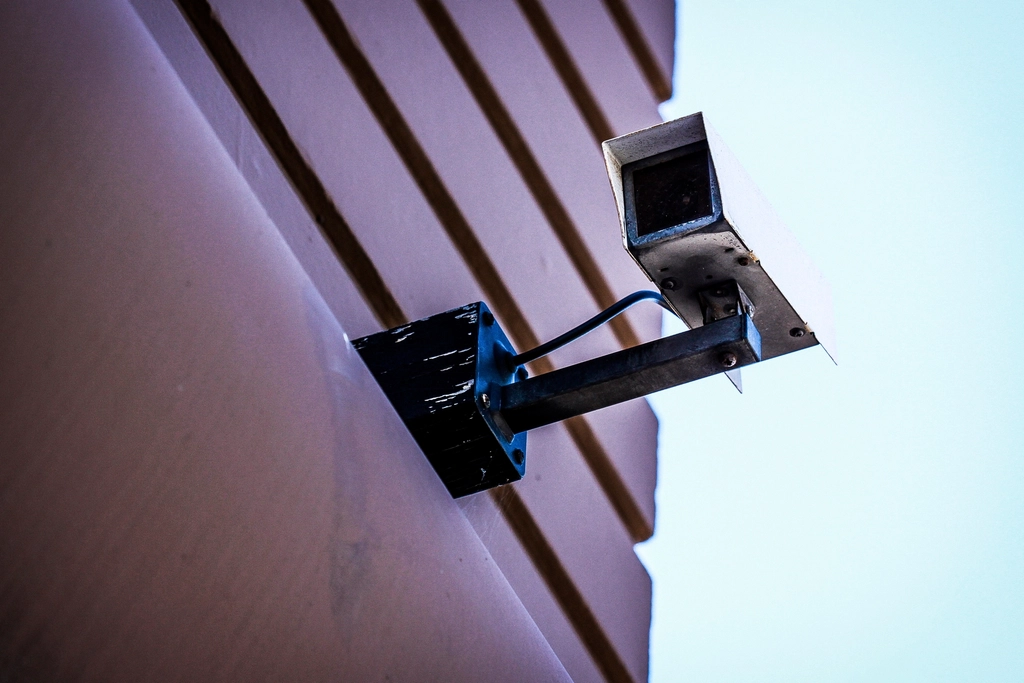
Quick Verdict: The Arlo Pro 5S 2K is one of the most capable wire-free security cameras you can buy in 2026, and the expert consensus is consistent on why: crisp 2K HDR video, a genuinely useful color-night-vision spotlight, dual-band Wi-Fi that holds a connection where cheaper cameras stumble, and battery life measured in months rather than weeks. The catch is the ongoing cost. Most of the camera’s “smart” intelligence — person, package, and vehicle detection, plus extended cloud recording — lives behind an Arlo Secure subscription. If you accept that the Pro 5S is a premium camera with a premium ecosystem attached, it earns its place near the top of the wire-free category. If you want everything stored locally with no monthly fee, look elsewhere in this guide.
Arlo Pro 5S 2K Specifications at a Glance
| Specification | Arlo Pro 5S 2K |
|---|---|
| Video resolution | 2K (2560×1440) HDR |
| Frame rate | Up to 24 fps day / 15 fps night |
| Field of view | 160° diagonal |
| Night vision | Color (spotlight) + infrared |
| Spotlight | Integrated, ~100 lumens |
| Zoom | 12x digital with auto-tracking |
| Wi-Fi | Dual-band 2.4 / 5 GHz (802.11 b/g/n) |
| Power | Rechargeable battery; solar panel optional |
| Battery life | ~4–6 months typical (usage dependent) |
| Weather rating | Indoor / outdoor (weather resistant) |
| Smart home | Alexa, Google Home |
| Local storage | microSD via optional Arlo hub |
| Typical price | ~$199–$250 (one camera) |
How We Approached This Review
This review synthesizes independent expert coverage from outlets including Tom’s Guide, PCWorld, and Security.org, cross-referenced against Arlo’s published specifications. Rather than claim our own hands-on lab testing, we summarize the consistent findings of reviewers who have used the camera, alongside the documented spec sheet, and frame the trade-offs honestly. No payment was received from Arlo or any retailer for this coverage.
Video Quality and Night Vision
The headline feature is 2K HDR video at 2560×1440. In practice that resolution, combined with HDR processing, gives you noticeably more usable detail than the 1080p cameras that still dominate the budget tier — license plates, faces at the edge of the driveway, and the contents of a delivered package are all easier to make out. Reviewers consistently praise the daytime image as one of the sharper results in the wire-free class, and the 12x digital zoom with auto-tracking lets you follow movement across the 160-degree frame.
At night, the Pro 5S has two modes. The integrated spotlight (around 100 lumens) enables full-color night video, which is genuinely more useful than monochrome infrared when you need to identify a person or a vehicle’s color. With the spotlight off, the camera falls back to standard infrared night vision. The spotlight does draw on the battery, so heavy nighttime activity will shorten run time — a reasonable trade for the added clarity.
Battery Life and Power Options
Arlo rates the Pro 5S for roughly a 30% battery improvement over the older Pro 4, which reviewers translate to about four to six months of real-world use per charge depending on how busy the camera’s view is. A doorstep facing a quiet side yard will go far longer than one pointed at a busy sidewalk. The battery is removable, so you can keep a charged spare and swap in seconds rather than taking the camera offline for hours.
For a true “set it and forget it” install, Arlo sells a compatible solar panel that, in a reasonably sunny location, keeps the battery topped up indefinitely. This is the configuration most reviewers recommend for permanent outdoor placement.
Dual-Band Wi-Fi: The Underrated Upgrade
One of the Pro 5S’s most practical improvements over earlier Arlo cameras is dual-band Wi-Fi. Earlier wire-free Arlo models leaned heavily on a proprietary hub or were limited to the more congested 2.4 GHz band. The Pro 5S can connect directly to your router on either 2.4 GHz or 5 GHz, and reviewers testing it on congested networks reported it held a stable stream where other cameras dropped out. For homes with a crowded wireless environment, this is a meaningful reliability gain — and it means you can run the camera without buying a separate base station.
The Subscription Question
This is the most important thing to understand before buying. Out of the box, with no subscription, the Pro 5S still works: you get live streaming, motion notifications, two-way talk, and the siren. What you do not get without an Arlo Secure plan is the camera’s smart intelligence and cloud recording. Person/package/vehicle detection and 30-day cloud video history require a paid plan, priced in 2026 at roughly $7.99/month for a single camera or about $17.99/month for unlimited cameras with added features. You can sidestep cloud fees by recording locally to a microSD card in a compatible Arlo hub, but that’s an extra purchase and the smartest AI features still favor the subscription.
It helps to think of the subscription as part of the camera’s true price. A single Pro 5S at, say, $200 plus $7.99/month becomes roughly $296 in the first year and close to $390 by the end of year two. Multiply that across several cameras and the running cost is the dominant factor in long-term ownership — which is exactly why budget-focused buyers gravitate toward no-fee alternatives. The flip side is that Arlo’s AI is genuinely good: its person and package detection are accurate enough to cut down on the false alerts that plague cheaper cameras, and many owners decide the reduced notification fatigue alone justifies the fee. Whether it’s worth it is a personal calculation, but it should be made before purchase, not after.
Setup and the Arlo App
Setup is one of the Pro 5S’s quieter strengths. Because the camera connects directly to your home Wi-Fi on either band, you don’t have to position and power a separate base station first — you scan a QR code in the Arlo app, join the camera to your network, and mount it. Reviewers describe the process as quick and beginner-friendly, on par with the easiest cameras in the category.
The Arlo app itself is mature and well-organized, with a live-view dashboard, per-camera activity zones, adjustable motion sensitivity, and scheduling so the camera behaves differently when you’re home versus away. Activity zones are particularly useful: you can draw boxes around the areas you care about (a path, a doorway) and tell the camera to ignore the rest (a busy street, swaying branches), which meaningfully reduces nuisance alerts even before the AI gets involved. The trade-off, common to feature-rich apps, is that the sheer number of settings can feel busy to a first-time user, and some of the most powerful options are bundled with the subscription.
Audio, Two-Way Talk, and the Siren
The Pro 5S includes a speaker and microphone for two-way talk, letting you hear what’s happening and speak through the camera — useful for greeting a delivery driver or warning off a loiterer. Audio quality is clear enough for conversation, though, like most outdoor cameras, wind and distance can affect intelligibility. The integrated siren is loud enough to startle an intruder and can be triggered manually from the app or set to fire automatically on certain detections (with a plan). These are the practical, everyday features that turn a camera from a passive recorder into an active deterrent, and the Pro 5S handles them competently.
Strengths
- Sharp 2K HDR video with strong daytime detail and HDR handling of high-contrast scenes
- Color night vision via the integrated spotlight — far more useful for identification than IR alone
- Dual-band Wi-Fi delivers a more reliable connection on busy networks and removes the mandatory hub
- Long battery life (typically 4–6 months) with a removable, swappable battery and optional solar charging
- Works natively with Alexa and Google Home
- 12x zoom with auto-tracking across a wide 160° field of view
Limitations
- The best features — AI object detection and cloud recording — require an ongoing Arlo Secure subscription
- Higher upfront price than budget rivals, before any subscription is added
- Spotlight-driven color night vision accelerates battery drain in high-traffic areas
- Local storage requires buying a separate Arlo hub
- Total cost of ownership over several years is significantly higher than no-fee alternatives
How the Pro 5S Fits a Wider System
One reason the Pro 5S is a popular pick is that it scales. If you start with one camera at the front door, you can add more around the property and manage them all from a single app and a single Arlo Secure plan (on the unlimited-cameras tier). That whole-home approach is where the subscription math becomes more palatable — one fee covering five cameras is very different from five separate fees. Arlo also sells doorbell cameras and floodlight cameras that share the same app and account, so the Pro 5S can be the entry point into a broader, consistent system rather than a standalone gadget. For buyers who anticipate expanding coverage over time, that consistency has real value.
How It Compares in the Wire-Free Class
Within the premium wire-free category, the Pro 5S’s main rivals are the Ring Stick Up Cam Pro and the Eufy SoloCam S340. Against the Ring, the Arlo wins on resolution (2K vs 1080p) and color-night-vision brightness, and matches it on dual-band connectivity — but Ring counters with deeper Alexa integration, optional professional monitoring, and longer cloud retention. Against the Eufy, the Arlo offers a more polished app and more reliable AI detection, but the Eufy undercuts it dramatically on running cost by storing footage locally with no required fee and bundling a solar panel. The honest positioning: the Pro 5S is the choice for someone who wants premium video and a refined experience and is willing to pay a subscription for it, sitting between Ring’s ecosystem play and Eufy’s no-fee value.
Who Should Buy the Arlo Pro 5S 2K
Best for: Homeowners who want premium wire-free video quality and reliable connectivity, and who are comfortable paying a monthly fee for full smart features. It’s an especially strong pick if you already run other Arlo cameras or want flexible placement without running wires.
Buy it if you: value 2K HDR and color night vision; have a congested Wi-Fi environment where dual-band stability matters; want long battery life with the option to add solar; and don’t mind an Arlo Secure subscription.
Skip it if you: are firmly against monthly fees (consider the Eufy SoloCam S340 or Wyze Cam v4 with local storage instead); need professional monitoring (Arlo is self-monitored); or simply want the cheapest functional camera.
Alternatives Worth Considering
Eufy SoloCam S340 — Best No-Fee Alternative
If the subscription is your sticking point, the dual-lens Eufy SoloCam S340 stores video to 8GB of built-in local storage with no required monthly fee, adds true 360° pan/tilt, and includes a solar panel. You give up Arlo’s polished app ecosystem and broadest smart-home reach, but you avoid recurring costs entirely.
Ring Stick Up Cam Pro — Best for Amazon/Alexa Households
The Ring Stick Up Cam Pro offers radar-based 3D Motion Detection and Bird’s Eye View, with deep Alexa integration and long cloud retention on Ring’s plans. It tops out at 1080p HDR rather than 2K, so Arlo wins on raw resolution, but Ring’s ecosystem and longer cloud history appeal to existing Ring users.
Frequently Asked Questions
Does the Arlo Pro 5S 2K require a subscription?
No, not to function. It streams live video, sends motion alerts, supports two-way talk, and triggers a siren without any plan. However, smart features like person, package, and vehicle detection and 30-day cloud video history require an Arlo Secure subscription. You can avoid cloud fees by recording to a microSD card in a compatible Arlo hub, sold separately.
How long does the Arlo Pro 5S battery last?
Arlo cites roughly a 30% improvement over the Pro 4, which independent reviewers translate to about four to six months per charge depending on how much activity the camera sees. A high-traffic location with heavy use of the spotlight will drain faster. The battery is removable for quick swaps, and an optional solar panel can keep it charged continuously.
Is the Arlo Pro 5S 2K weatherproof?
Yes. It is rated for indoor and outdoor use and is weather resistant, so it can be mounted outside and handle rain and a range of temperatures. As with any outdoor camera, mounting under an eave or other partial cover helps longevity.
Does the Arlo Pro 5S work with Alexa and Google Home?
Yes. It works natively with both Amazon Alexa and Google Home, so you can pull up a live feed on a compatible smart display with a voice command. It does not, however, integrate with as broad a list of platforms as some rivals.
Can I use the Arlo Pro 5S without the cloud?
Partially. You can record locally to a microSD card using a compatible Arlo SmartHub or base station, avoiding cloud storage fees. The most advanced AI detection features, though, are tied to the Arlo Secure subscription, so a fully local setup means giving some of those up.
Final Verdict
The Arlo Pro 5S 2K is a genuinely excellent wire-free camera: sharp 2K HDR video, useful color night vision, long battery life, and the kind of dual-band connectivity that keeps it online when cheaper cameras drop. Reviewers are nearly unanimous that the hardware is top-tier. The reservation is equally consistent — the recurring Arlo Secure cost pushes the long-term price well above no-fee competitors, and the camera’s smartest features depend on it. If premium video and a polished ecosystem are worth a monthly fee to you, the Pro 5S is one of the best in its class. If recurring costs are a dealbreaker, a local-storage camera will serve you better.
Last updated: June 2026
See our main guide: Best Home Security Cameras.