Ever have that nagging feeling after you’ve left the house? “Did I lock the back door?” or “I hope the package I ordered is still on the porch.” It’s a universal feeling. In a world that feels increasingly unpredictable, taking control of your home’s security isn’t just a luxury; it’s peace of mind. That’s where a solid security camera comes in, and this comprehensive Amcrest Security Camera Review is designed to cut through the noise and help you figure out if this is the right brand to stand guard for you. We’re not just going to list specs; we’re going to break down what they actually mean for your daily life.
So, Why Are We Talking About Amcrest Specifically?
In the crowded world of home security, you’ve got brands that are super simple and cloud-focused, and then you have complex, professional-grade systems that require a degree in IT. Amcrest has carved out a fascinating space right in the middle. They offer professional-level features—like 4K resolution, advanced motion detection, and local storage options—at a price point that’s accessible to the average homeowner or small business owner.
Think of it this way: Amcrest is for the person who’s graduated from the basic “check on my dog” camera and wants more control, better image quality, and less reliance on mandatory monthly subscriptions. It’s for the DIY enthusiast who doesn’t mind getting a little more hands-on to build a truly robust security system.
Decoding the Amcrest Lineup: What Are Your Options?
Stepping into the Amcrest ecosystem can feel like walking into a buffet with a ton of choices. It’s great, but a little overwhelming at first. Let’s break down the main types you’ll encounter.
Indoor Cameras
These are your bread and butter for monitoring inside your home.
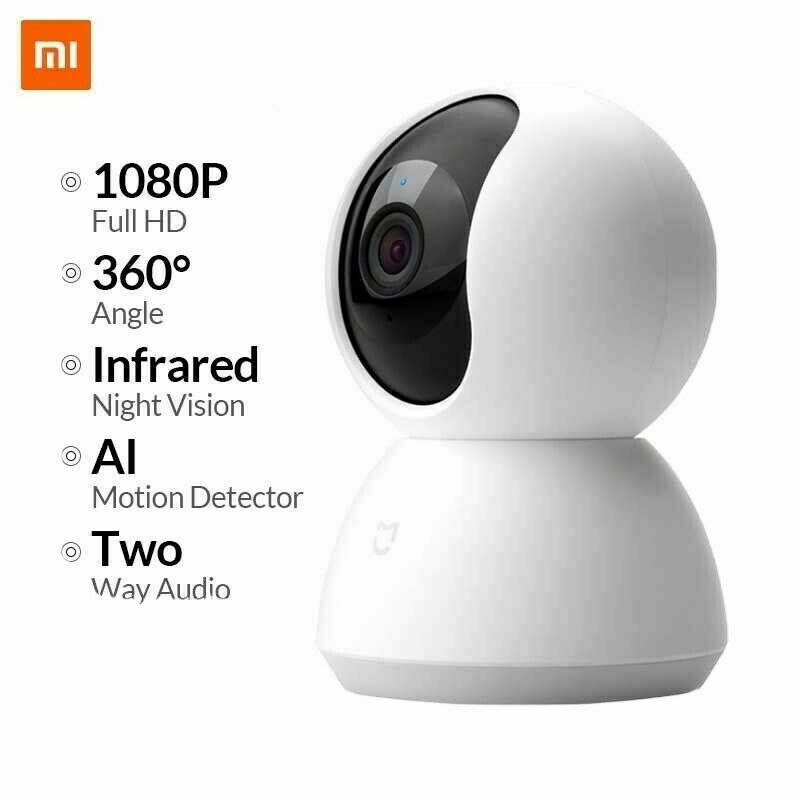
- Pan-Tilt-Zoom (PTZ) Cameras: These are the superstars of indoor monitoring. Imagine having a robotic security guard you can control from your phone. You can look left, right, up, and down, and even zoom in to see what the cat is really chewing on. They are perfect for covering large, open-plan living areas.
- Fixed Cameras: Simpler, set-it-and-forget-it cameras. They are great for monitoring specific entry points like a front door (from the inside) or a baby’s room.
Outdoor Cameras
Built to withstand the elements, these are your first line of defense.
- Bullet Cameras: The classic, most recognizable security camera shape. They are highly visible, which acts as a great deterrent. Their design makes them ideal for monitoring a long driveway or the side of a house.
- Dome Cameras: More discreet and vandal-resistant due to their tough casing. Their shape makes it difficult for a potential intruder to know exactly where the lens is pointing, which is a clever psychological advantage. They are perfect for mounting under eaves or near doorways.
What Really Matters? An In-Depth Amcrest Security Camera Review of Core Features
A camera is more than its shell. The technology inside is what separates a glorified toy from a serious security tool. Let’s dig into the features that make or break a security camera and see how Amcrest stacks up.
How Important is Video Resolution (1080p vs 4K)?
You need to be able to see a face, not just a blob. Resolution determines the clarity of your video.
- 1080p (Full HD): This is the baseline standard for decent quality. You’ll be able to recognize faces and see general activity clearly.
- 2K (Quad HD) & 4K (Ultra HD): This is where Amcrest really shines. With a 4K camera, you gain the ability to digitally zoom in on recorded footage without it turning into a pixelated mess. This is the difference between saying “someone was on my property” and “the person on my property was wearing this specific logo and driving a car with this license plate number.”
My take: For general monitoring, 1080p is fine. But for a key area like your driveway or front yard, investing in a 4K Amcrest camera is one of the smartest security upgrades you can make.
Can It See in the Dark? Let’s Talk Night Vision
A security threat doesn’t clock out at 5 PM. Night vision is non-negotiable. Amcrest primarily uses infrared (IR) night vision. This is what produces that classic black-and-white nighttime image. The key metric to look for is the range. An Amcrest outdoor camera might have a night vision range of 98 feet or even up to 130 feet, which is more than enough to cover most residential backyards. Some higher-end models also feature “Color Night Vision” which uses advanced sensors to show color in low-light conditions, offering even more detail.
Where Does the Footage Go? The Storage Showdown
This is a critical decision. How your camera stores video impacts both your privacy and your wallet.
- MicroSD Card (Local Storage): Most Amcrest cameras have a microSD card slot. This is a huge win for privacy and cost. You buy the card once, and there are no monthly fees. The camera records directly to the card. The downside? If a thief steals the camera, they take the footage with it.
- Network Video Recorder (NVR): This is the heart of a true security system. An NVR is a dedicated box with a large hard drive that sits safely inside your home. All your Amcrest cameras (especially the wired PoE types) can record to this central hub 24/7. It’s a more significant upfront investment but offers the most robust and secure storage solution.
- Amcrest Cloud (Cloud Storage): For those who want the convenience and off-site backup of the cloud, Amcrest offers a subscription service. It’s an optional add-on, not a requirement, which is a major advantage over some competitors.
“The single biggest mistake I see people make is choosing a security system that relies exclusively on the cloud without a physical backup. A system that offers local storage options, like an NVR or an SD card, gives the user true ownership and control over their own security footage.” — Dr. Alistair Finch, Cybersecurity Consultant
Getting It All Set Up: The Installation Experience
This is where you need to be honest with yourself. Are you comfortable running a cable, or does the thought of a drill give you a cold sweat?
- Wi-Fi Cameras: These are the easiest to install. You just need to mount the camera and plug it into a power outlet. The connection to your network is wireless. The setup is done through the Amcrest View Pro app and usually only takes a few minutes. The catch? You need a strong, reliable Wi-Fi signal where you plan to place the camera.
- Power over Ethernet (PoE) Cameras: This is the professional’s choice and a real Amcrest specialty. A single Ethernet cable provides both power and a hardwired internet connection to the camera. This is incredibly reliable—no worries about Wi-Fi dropouts. The installation is more involved as you’ll need to run Ethernet cables from your NVR or PoE switch to each camera location, but the rock-solid performance is worth it.
The Software: Your Command Center
A camera’s hardware is only half the story. The app is how you’ll interact with it every day. Amcrest’s primary software is the Amcrest View Pro app. It’s powerful, but let’s be real—it has a steeper learning curve than the ultra-simplified apps from some other brands.
You get a huge amount of granular control over things like motion detection zones, recording schedules, and image quality settings. It’s fantastic for tinkerers, but it might feel a bit clunky for someone who just wants to press a single button and see a live view. This is a key part of any honest Amcrest security camera review; the power comes with a bit of complexity.
Frequently Asked Questions (FAQ)
Q: Are Amcrest cameras good for beginners?
A: Yes, but with a caveat. The basic setup of their Wi-Fi cameras is straightforward. However, to unlock their full potential, you’ll need to be willing to dive into the settings. They are better suited for “enthusiastic beginners” or intermediate users.
Q: Do I have to pay a monthly fee for Amcrest cameras?
A: No, and this is one of their biggest selling points. You do not need a subscription to use Amcrest cameras. You can store all your recordings locally on a microSD card or an NVR. The Amcrest Cloud subscription is a completely optional service for off-site backup.
Q: How does Amcrest compare to a brand like Reolink?
A: They are very similar competitors, both targeting the pro-sumer market with strong PoE and NVR offerings. The choice often comes down to specific camera features, user interface preference, and current pricing. Both are excellent alternatives to subscription-heavy brands.
Q: Can I use Amcrest cameras without an internet connection?
A: Yes. If you have a PoE system connected to an NVR, the cameras will continue to record to the NVR 24/7, even if your internet goes down. You just won’t be able to view the cameras remotely from your phone until the connection is restored.
Q: What is the best Amcrest camera for outdoor use?
A: For most people, a 4K PoE Bullet or Turret (a type of dome) camera is the best choice. It offers incredible detail, a weather-resistant build, and the unmatched reliability of a wired connection. Look for models with an IP67 weather rating.
The Final Verdict: Is Amcrest the Right Choice For You?
So, after this deep dive, what’s the bottom line in our Amcrest security camera review? Amcrest isn’t trying to be the simplest camera on the market. It’s for the person who wants to build a real, scalable security system without being locked into a subscription ecosystem. If you value high-quality video, appreciate the security of local storage, and enjoy having deep control over your hardware, then Amcrest is an absolutely phenomenal choice. It’s a system that can grow with you, from a single camera watching your front door to a multi-camera PoE setup that covers every angle of your property. It’s an investment in serious security and, more importantly, in lasting peace of mind.