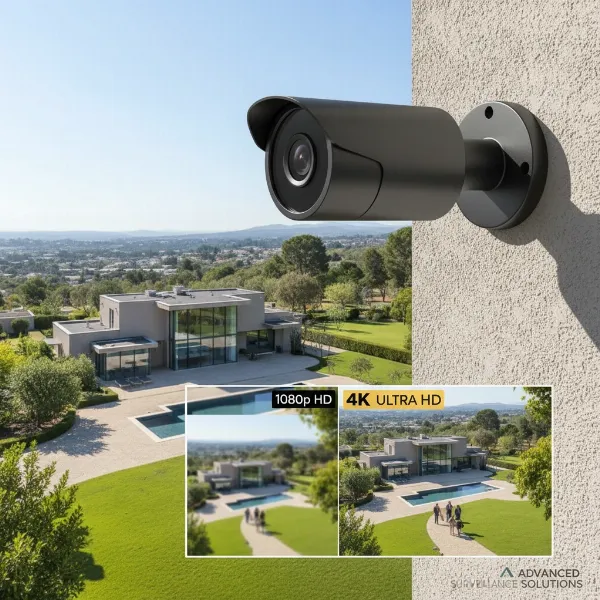
In the evolving landscape of home and business security, 4K security cameras represent the pinnacle of surveillance technology, promising unparalleled clarity and detail. But with advanced features often come higher costs and new considerations. For anyone serious about protecting their property, the question isn’t just about owning a security camera, but whether upgrading to a 4K system truly justifies the investment. As an industry expert with over a decade of experience, I’ve seen firsthand how these systems perform in real-world scenarios. This comprehensive guide will delve into what makes 4K security cameras stand out, compare them to their 1080p counterparts, highlight their advantages and potential drawbacks, and provide a clear roadmap to help you decide if a 4K upgrade is worth it for your peace of mind.
What is a 4K Security Camera?
A 4K security camera, often referred to as an 8-megapixel (8MP) or Ultra High Definition (UHD) camera, records video with a resolution of 3840 x 2160 pixels. This means it captures approximately 8.3 million pixels per frame, which is four times the detail of a standard 1080p (2MP) camera. This significant leap in pixel density allows for images and videos that are remarkably sharper and more detailed.
The fundamental principle behind a 4K security camera is similar to other surveillance cameras: it captures light within its field of view through a lens and converts it into digital data. This data is then processed, compressed, and stored either locally on a recorder (NVR/DVR) or in the cloud. However, the sheer volume of data handled by a 4K sensor is substantially greater, leading to the need for more robust processing and storage solutions. The history of security cameras has seen a steady progression from grainy analog footage to crisp digital formats, and 4K marks a critical advancement in this journey, offering forensic-level detail previously unavailable to the average consumer.
4K vs. 1080p Security Cameras: A Detailed Comparison
Deciding between 4K and 1080p often comes down to balancing cost with performance. While 1080p cameras have been the industry standard for high-definition surveillance for years, 4K cameras offer distinct advantages that can be crucial in certain situations. Understanding these differences is key to making an informed decision.
Resolution Difference
|
Our Picks for the Best Security Camera in 2026
As an Amazon Associate I earn from qualifying purchases.
|
||
| Num | Product | Action |
|---|---|---|
| 1 | aosu Security Cameras Outdoor Wireless, 4 Cam-Kit, No Subscription, Solar-Powered, Home Security Cameras System with 360° Pan & Tilt, Auto Tracking, 2K Color Night Vision, Easy Setup, 2.4 & 5GHz WiFi |

|
| 2 | Google Nest Cam with Floodlight - Outdoor Camera - Floodlight Security Camera, White, 1 Count (Pack of 1) |
|
| 3 | 2K Cameras for Home Security-Outdoor/Indoor Camera for Dog/Cat/Pet/Nanny/Baby/Elderly, Color Night Vision, White Light, Siren, 24/7 SD Recordings, Works with Alexa, Plug in (C1-White-2pack-2.4G) |
|
| 4 | Tapo 1080P Indoor Pan/Tilt Wired Security Camera - Works as a Baby & Pet Monitor, Motion Detection, 2-Way Audio, Siren, Night Vision, Subscription-Free Local Storage or Optional Cloud, Black, C201 |
|
| 5 | WYZE Bulb Cam Security Camera, 2K HD Outdoor Light Bulb Camera, Color Night Vision, Dimmable LED Bulb, Motion Detection, Siren Alarm, Works w/Alexa/Google Assistant. Free Expert Support |
|
| 6 | TP-Link Tapo 1080P Indoor Security Camera for Baby Monitor, Dog Camera w/Motion Detection, 2-Way Audio Siren, Night Vision, Cloud & SD Card Storage, Works w/Alexa & Google Home (Tapo C100) |
|
| 7 | WYZE Cam Pan v3 Indoor/Outdoor IP65-Rated 1080p Pan/Tilt/Zoom Wi-Fi Smart Home Security Camera with Color Night Vision, 2-Way Audio, Compatible with Alexa & Google Assistant, White, 2-Pack |
|
| 8 | Google Nest Cam Outdoor (Wired, 2nd Gen) - 2 Pack - Security Camera with 2K Video and Gemini, Night Vision, 2-Way Audio - Works with Google Home - 2025 Model - Snow |
|
| 9 | 2K No Drill Window Camera-2 Pack 2.4Ghz & 5Ghz WiFi Cameras for Home Security for Indoor & Outdoor Monitoring, Anti-Glare Color Night Vision, Human Detection, 24/7 Recording, Ideal for Apartment, K1 |
|
| 10 | Tapo 2K+ Indoor/Outdoor Wired Security Camera - 2024 PCMag Editors' Choice, Person/Pet/Vehicle Detection, Baby Monitoring, Color Night Vision, Subscription-Free Local Storage or Optional Cloud, C120 |
|
The most apparent distinction is resolution. A 1080p camera records at 1920×1080 pixels, totaling just over 2 million pixels. In contrast, a 4K camera boasts 3840×2160 pixels, delivering four times the number of pixels. This means a 4K image contains substantially more information and finer detail than a 1080p image.
Image Clarity & Detail
With four times the pixels, 4K cameras provide significantly clearer and more detailed images. This is particularly vital for identifying crucial elements such as faces, license plates, small logos on clothing, or distinctive marks on vehicles. While a 1080p camera might show a person, a 4K camera can help identify them.
Digital Zoom Capability
One of the most compelling reasons to choose 4K is its superior digital zoom. When you zoom in on 1080p footage, the image quickly pixelates, making details blurry and indistinguishable. With 4K, you can digitally magnify a specific area of interest multiple times while still retaining a remarkable level of clarity, allowing for effective post-event analysis.
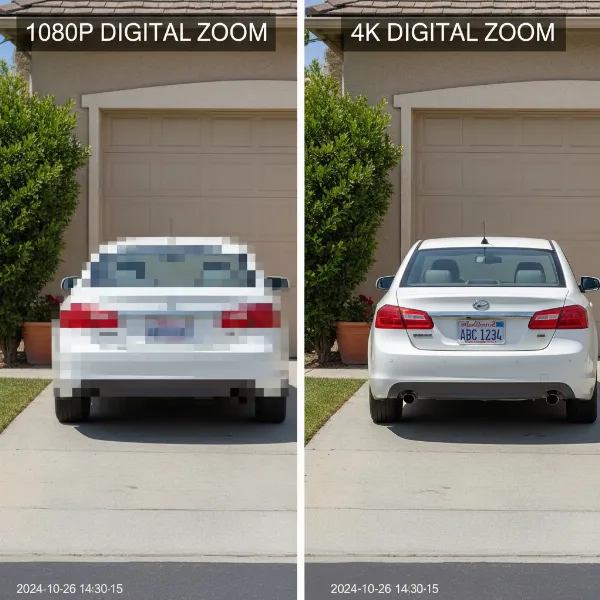 Visual comparison showing a significantly clearer zoomed-in section from a 4K security camera image versus a pixelated 1080p image.
Field of View
Due to their higher resolution, 4K cameras can often cover a wider area while maintaining sufficient detail. This means you might need fewer 4K cameras to monitor the same expansive space that would otherwise require multiple 1080p cameras, potentially simplifying your system and reducing installation points.
Storage & Bandwidth
The enhanced detail of 4K comes at a cost: larger file sizes. A 4K video stream requires significantly more storage space and consumes more network bandwidth than a 1080p stream. This is a critical factor for both local storage devices (NVRs, SD cards) and cloud storage plans, as well as for your home or business internet connection. Modern compression technologies like H.265 help mitigate this, but the demand remains higher.
Cost
Generally, 4K security camera systems carry a higher upfront cost compared to their 1080p counterparts. This includes the cameras themselves, the recording equipment (NVR), and potentially higher costs for increased storage capacity or faster internet plans.
Performance Beyond Resolution
It’s important to remember that raw pixel count isn’t the only factor determining image quality. Sensor size, lens quality, frame rate (FPS), and proper lighting and placement significantly impact performance. A 4K camera with a small sensor or poor lens might underperform a high-quality 1080p camera, especially in low-light conditions. A higher frame rate (e.g., 30 FPS) ensures smoother motion capture, which is essential for fast-moving objects, regardless of resolution.
Here’s a quick comparison:
| Feature | 1080p Security Camera | 4K Security Camera |
|---|---|---|
| Resolution | 1920×1080 (2MP) | 3840×2160 (8MP) |
| Image Clarity | Good | Excellent, superior detail |
| Digital Zoom | Limited, quickly pixelates | Much better, retains detail |
| Field of View | Standard | Wider, covers more area |
| Storage Required | Lower | Higher (but manageable with H.265) |
| Bandwidth Usage | Lower | Higher |
| Cost | Lower | Higher |
The Key Advantages of 4K Security Cameras
The leap to 4K resolution brings several compelling benefits that elevate security surveillance to a new level. For those seeking the utmost in detail and coverage, these advantages often make the upgrade worthwhile.
Unmatched Clarity for Identification
The primary benefit of 4K is undoubtedly its crystal-clear image quality. With four times the pixels of 1080p, 4K cameras provide highly defined video that can be instrumental in identifying critical details. This means clearer facial features, readable license plates from a distance, and the ability to discern small objects or specific actions that might be missed by lower-resolution cameras. In forensic situations, this enhanced clarity can be the difference between a successful identification and an ambiguous image.
Wider Area Coverage with Fewer Devices
A single 4K camera can often monitor a larger physical area effectively. Because it captures so much detail, you can position one 4K camera where you might traditionally need two or three 1080p cameras to achieve similar coverage and identification capabilities. This not only simplifies installation but can also lead to a more streamlined and less obtrusive security setup.
Superior Digital Zoom for Investigation
Imagine needing to zoom in on a suspicious activity happening far across your property. With 1080p footage, digital zoom quickly degrades into a pixelated mess. 4K cameras, however, offer significantly improved digital zoom capabilities. You can magnify portions of the image several times without losing critical clarity, allowing for detailed examination of specific areas or individuals post-event.
Improved Low-Light and Night Vision
Many modern 4K security cameras incorporate advanced low-light performance features, such as larger image sensors and “Starlight” technology, which can capture color video in near-dark conditions. While traditional infrared (IR) night vision provides black and white footage, some 4K cameras combine IR with spotlights to deliver full-color night vision, offering much more contextual information about suspects and vehicles after dark.
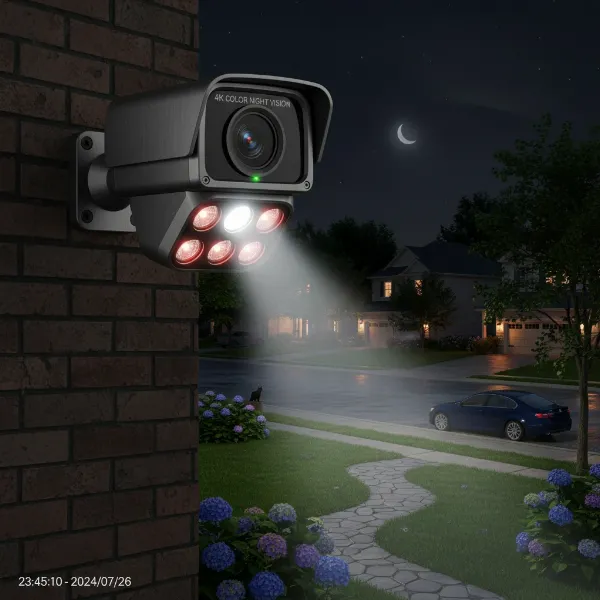 An advanced 4K security camera with enhanced low-light performance capturing a clear, full-color image at night.
Future-Proofing Your Security System
As technology continues to advance, 4K is quickly becoming the new standard for video resolution across various platforms. Investing in 4K security cameras today helps future-proof your surveillance system. You’ll be ready for future integrations and display technologies, ensuring your security footage remains relevant and high-quality for years to come.
Advanced Analytics
The rich detail captured by 4K cameras unlocks the full potential of advanced video analytics. Features like accurate object detection (distinguishing between people, vehicles, and animals), facial recognition, and license plate recognition (LPR) become far more reliable with higher-resolution input. This leads to more precise alerts, fewer false alarms, and more intelligent automation within your security ecosystem.
Potential Drawbacks and Considerations
While the benefits of 4K security cameras are compelling, it’s essential to approach an upgrade with a clear understanding of the challenges and considerations involved. These factors can impact your budget, network infrastructure, and overall user experience.
Higher Cost
The most immediate consideration for many is the price. 4K security cameras and their accompanying recording equipment (Network Video Recorders or NVRs) are generally more expensive than their 1080p counterparts. This initial investment needs to be weighed against the enhanced benefits they provide. However, as the technology becomes more widespread, prices are gradually becoming more accessible.
Increased Storage Needs
Capturing four times the pixels means generating significantly larger video files. This translates directly to increased storage requirements. If you plan to store footage locally, you’ll need an NVR with higher-capacity hard drives or support for expandable storage up to several terabytes. For cloud storage, you might need to subscribe to more expensive plans to accommodate the larger data volumes, potentially incurring ongoing monthly fees. Efficient video compression codecs like H.265 (HEVC) are crucial here, as they can reduce file sizes by up to 50% without sacrificing 4K quality.
Higher Bandwidth Consumption
Streaming and transmitting 4K video demands substantial network bandwidth. If you have multiple 4K cameras, especially on a wireless network, this can strain your internet connection and local network infrastructure. This might lead to slower live feeds, buffering issues, or even impact the performance of other devices on your network. A robust network with sufficient upload speed and potentially Power over Ethernet (PoE) wired connections is often recommended for optimal 4K performance.
Installation Complexity/Upgrade Costs
Upgrading to a 4K system might not be a simple plug-and-play operation if you have an older setup. Your existing cabling might need to be upgraded, especially for wired systems, to handle the increased data throughput. Older NVRs may not be compatible with 4K cameras, necessitating a complete replacement of the recording unit. These potential infrastructure upgrades can add to the overall installation cost.
“Resolution Trap”: More Than Just Pixels
While 4K resolution is impressive, it’s not the sole determinant of image quality. Falling into the “resolution trap” means focusing only on pixel count. Other factors are equally, if not more, important:
- Image Sensor Size: A larger sensor captures more light, leading to better low-light performance and less digital noise.
- Lens Quality: A high-quality lens is essential to deliver the detail the 4K sensor captures.
- Lighting Conditions: Even the best 4K camera struggles in extremely poor lighting without adequate night vision.
- Camera Placement: A well-placed 1080p camera can often outperform a poorly placed 4K camera. Proper angling, height, and consideration of potential obstructions are vital.
“While 4K resolution offers undeniable advantages in detail, it’s crucial to remember that a surveillance system is only as effective as its weakest link. A holistic approach considering sensor quality, lens, lighting, and placement will always yield better results than simply chasing the highest pixel count.” – Nguyễn Văn A, Cybersecurity Expert
How to Choose the Right 4K Security Camera System
Selecting the perfect 4K security camera system requires careful consideration of your unique needs and the specific environment you wish to monitor. Beyond just the resolution, several key features and specifications will define its effectiveness.
Define Your Needs
Before diving into technical specs, clarify your priorities. Are you monitoring indoors or outdoors? What specific areas need surveillance (e.g., a long driveway, a front door, an entire backyard)? What is the primary purpose—general deterrence, identifying intruders, monitoring pets, or capturing license plates? And, crucially, what is your budget for both hardware and potential ongoing storage fees?
True 4K Resolution (8MP, 3840×2160)
Don’t be swayed by misleading marketing. Always verify the camera’s actual resolution in its specifications. A genuine 4K camera will clearly state 3840×2160 pixels or 8MP. Some cameras might upscale lower resolution footage, which won’t provide true 4K clarity.
Image Sensor Size & Lens Quality
These components are fundamental to image quality, especially in challenging lighting. A larger image sensor (e.g., 1/1.8″ or 1/1.2″ compared to smaller 1/2.8″) gathers more light, resulting in clearer images with less noise, particularly at night. A high-quality lens ensures that the light reaches the sensor accurately, capturing sharp details without distortion.
Field of View & Focal Length
The field of view (FoV) determines how wide an area the camera can see. Wide-angle lenses (e.g., 120-135 degrees) are great for covering large spaces with fewer cameras. However, for specific tasks like capturing license plates at a distance, a narrower FoV with a longer focal length might be more appropriate, allowing you to focus on a smaller, distant area with maximum detail. Some PTZ (Pan, Tilt, Zoom) cameras offer flexible FoV adjustments.
Frame Rate (FPS)
For fluid, natural-looking video, especially when capturing movement, aim for a frame rate of at least 20-30 frames per second (FPS) at 4K resolution. Lower frame rates can result in choppy video, making it difficult to analyze fast-moving events.
Night Vision Technology
Consider the type and effectiveness of night vision. Traditional infrared (IR) provides black and white video in complete darkness. For more detail and context, look for cameras with color night vision, often achieved through powerful spotlights, Starlight sensors, or enhanced low-light capabilities that can maintain color in dim conditions.
Weather Resistance (IP Rating)
For outdoor applications, the camera’s durability against environmental elements is paramount. Look for an IP (Ingress Protection) rating of at least IP66, which signifies protection against dust and powerful water jets. IP67 offers even greater protection, ensuring reliability in harsh weather conditions like heavy rain, snow, or extreme temperatures.
Storage Options
Decide between local storage (SD card in camera, NVR/DVR with hard drives) and cloud storage. Local storage offers greater privacy and no recurring fees, while cloud storage provides off-site backup and easy remote access. Many systems offer a hybrid approach. Ensure the system supports efficient H.265 compression to maximize storage capacity for 4K footage.
Smart Features & AI Analytics
Modern 4K cameras come packed with intelligent features. Look for AI-powered motion detection that can differentiate between people, vehicles, and animals to reduce false alerts. Two-way audio enables communication through the camera. Smart home integration with platforms like Alexa, Google Assistant, or Apple HomeKit adds convenience and expands your connected ecosystem.
Power Options
Wired cameras, particularly Power over Ethernet (PoE) systems, offer reliable power and data transmission through a single cable. Wireless (Wi-Fi) cameras provide flexibility in placement but require a stable Wi-Fi signal and a power source (either battery-operated or plug-in). Some outdoor wireless models feature integrated solar panels for continuous charging.
Reliable Brand & Support
Choose reputable brands known for quality and customer support. Check warranty periods and read customer reviews regarding reliability, ease of use, and post-purchase assistance. A good support team can be invaluable if you encounter any issues during installation or operation.
Leading 4K Security Camera Brands
The market for 4K security cameras is robust, with several manufacturers consistently delivering high-quality and innovative solutions. Here are some of the most recognized and trusted brands:
- eufy: Known for its wire-free, battery-powered cameras with local storage options and AI features, often without a subscription fee. Their HomeBase systems provide expandable storage.
- Arlo: Offers premium wireless 4K cameras with advanced features like integrated spotlights, color night vision, and robust smart home integrations, typically requiring a subscription for full functionality.
- Lorex: A long-standing name in surveillance, Lorex provides a wide range of 4K camera systems, including wired (PoE) and wireless options, often with extensive local storage capabilities.
- Reolink: Popular for its affordable yet feature-rich 4K cameras, including PoE and Wi-Fi models, with options for local recording.
- ZOSI: Offers budget-friendly 4K systems, often featuring PoE connectivity and comprehensive security kits.
- Google Nest: Integrates seamlessly into the Google Home ecosystem, providing smart features and cloud storage for its 4K-capable cameras.
- Swann: Provides a variety of wired and wireless 4K surveillance systems, focusing on comprehensive kits for both home and business.
Popular 4K Security Camera Models
While specific models evolve rapidly, some notable examples illustrate the capabilities available in the 4K security camera market:
- eufyCam S330 (eufyCam 3) 4-Cam Kit: This system stands out for its solar-powered cameras, virtually eliminating the need for manual recharging. It features advanced BionicMind™ AI for person/vehicle detection and offers expandable local storage via a HomeBase, all without mandatory monthly fees.
- Lorex 4K Dual-Lens Wi-Fi Camera: Designed for wide area coverage, this innovative camera uses two 4K lenses to stitch together a seamless, non-distorted 180-degree panoramic view, reducing blind spots.
- Arlo Ultra 2 Spotlight Camera: A top-tier wireless option, the Arlo Ultra 2 boasts a powerful integrated spotlight for deterrence and color night vision. It offers an ultra-wide 180-degree field of view, advanced AI object detection, and excellent smart home compatibility.
Tips for Maximizing Your 4K Security Camera’s Effectiveness
Having a 4K security camera is just the first step; optimizing its performance ensures you get the most out of your investment. Strategic planning and regular maintenance can make a significant difference.
Strategic Placement
The location of your camera is paramount. Position cameras to cover crucial entry points like front doors, back doors, and ground-floor windows. For outdoor areas, aim for an elevated position (7-10 feet high) to deter tampering and provide a broad overview, while still being low enough to capture facial details. Consider lighting conditions and avoid direct backlighting that can silhouette subjects.
Optimize Settings
Most modern 4K cameras offer customizable settings for motion detection sensitivity, recording schedules, and detection zones. Fine-tune these to minimize false alarms (e.g., from pets or passing cars if not relevant) and ensure you capture what truly matters. Adjust video quality settings if bandwidth or storage is a concern; sometimes a slightly lower bitrate can still yield excellent 4K footage.
Secure Your System
Cybersecurity is as important as physical security. Always change default passwords to strong, unique combinations. Enable two-factor authentication if available. Regularly check for and install firmware updates, as these often include critical security patches and performance improvements.
Review Footage Regularly
Don’t wait for an incident to occur. Periodically review your recorded footage to ensure your cameras are functioning correctly, capturing the desired areas, and that image quality remains optimal. This helps identify any blind spots or technical issues before they become a problem.
Understand Privacy Laws
Be mindful of privacy regulations in your area. Avoid pointing cameras directly into neighbors’ private property or public spaces where individuals have a reasonable expectation of privacy. Transparent signage indicating surveillance can also be beneficial.
Common 4K Security Camera Issues and Solutions
Even with the best equipment, you might encounter some challenges with 4K security cameras. Knowing how to troubleshoot common problems can save you time and frustration.
Storage Fills Up Fast
Issue: 4K video files are large, leading to quick consumption of storage space.
Solution: Ensure your system uses the H.265 (HEVC) compression codec, which significantly reduces file size without sacrificing quality. Invest in an NVR with higher-capacity hard drives or utilize expandable local storage options. Optimize recording settings to only record on motion detection rather than continuous 24/7, and adjust retention policies if feasible.
Bandwidth Strain
Issue: Multiple 4K cameras can overwhelm your home or business network, causing lag or buffering.
Solution: Check your internet service provider’s upload speed – 4K streaming requires substantial bandwidth. Consider a dedicated network segment or VLAN for your security cameras. For wired systems, use Power over Ethernet (PoE) cameras and ensure your network switch can handle the throughput. Adjust live-view streaming quality to a lower resolution if necessary when viewing remotely, while still recording in 4K.
Poor Night Vision
Issue: Nighttime footage appears dark, blurry, or lacks detail, even with advertised night vision.
Solution: Ensure the camera lens is clean and free of obstructions (spiderwebs, dirt) that can interfere with IR light. Verify the camera’s IR range is sufficient for the area you’re monitoring. If using color night vision, ensure there’s enough ambient light (e.g., a porch light) for the camera to capture color. Consider adding external IR illuminators or motion-activated spotlights for very dark areas.
False Alerts
Issue: Frequent, irrelevant notifications triggered by movement from pets, trees, or shadows.
Solution: Utilize the camera’s advanced AI motion detection features to filter alerts, specifically identifying people or vehicles. Configure detection zones to exclude areas prone to false triggers (e.g., swaying branches, busy public sidewalks). Adjust sensitivity levels in your camera’s settings.
Connectivity Issues
Issue: Wireless 4K cameras frequently disconnect or have unstable connections.
Solution: Check the strength of your Wi-Fi signal at the camera’s location; reposition your router or use a Wi-Fi extender if needed. Ensure there are no major obstacles (thick walls, appliances) blocking the signal. If possible, consider switching to a wired (PoE) connection for critical cameras to ensure maximum reliability and stability.
Conclusion
The decision to upgrade to 4K security cameras is an investment in superior clarity and advanced protection. While the higher cost, increased storage demands, and bandwidth considerations are real, the benefits of unparalleled image detail, wider coverage, and intelligent analytics often outweigh these challenges for those prioritizing comprehensive surveillance.
4K security cameras offer you the power to identify crucial details, monitor expansive areas with fewer devices, and future-proof your security infrastructure. When chosen wisely—considering not just pixels but also sensor quality, lens, and smart features—a 4K system becomes an invaluable asset for your peace of mind.
Ultimately, is the upgrade to 4K Security Cameras worth the cost? For anyone seeking definitive identification, superior digital zoom for evidence gathering, and a truly robust surveillance solution, the answer is a resounding yes. Are you ready to bring a new level of clarity and confidence to your security setup?
Frequently Asked Questions
Is 4K overkill for home security?
For many standard home security needs, 1080p cameras are sufficient. However, if your property is large, you need to identify specific details like license plates or faces at a distance, or you want the best possible evidence for investigations, 4K provides a significant advantage and is far from overkill.
How much storage does 4K video require?
The exact storage requirement varies based on factors like frame rate, compression (H.265 is key), and recording mode (continuous vs. motion-activated). On average, one hour of 4K video can consume around 1GB to 2GB of storage. Modern systems with H.265 compression can often record for weeks or months on a multi-terabyte NVR.
Can I mix 4K cameras with lower resolution cameras?
Yes, most modern NVRs and security systems are designed to be flexible and support a mix of camera resolutions, including 4K, 2K, and 1080p. This allows you to place 4K cameras in critical areas and use more budget-friendly lower-resolution cameras where extreme detail isn’t as vital.
Do 4K cameras need special internet speed?
While 4K cameras don’t strictly need special internet speed to record footage locally, streaming live 4K video remotely or uploading to cloud storage demands higher upload bandwidth. A stable internet connection with at least 10-25 Mbps upload speed is recommended for smooth remote viewing of multiple 4K cameras.