In a world increasingly reliant on smart home technology, the desire for robust, reliable security is paramount. Many homeowners grapple with the dilemma of high-quality surveillance versus the recurring costs of cloud subscriptions. What if you could achieve crystal-clear 4K video, leverage advanced artificial intelligence, and power your cameras indefinitely, all without a single monthly fee? The EufyCam 3 system promises to deliver precisely this, redefining expectations for wireless home security. This comprehensive review dives deep into the EufyCam 3, exploring how its innovative features like solar power, stunning 4K resolution, and BionicMind AI integrate to offer a truly self-sufficient and intelligent surveillance solution for your property.
What is the EufyCam 3 Security System?
The EufyCam 3 (model S330) represents the pinnacle of Eufy’s wire-free security camera lineup, designed for homeowners who demand top-tier performance without the ongoing financial burden of cloud subscriptions. At its core, this system combines state-of-the-art camera technology with the indispensable HomeBase 3 (S380), a central hub that orchestrates the entire security network. This flagship offering distinguishes itself with an integrated solar panel for continuous charging, ultra-high-definition 4K video recording, and Eufy’s proprietary BionicMind AI, which collectively aim to provide a comprehensive, private, and cost-effective home monitoring experience. It steps beyond basic motion detection, offering an intelligent layer of security that adapts to your environment.
Key Features That Set EufyCam 3 Apart
The EufyCam 3 system is packed with cutting-edge features designed to provide superior security and convenience. Understanding these core capabilities reveals why this system stands out in a crowded market.
Integrated Solar Charging: “Forever Power”
|
Our Picks for the Best Security Camera in 2026
As an Amazon Associate I earn from qualifying purchases.
|
||
| Num | Product | Action |
|---|---|---|
| 1 | Tapo 2K+ Indoor/Outdoor Wired Security Camera - 2024 PCMag Editors' Choice, Person/Pet/Vehicle Detection, Baby Monitoring, Color Night Vision, Subscription-Free Local Storage or Optional Cloud, C120 |

|
| 2 | TP-Link Tapo 1080P Indoor Security Camera for Baby Monitor, Dog Camera w/Motion Detection, 2-Way Audio Siren, Night Vision, Cloud & SD Card Storage, Works w/Alexa & Google Home (Tapo C100) |
|
| 3 | 2K No Drill Window Camera-2 Pack 2.4Ghz & 5Ghz WiFi Cameras for Home Security for Indoor & Outdoor Monitoring, Anti-Glare Color Night Vision, Human Detection, 24/7 Recording, Ideal for Apartment, K1 |
|
| 4 | WYZE Cam Pan v3 Indoor/Outdoor IP65-Rated 1080p Pan/Tilt/Zoom Wi-Fi Smart Home Security Camera with Color Night Vision, 2-Way Audio, Compatible with Alexa & Google Assistant, White, 2-Pack |
|
| 5 | Tapo 1080P Indoor Pan/Tilt Wired Security Camera - Works as a Baby & Pet Monitor, Motion Detection, 2-Way Audio, Siren, Night Vision, Subscription-Free Local Storage or Optional Cloud, Black, C201 |
|
| 6 | WYZE Bulb Cam Security Camera, 2K HD Outdoor Light Bulb Camera, Color Night Vision, Dimmable LED Bulb, Motion Detection, Siren Alarm, Works w/Alexa/Google Assistant. Free Expert Support |
|
| 7 | Google Nest Cam Outdoor (Wired, 2nd Gen) - 2 Pack - Security Camera with 2K Video and Gemini, Night Vision, 2-Way Audio - Works with Google Home - 2025 Model - Snow |
|
| 8 | Google Nest Cam with Floodlight - Outdoor Camera - Floodlight Security Camera, White, 1 Count (Pack of 1) |
|
| 9 | aosu Security Cameras Outdoor Wireless, 4 Cam-Kit, No Subscription, Solar-Powered, Home Security Cameras System with 360° Pan & Tilt, Auto Tracking, 2K Color Night Vision, Easy Setup, 2.4 & 5GHz WiFi |
|
| 10 | 2K Cameras for Home Security-Outdoor/Indoor Camera for Dog/Cat/Pet/Nanny/Baby/Elderly, Color Night Vision, White Light, Siren, 24/7 SD Recordings, Works with Alexa, Plug in (C1-White-2pack-2.4G) |
|
One of the EufyCam 3’s most compelling features is its built-in solar panel, allowing for what Eufy terms “Forever Power.” This innovative design means that with just a few hours of direct sunlight per day, the camera’s internal battery can remain continuously charged, effectively eliminating the need for manual recharging. This wire-free, solar-powered operation provides unparalleled installation flexibility, allowing you to place cameras in optimal surveillance spots without worrying about power outlets or frequent battery swaps. It significantly reduces maintenance effort and ensures your security system is always operational, drawing energy directly from the sun.
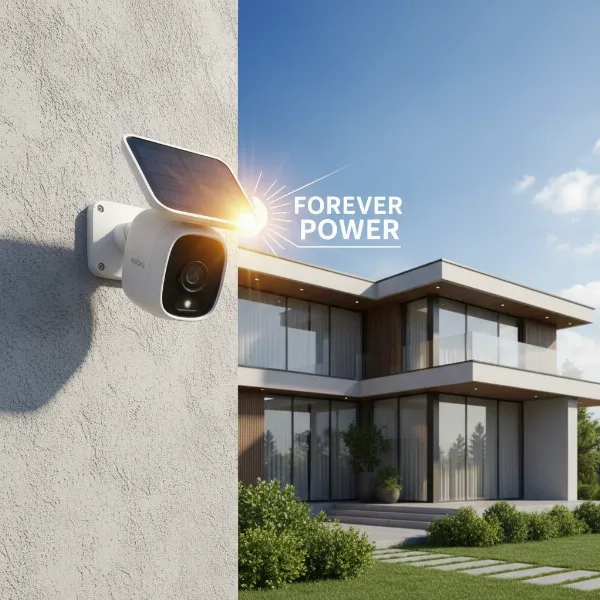 EufyCam 3 security camera with a built-in solar panel in an outdoor setting, symbolizing continuous charging and wire-free operation.
Stunning 4K UHD Video Quality
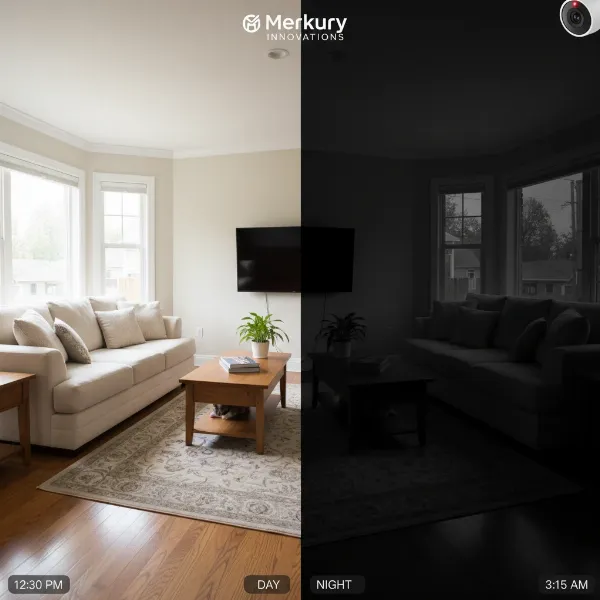
When it comes to surveillance, clarity is king, and the EufyCam 3 delivers with stunning 4K (3840×2160) Ultra High Definition video recording. This superior resolution ensures that every detail, from faces to license plates, is captured with exceptional sharpness during the day. While the camera records at 15 frames per second (fps)—a common trade-off for battery-powered devices to conserve energy—the video quality remains excellent for security monitoring. The system also boasts impressive night vision capabilities, offering both clear infrared (IR) black-and-white footage and vibrant color night vision, enhanced by a built-in 100-lumen spotlight, ensuring comprehensive visibility even in complete darkness. Its 135-degree field of view captures a wide area, reducing blind spots.
BionicMind AI with Facial Recognition
The intelligence behind the EufyCam 3 system resides in its HomeBase 3, powered by Eufy’s advanced BionicMind AI. This on-device artificial intelligence processes all video data locally, a significant advantage for privacy-conscious users as footage never leaves your home network. BionicMind AI offers sophisticated detection capabilities, including human, facial, pet, and vehicle recognition. It intelligently differentiates between family members, friends, and strangers with impressive accuracy, helping to minimize irrelevant alerts. The system’s self-learning algorithms continuously improve over time, becoming more adept at identifying individuals and even discerning suspicious behaviors. Furthermore, it includes crying detection, adding another layer of awareness for families.
Zero Monthly Fees with Expandable Local Storage
One of the most attractive aspects of the EufyCam 3 is its commitment to subscription-free security. Unlike many competitors that force users into costly monthly cloud storage plans, the EufyCam 3 system relies entirely on local storage via the HomeBase 3. The HomeBase 3 comes with 16GB of built-in eMMC storage, which can typically hold months of footage. For those requiring more extensive archives, the storage is expandable up to a massive 16TB by adding a 2.5-inch SATA HDD or SSD. This not only offers immense storage capacity but also ensures that your video data remains private and secure within your home, providing complete control over your recordings without any recurring costs.
EufyCam 3 at a Glance: Pros and Cons
Choosing a security camera system involves weighing its advantages against its limitations. The EufyCam 3 offers a compelling package, but it’s essential to consider all aspects.
| Feature | Pros | Cons |
|---|---|---|
| Power | Solar-powered for continuous, wire-free operation | Optimal solar alignment can be challenging to achieve |
| Video Quality | Sharp 4K resolution, excellent color night vision | 15fps video capture (less smooth than higher framerate cams) |
| Cost & Storage | No monthly subscription fees, expandable local storage | High initial upfront cost for the system |
| AI Capabilities | Advanced BionicMind AI (face, pet, vehicle detection) | Fine-tuning AI settings for specific detections (e.g., pets) may require initial effort |
| Installation | Easy, cable-free setup | Proprietary wireless protocol can limit range on large properties |
| Smart Home | Integration with Amazon Alexa and Google Assistant | Lacks support for Apple HomeKit and IFTTT |
Performance in the Real World
The true measure of any security system lies in its real-world performance. The EufyCam 3 excels in several critical areas, making it a reliable choice for home surveillance.
Video Quality
The EufyCam 3’s 4K sensor delivers remarkably clear and detailed video during daylight hours. Objects and individuals are sharp, with accurate colors, allowing for easy identification. Even in low-light conditions, the camera impresses. Its color night vision, activated by the built-in spotlight, provides vibrant and discernible footage, while its infrared night vision offers strong contrast and sufficient detail in pure darkness. The ability to capture such high-resolution footage day and night is a significant advantage, ensuring that critical events are recorded with maximum clarity.
Motion Detection & Alerts
Powered by the BionicMind AI, the EufyCam 3’s motion detection is highly intelligent. It effectively distinguishes between humans, pets, and vehicles, significantly reducing false alarms that plague simpler systems. The facial recognition feature further refines alerts, notifying you when an unrecognized face is detected while ignoring family members. While some users report needing to fine-tune settings initially for optimal pet detection, the AI’s self-learning capabilities mean it gets smarter over time, providing more accurate and relevant notifications directly to your smartphone.
 A visual representation of EufyCam 3's BionicMind AI in action, showing facial recognition and object detection overlays on a security camera feed.
Two-Way Audio
Effective communication is a crucial component of any security camera, and the EufyCam 3 integrates clear two-way audio. This feature allows you to listen in on your property and speak directly through the camera’s speaker, whether to greet a delivery person or deter an unwelcome visitor. The audio quality is generally loud and clear, facilitating effective interaction and providing an additional layer of security and convenience.
App Experience
The Eufy Security app serves as the central control panel for your EufyCam 3 system. It is generally praised for its user-friendly interface and intuitive navigation, making it easy to manage multiple cameras, customize settings, and review recorded footage. Users can set motion detection zones, adjust sensitivity, schedule recording times, and configure notification preferences. While some advanced settings might require a bit of exploration, the app provides extensive control and offers a seamless experience for monitoring your home from anywhere.
Setting Up Your EufyCam 3 System
Getting your EufyCam 3 up and running is a straightforward process, designed for user convenience.
1. HomeBase 3 Setup: Begin by connecting the HomeBase 3 to your router and power source. The app will guide you through the initial setup, including connecting it to your Wi-Fi network.
2. Camera Placement for Optimal Solar Charging: Identify locations that receive at least two hours of direct sunlight daily to maximize the “Forever Power” benefit. The cameras are wire-free, offering flexibility, but strategic placement is key for continuous solar charging.
3. Pairing Cameras: Follow the in-app instructions to pair each EufyCam 3 with the HomeBase 3. This typically involves a simple button press on the camera.
4. Installation: Mount the cameras securely using the provided hardware. Their IP67 weather rating ensures durability against dust and water, making them suitable for outdoor environments.
5. App Customization: Dive into the Eufy Security app to customize settings such as motion detection zones, alert preferences, night vision modes, and BionicMind AI recognition profiles. Take time to “teach” the AI familiar faces for enhanced accuracy.
Is EufyCam 3 Right for You? (Buying Guide)
Deciding if the EufyCam 3 system fits your needs involves considering several factors, particularly your priorities regarding surveillance quality, cost, and privacy.
Who it’s for:
- Privacy-conscious homeowners: If local storage and on-device AI processing are paramount to you, avoiding cloud subscriptions and external data handling, EufyCam 3 is an excellent choice.
- Those seeking long-term value: The absence of monthly fees means the system pays for itself over time, despite a higher initial investment.
- Users prioritizing high-resolution video: The 4K recording capabilities offer exceptional detail for identification.
- Individuals wanting low-maintenance: The solar charging minimizes the need for manual battery recharging, making it a “set and forget” solution.
- Smart home enthusiasts (with limitations): It integrates well with Alexa and Google Assistant, although it lacks Apple HomeKit support.
Considerations:
- Upfront Budget: The EufyCam 3 system, including the HomeBase 3 and cameras, has a higher initial price point compared to some entry-level Security Cameras. However, this cost is offset by the lack of recurring fees.
- Solar Panel Alignment: To achieve continuous power, cameras must be installed in locations with adequate sunlight. This might require careful planning for optimal placement.
- Proprietary Protocol: The cameras connect to the HomeBase via a proprietary wireless protocol, which might limit range compared to systems that can leverage your existing Wi-Fi mesh network for direct camera connections. This could be a concern for very large properties.
If you are willing to invest initially for a feature-rich, high-resolution, and maintenance-free security system that respects your privacy and avoids ongoing costs, the EufyCam 3 is a compelling and intelligent choice.
Maximizing Your EufyCam 3 Experience
To get the most out of your EufyCam 3 system, implement these effective strategies:
- Strategic Camera Placement: Install cameras at key entry points, driveways, and vulnerable areas. Aim for a height that captures faces clearly, avoiding direct strong light sources that could cause glare. Ensure solar panels face an unshaded, south-facing direction (in the Northern Hemisphere) for maximum sun exposure.
- Optimize AI Settings: Spend time in the Eufy Security app to fine-tune BionicMind AI settings. Teach it familiar faces, set specific detection zones, and adjust sensitivity levels to minimize false alarms and ensure you only receive alerts for what truly matters. Experiment with pet detection if you have animals, as it may require tweaking.
- Utilize Smart Notifications: Configure notifications to alert you instantly on your smartphone when the AI detects an unknown person or specific activity. This allows for immediate action or review.
- Strong Password Security: Protect your Eufy account and HomeBase 3 with strong, unique passwords. Enable two-factor authentication for an added layer of security.
- Regular Maintenance: Periodically clean the solar panel and camera lens to ensure optimal performance and picture clarity. Check the app for firmware updates to benefit from the latest features and security enhancements.
- Comply with Privacy Laws: Be mindful of local privacy laws and regulations regarding surveillance, especially when placing cameras in areas that might infringe on a neighbor’s privacy.
Common Questions and Troubleshooting
Even with advanced systems like the EufyCam 3, users might encounter issues. Here are some common problems and their potential solutions:
- Camera Not Connecting to HomeBase 3: Ensure both the camera and HomeBase 3 are powered on and within effective wireless range. Restart both devices. Check for any obstructions that might interfere with the proprietary wireless signal.
- Blurry or Noisy Images: Clean the camera lens gently with a soft cloth. Check the camera’s mounting to ensure it’s stable and not vibrating. In low-light, ensure the spotlight is enabled for color night vision or that there are no strong light sources causing overexposure.
- Battery Drains Too Quickly: Verify the solar panel is receiving at least two hours of direct sunlight daily. In darker, colder months, solar charging can be less effective; consider temporarily recharging manually if needed. Adjust motion detection sensitivity to reduce excessive recordings.
- Frequent False Alarms: Refine your BionicMind AI settings in the app. Adjust detection zones to exclude public pathways or swaying tree branches. “Teach” the AI familiar faces to filter out known individuals.
- Camera Hacking Concerns: Eufy emphasizes local processing and encryption. Always use strong, unique passwords and enable two-factor authentication for your Eufy account. Keep your HomeBase 3 firmware updated to benefit from the latest security patches.
- Data Loss: While HomeBase 3 provides local storage, regular backups (if manually expanded with an HDD/SSD) are always recommended for critical footage. Ensure your expandable storage device is reliable.
“The EufyCam 3 delivers on its promise of powerful, subscription-free 4K security, with its integrated solar power and intelligent AI making it a truly smart choice for modern homes.”
Conclusion
The EufyCam 3 system stands out as a formidable contender in the home security landscape, particularly for those who prioritize advanced features without the burden of recurring monthly fees. Its combination of integrated solar power, stunning 4K video resolution, and the intelligent BionicMind AI creates a highly effective and self-sufficient surveillance solution. By offering extensive local storage and on-device processing, Eufy provides a privacy-focused alternative that keeps your data secure within your home. While the initial investment is higher, the long-term savings and peace of mind derived from its robust capabilities make the EufyCam 3 a compelling choice. Are you ready to embrace a future where your home security is both powerful and perpetually free?
Frequently Asked Questions
Does the EufyCam 3 offer continuous 24/7 recording?
No, the EufyCam 3, as a battery-powered camera, focuses on event-based recording activated by motion. This optimizes battery life and local storage efficiency.
How much direct sunlight does the EufyCam 3 need?
For “Forever Power” and continuous charging, the EufyCam 3 requires approximately two hours of direct sunlight exposure per day. Performance may vary in shaded areas or during darker seasons.
Can I use EufyCam 3 without the HomeBase 3?
No, the EufyCam 3 requires the HomeBase 3 (S380) to function. The HomeBase acts as the central hub for storage, AI processing, and network connectivity for the cameras.
Is EufyCam 3 compatible with smart home platforms?
Yes, the EufyCam 3 integrates with Amazon Alexa and Google Assistant, allowing for voice control and integration into broader smart home routines. However, it does not support Apple HomeKit or IFTTT.
What is the maximum expandable storage for EufyCam 3?
The HomeBase 3 comes with 16GB of built-in eMMC storage and can be expanded significantly with a 2.5-inch SATA HDD or SSD, supporting capacities up to 16TB.
How does BionicMind AI improve security?
BionicMind AI enhances security by providing intelligent detection capabilities like facial recognition, differentiating between known individuals and strangers, and identifying pets or vehicles. This reduces false alarms and provides more relevant, actionable alerts, focusing on actual threats.