Ever have that nagging feeling after you’ve left the house? “Did I close the garage door?” or “I hope the dog isn’t tearing up the new sofa.” We’ve all been there. In a world where we’re constantly connected, it only makes sense that we want a connection back to our most important space: our home. This is where the home security camera steps in, and if you’re looking for an affordable, accessible option, you’ve likely stumbled upon this Tp Link Tapo Camera Review. The question is, does “affordable” mean you’re compromising on what truly matters?
Let’s cut through the noise. I’ve installed and tested more cameras than I can count, from high-end commercial systems to simple plug-and-play gadgets. My goal here isn’t to sell you a camera; it’s to give you the honest, boots-on-the-ground insights you need to decide if the Tapo line is the right fit for your peace of mind. So grab a coffee, and let’s dive deep.
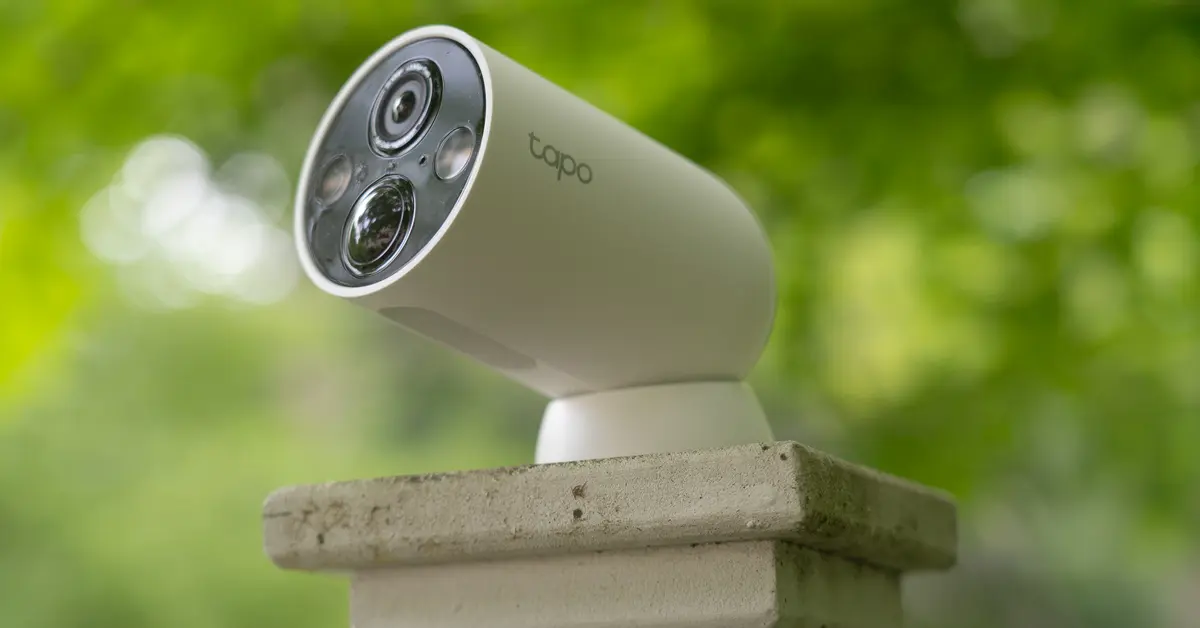
What Exactly Are We Talking About? The Tapo Camera Family
First things first, “TP-Link Tapo Camera” isn’t just one device. It’s a whole family of smart home security cameras designed to be incredibly user-friendly and light on the wallet. They’re TP-Link’s answer to brands like Wyze and Blink. You’ll typically find a few popular types:
- Indoor Pan/Tilt Cameras (like the Tapo C200/C210): These are the little domes you can place on a shelf to get a 360-degree view of a room. Perfect for keeping an eye on pets or large living spaces.
- Indoor Fixed Cameras (like the Tapo C100/C110): A more traditional, stationary camera. You point it where you want to watch, and it stays there. Great for monitoring a doorway or a baby’s crib.
- Outdoor Weatherproof Cameras (like the Tapo C310/C320WS): Built to withstand the elements, these are your first line of defense for monitoring your driveway, backyard, or front porch.
The common thread? They all connect to your Wi-Fi and are controlled through a single, straightforward mobile app.
My Hands-On TP-Link Tapo Camera Review: The Nitty-Gritty
Theory is one thing, but real-world performance is what counts. I got my hands on a couple of the most popular models, the indoor C200 and the outdoor C310, to see how they stack up in a real home environment.
The Setup: Surprisingly Painless
I’ve wrestled with some truly frustrating installations in my day, so I’m always a bit skeptical of “easy setup” claims. But with Tapo, it’s genuinely simple.
- Unbox it: The camera, a power adapter, and a mounting kit. That’s it.
- Download the App: Find the “Tapo” app on your phone’s app store.
- Plug it in: The camera powers on and a light starts blinking.
- Follow the Prompts: The app holds your hand through the entire process—connecting to the camera’s temporary Wi-Fi, then linking it to your home network.
Honestly, from unboxing to live-streaming video on my phone, it took less than five minutes. It’s the kind of tech you can give to your not-so-tech-savvy parents without expecting a frantic phone call an hour later.
Video and Audio Quality: Good Enough for the Job?
Most Tapo cameras come with 1080p Full HD resolution, with some newer models offering 2K. So, what does that actually mean?
It means the picture is clear enough to easily recognize faces, read license plates if they’re close enough, and see exactly what mischief your pet is up to. It’s not the 4K cinematic quality you’d see from a system costing five times as much, but for everyday security and monitoring, it absolutely gets the job done.
“For most residential applications, 1080p is the sweet spot. It provides sufficient detail for identification without creating massive video files that clog your network and storage. It’s a practical and effective standard.” – David Chen, Cybersecurity Analyst.
Night vision is also surprisingly solid. It uses infrared LEDs, so the image is black and white, but you can clearly make out details across a standard-sized room or yard. The two-way audio is functional; you can hear what’s going on and talk back through your phone. The speaker on the camera is a bit tinny, but it’s loud enough to startle an intruder or tell your dog to get off the counter.
The Brains of the Operation: The Tapo App
A security camera is only as good as its app, and this is where TP-Link leverages its experience in networking and user interface design. The Tapo app is clean, intuitive, and stable.
- Live View: You can easily tap in to see a live feed from any of your cameras.
- Playback: Reviewing recorded footage is straightforward with a visual timeline.
- Motion Alerts: You get a notification on your phone when a camera detects movement.
- Activity Zones: This is a key feature. You can draw boxes on the screen to tell the camera to only monitor specific areas. This is a lifesaver for outdoor cameras, as you can exclude a busy sidewalk or a tree that sways in the wind, drastically reducing false alarms.
Key Features That Set Tapo Apart
When you’re comparing budget-friendly cameras, a few key features can make all the difference. This is where a tp link tapo camera review needs to focus.
The Storage Showdown: Local vs. Cloud
This is, without a doubt, one of Tapo’s biggest selling points. You have two options for storing your video recordings:
- Local Storage (MicroSD Card): You can pop a microSD card (up to 128GB or 256GB, depending on the model) directly into the camera. It will record motion-triggered events right onto the card. The best part? There is no monthly fee. You buy the card, and you’re done.
- Tapo Care (Cloud Storage): If you want the extra security of having your footage stored off-site in the cloud (in case a thief steals the camera itself), you can subscribe to Tapo Care. It’s an affordable subscription that also unlocks more advanced AI features like person detection and baby crying detection.
The fact that TP-Link gives you the choice is a huge win for consumers. You can start with just a microSD card and decide later if you need the cloud features.
Smart Home Integration: Playing Nicely with Others
If you’re building a smart home, you want your devices to talk to each other. Tapo cameras work seamlessly with Amazon Alexa and Google Assistant. This means you can say things like:
- “Alexa, show me the front door.”
- “Hey Google, show the backyard camera on my Chromecast.”
This integration turns your camera from a standalone device into a connected part of your home ecosystem, which is a fantastic feature at this price point.
Who Is the TP-Link Tapo Camera For?
After extensive testing, it’s clear who will get the most value out of a Tapo camera.
This is a great choice for:
- Renters and Apartment Dwellers: Easy to install without drilling or permanent modifications.
- Pet Owners: The pan/tilt models are perfect for following your furry friends around.
- Parents: A fantastic, affordable alternative to a dedicated baby monitor.
- Small Business Owners: A simple way to keep an eye on a storefront or stockroom after hours.
- Anyone on a Budget: It delivers 80% of the functionality of high-end cameras for 20% of the price.
You might want to look elsewhere if:
- You need a professionally monitored, multi-camera system with a central recording unit (NVR).
- You require 24/7 continuous recording to the cloud (Tapo focuses on motion-event recording).
- You need advanced features like package detection or facial recognition without a subscription.
Frequently Asked Questions (FAQ)
1. Do TP-Link Tapo cameras require a monthly subscription?
No, a subscription is not required. You can use a microSD card for local video storage and access all core features like live view, two-way audio, and mobile alerts for free. The optional Tapo Care subscription adds cloud storage and advanced AI detection.
2. How are the Tapo cameras powered?
Most indoor and outdoor Tapo cameras are wired and need to be plugged into a standard electrical outlet. They are not battery-powered, which means you never have to worry about recharging them, but you do need to consider outlet placement.
3. Can I view my Tapo camera when I’m away from home?
Yes. As long as the camera is connected to your home Wi-Fi and your phone has an internet connection (Wi-Fi or cellular data), you can access the live feed and recordings from anywhere in the world through the Tapo app.
4. How secure are TP-Link Tapo cameras?
TP-Link uses industry-standard 128-bit AES encryption with SSL/TLS to secure camera data. This is the same level of security used for online banking. However, like any internet-connected device, it’s crucial to use a strong, unique password for your account to maintain security.
5. How good is the night vision on a Tapo camera?
The infrared night vision is quite effective, providing clear black-and-white video up to 30 feet away in complete darkness. Some newer outdoor models, like the C320WS, also offer a “Starlight” sensor for color night vision in low-light conditions.
The Final Verdict: Affordable Peace of Mind
So, let’s circle back to our original question. After a thorough tp link tapo camera review, is it worth it? The answer is a resounding yes, for the right person.
The TP-Link Tapo line isn’t trying to be the most feature-packed, highest-resolution security system on the market. Instead, it succeeds brilliantly at its mission: to make home security simple, accessible, and affordable for everyone. The combination of solid video quality, a fantastic user-friendly app, and the all-important option for fee-free local storage makes it an incredible value. It provides that essential peace of mind, that quick check-in on your home, without locking you into an expensive ecosystem or a mandatory monthly bill. If you’re ready to take the first step in securing your home, the Tapo camera is one of the smartest places to start.